Working with Configuration Items
About Configuration Items
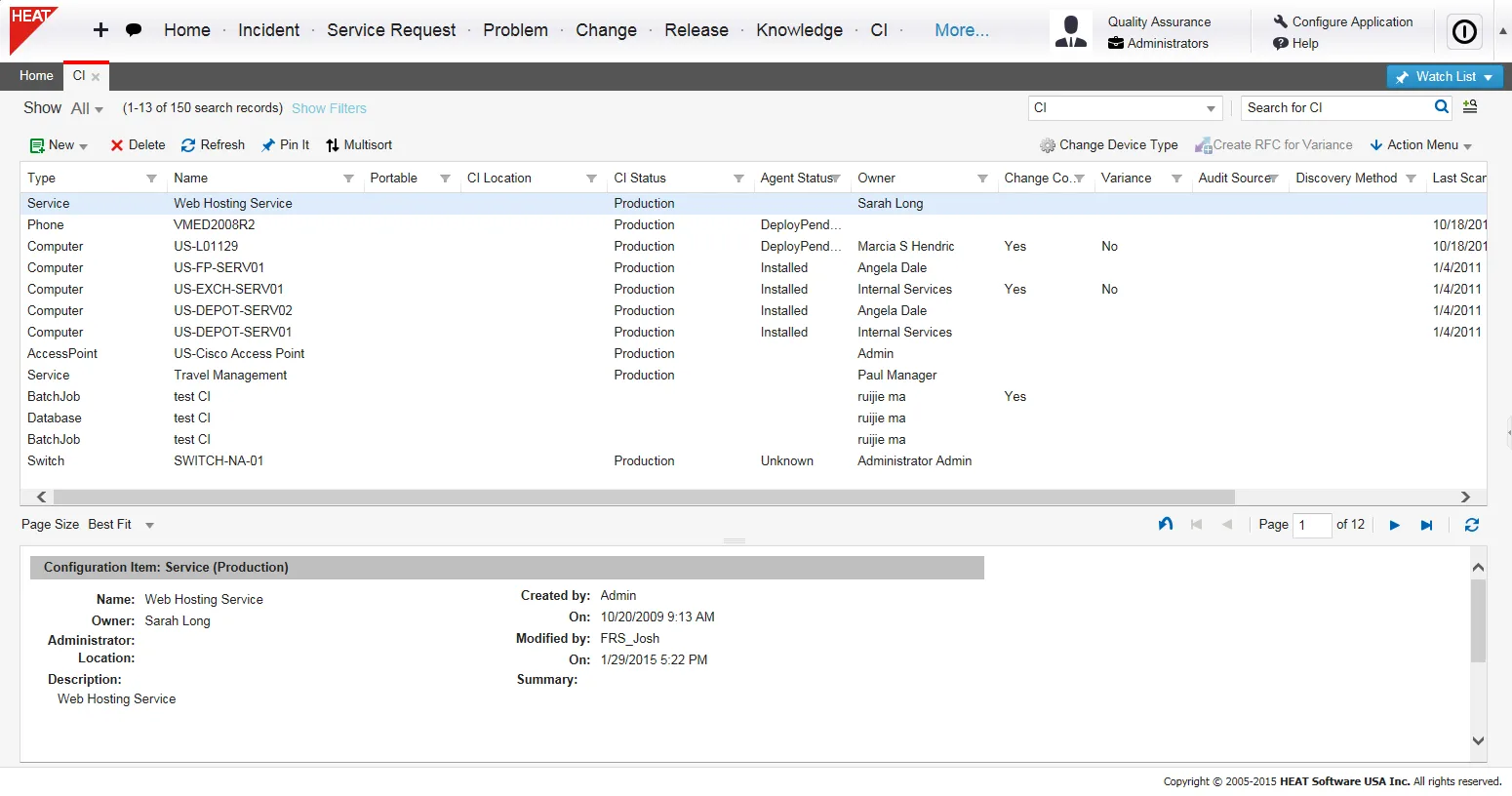
Configuration items are generally any component of an IT Infrastructure and typically include IT services, hardware, software, buildings, people and formal documentation such as process documentation and service level agreements. Information about each configuration item (CI) is organized in a configuration record and is maintained throughout its lifecycle by configuration management. The configuration item records are listed in the CI workspace.
A change is usually scheduled to implement or deploy a configuration item through the release mechanism. In Neurons for ITSM, configuration items include physical assets as well as services. During the change, Change Managers ask which are the configuration items that have been affected, how have they been affected, and which services are impacted by the affected configuration items. For example, implementing a new Microsoft Exchange server (which is a configuration item) could potentially impact email services (which is a service).
Change Managers can also view the CI map to view the services that might impact or be impacted by the change.
Change Managers can also view the baseline of a configuration item before making the change. Baseline of the associated configuration item is recorded in the Baseline Comparison tab of the configuration item record and the Baseline tab of the change record when the change is in implemented status.
Configuration Process
The configuration management database (CMDB) has relationships with Neurons for ITSM processes in the following areas:
- Incident
- Problem
- Change
- Release
- Service Request
See Linking Configuration Items to Other Business Objects for more information on each of these objects.
Viewing Configuration Items
- Log into the Service Desk.
- Open the CI workspace. A list of configuration items appears.
- Double-click a record to view results.
The CI Workspace