
Ticket Summarization
Role: Administrator.
Platform: SaaS only.
Minimum Version: Ivanti Neurons for ITSM 2024.2.
Feature Eligibility: Ivanti's AITSM capabilities are available to customers who have subscribed to Premium or Enterprise Premium license. To know your eligibility, reach out to your Ivanti Account Manager.
Package Installation: Existing customers - import the latest package.
With AITSM capabilities, both Self Service users and Service Desk Analysts can now view ticket summary, check user interaction history, and leverage urgency prediction to streamline incident reporting in your ITSM service desk. The Ticket Summary feature provides a quick, consolidated view of the ticket details and past interactions, helping users and analysts stay informed at a glance.
When submitting an incident through the Self Service Mobile V3 portal, the system uses AI to automatically predict the urgency of the ticket and display relevant knowledge base articles that the user referred to before submission. This not only improves the accuracy of incident prioritization but also gives the Service Desk team valuable insights into user behavior and the resources consulted, enabling faster and more informed resolutions.
Configuring the Incident Form
The User Interaction History is available for new users out-of-the-box but existing users need to configure it.
Adding the User Interaction History field to the Incident Form - Self Service Mobile Incident Page
Use the following procedure to add the User Interaction History field in the Self Service Mobile Incident page so that end users can view the User Interaction History while submitting the Incident.
- Log in to Neurons for ITSM as an Administrator.
- Open the Configuration console > Build > Business Objects > Incident > Forms tab.
- Select the form:
- To create a new form - select Incident.WebSelfService.New.
- To edit existing form - select Incident.WebSelfService.Edit.
In case you are using a different form, select the one you use for the Self Service Mobile role.
- Drag and drop the User Interaction History field on to the form.
- In the Control Properties field of the form, add the following expression:
$(IsRegexMatch(GetGlobal("IsAIITSMEnabled"),/"TicketSummarization":\s*[tT]rue/))- Adjust the dimensions - height and width.
- Make any necessary changes to the field properties.
- Save the changes.
The User Interaction History field will be displayed in the Self Service Mobile Incident page.
This feature is applicable only for Self Service Version 3 users.
User Interaction History - Self Service Mobile portal
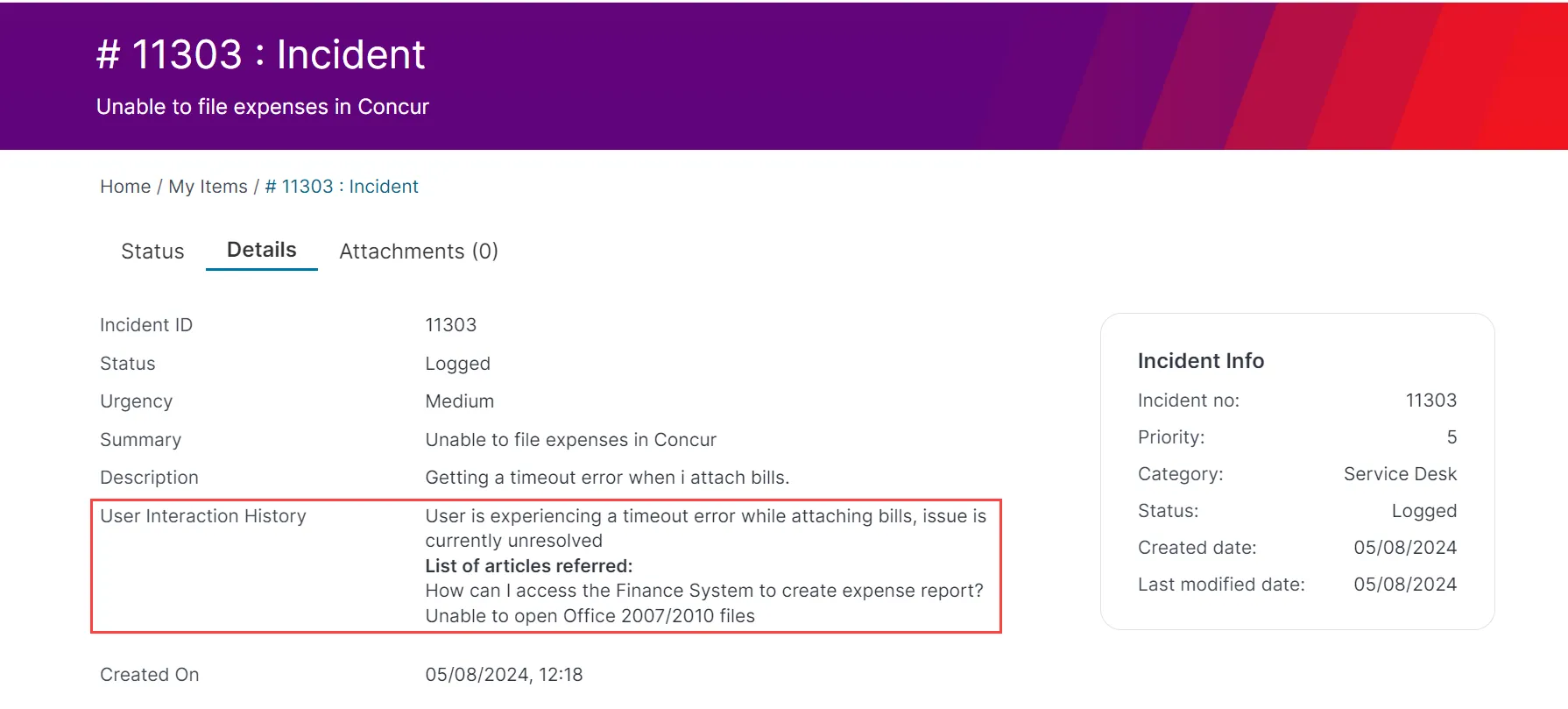
Adding the User Interaction History field to the Incident Form - Service Desk Incident Page
The following steps are to add the User Interaction History field to the Service Desk Incident page so that Service Desk Analysts can view the User Interaction History of the Self Service users.
- Log in to Neurons for ITSM as an Administrator.
- Open the Configuration console > Build > Business Objects > Incident > Forms tab.
- Select the Incident.Defaultform or the form used for Classic UI Incident.
- Drag and drop the User Interaction History field to the form.
- In the Control Properties field of the form, add the following expression:
$(IsRegexMatch(GetGlobal("IsAIITSMEnabled"),/"TicketSummarization":\s*[tT]rue/))- Adjust the dimensions - height and width.
- Make any necessary changes to the field properties.
- Save the changes.
The User Interaction History section is displayed in the Service Desk console Incident page.
User Interaction History - Service Desk console
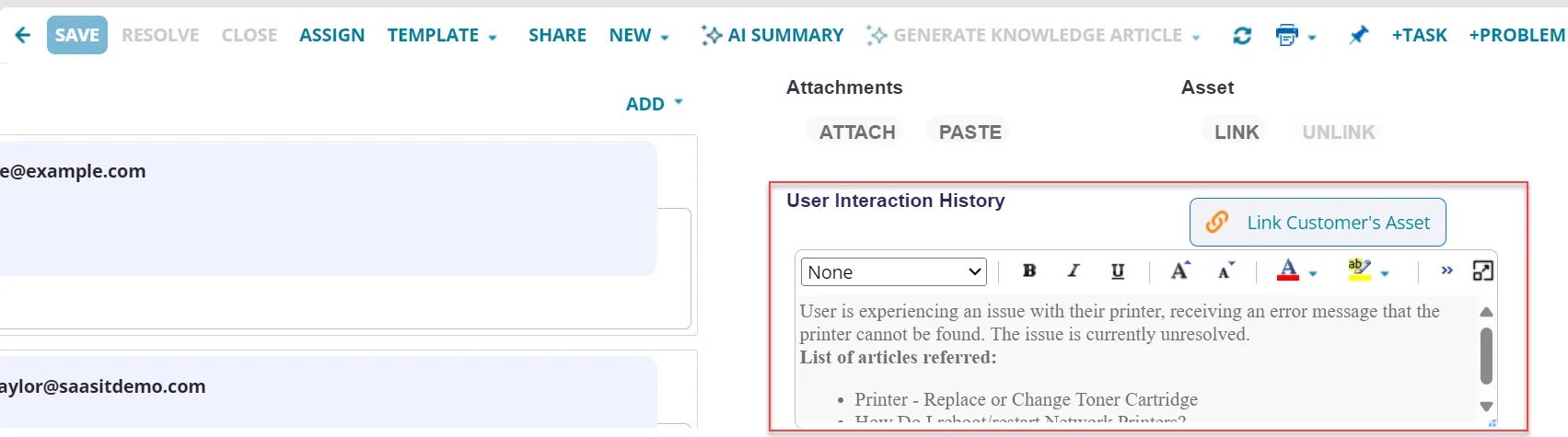
Viewing User Interaction
- Log in to Neurons for ITSM as a Service Desk Analyst or any role than has access to Incident workspace.
- Open an Incident.
- Under the User Interaction History section, click the Maximize icon
 .
.
The User Interaction History window pops-up.
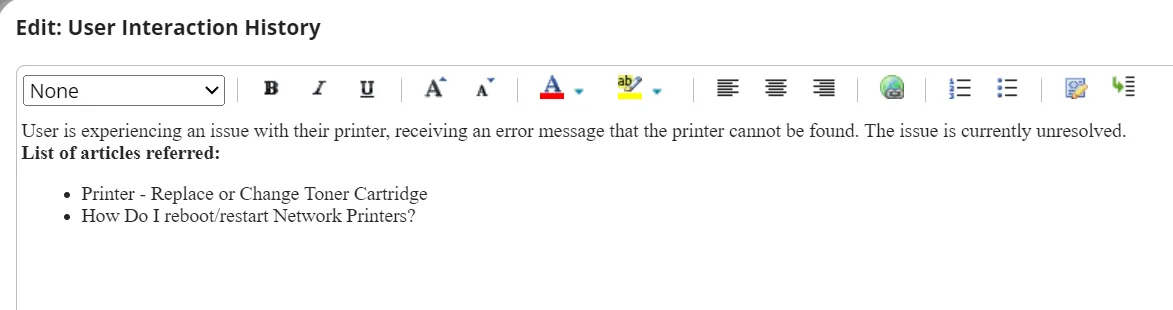
- You can edit the content and format it if required.
- Click Close to exit.