
Knowledge Base Article Generation
Role: Administrator.
Platform: SaaS only.
Minimum Version: Ivanti Neurons for ITSM 2024.2.
Feature Eligibility: Ivanti's AITSM capabilities are available to customers who have subscribed to Premium or Enterprise Premium license. To know your eligibility, reach out to your Ivanti Account Manager.
Package Installation: Existing customers - import the latest package.
Ivanti Neurons for ITSM introduces AITSM capabilities that simplify the process of creating knowledge content. With just a click, Knowledge Base Articles can be generated using supported out-of-the-box templates, making it easier for Service Desk Analysts to produce consistent and helpful documentation.
This AI knowledge base feature eliminates manual effort, allowing teams to quickly generate knowledge articles and maintain a robust knowledge base platform. Whether you're building a help desk knowledge base or managing KB articles, this intelligent solution enhances productivity and ensures high-quality content across your knowledge base AI environment.
Configuring the Generate Knowledge Article button
The Generate Knowledge Article button is not available by default for existing customers; the Administrator must specifically add it to the Incident layout. However, for new users, the Generate Knowledge Article button is available out-of-the-box by default.
Prerequisite
- Existing customers - ensure you import the latest package.
Adding the Generate Knowledge Article button to the Incident Layout
- Log in to Neurons for ITSM as an Administrator.
- Open the Configuration console > Build > Business Objects > Incident > Layouts tab.
- Select the Incident Business Object layout used for the role you want the Generate Knowledge Article button implemented.
- Click formView to edit the form.
- Click Edit under the Toolbar field. The Toolbar Editor page is displayed.
- Drag and drop Generate Knowledge Article into the toolbar.
The Toolbar Button Editor window is displayed.
- Click Advanced.
- Enter the following code under Hidden Expression:
$(!IsRegexMatch(GetGlobal("IsAIITSMEnabled"),/"KnowledgeBaseCreation":\s*[tT]rue/))- Enter the following code under Disabled Expression:
$(Status not in ("Resolved", "Closed"))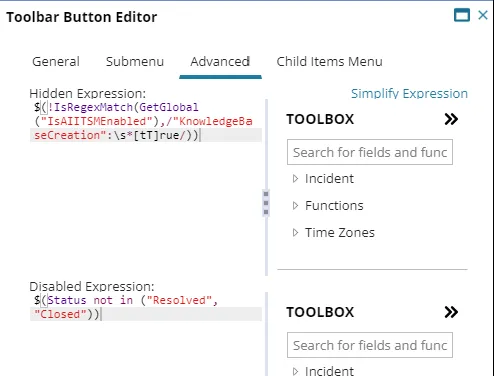
- Save the changes.
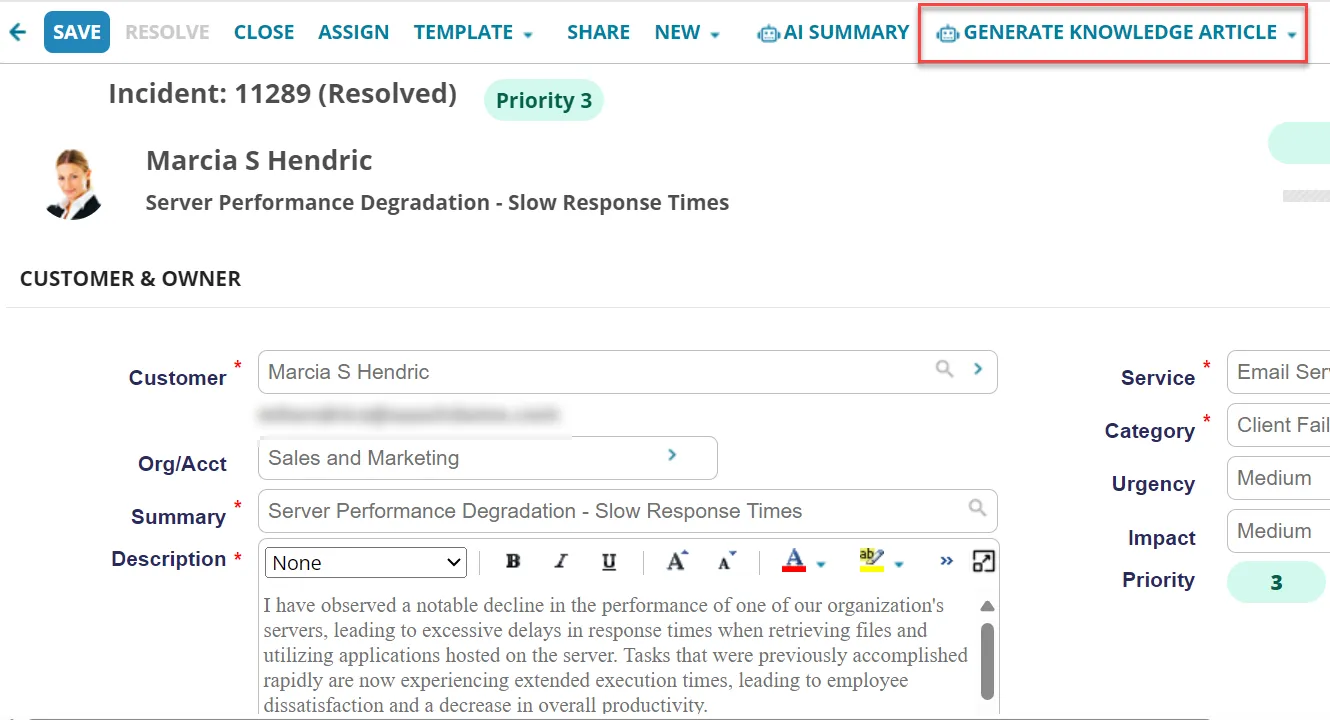
- Open the Incident page, the Generate Knowledge Article button should be available
Generate Knowledge Article button in Incident Page
Generating a Knowledge Base Article
- Log into Neurons for ITSM as a Service Desk Analyst or any role having access to the Incident workspace.
- Open a Resolved or Closed Incident.
- Click Generate Knowledge Article and select a type from the dropdown list.
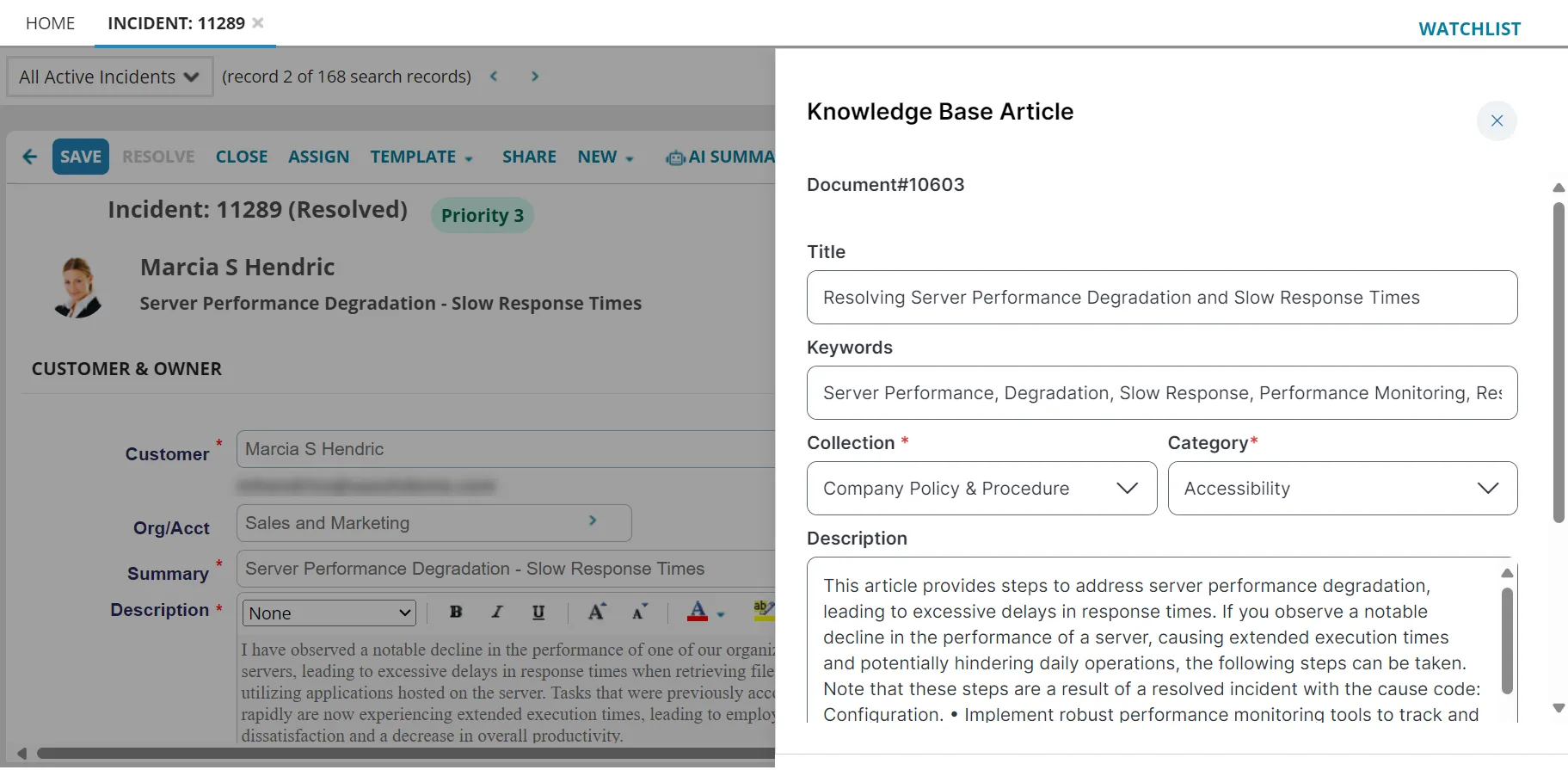
The Knowlege Base Article is displayed on the side panel. The AI generates the Title, Keywords, and Description.
- Only Knowledge Base templates provided out-of-the-box are supported in generating the AI Knowledge Article. Custom templates are not supported.
- Ensure you provide sufficient details in the Description, Summary, and Resolution fields to be able to generate the knowledge article.
- Select the Collection and Category and click Save as Draft.
- Click the thumbs up or thumbs down button at the end of the page and enter your comments. Sharing your feedback helps us improve the capability.
Ensure that users with theMobile Analyst role have the required permission to use this feature. Go to Configuration console > Users and Permissions > Roles and Permissions > open ResponsiveAnalyst > Object Permissions, and select all checkboxes for the nrn_AITSMFeedback Object Name.
Generated Knowledge Base Article
The AI Summary form is provided as a fixed interface and is not customizable.