
Translation service
Role: Administrator
Minimum Version: Ivanti Neurons for ITSM 2025.3.
The Translation service feature converts all UI elements and user-generated content into the user's preferred language or locale.
To perform translations, the Translation service supports the following AI models:
- Ivanti-hosted translation model: Uses the OpenAI model that is provided by Ivanti.
- Custom translation models: Administrators can customize their own translation service. It includes OpenAI (custom hosted), Azure OpenAI, Google Translate, Azure Translate, and DeepL.
You can select a translation service based on their organizational preference.
Enable Translation service
To enable the Translation service, do the following:
- Log in to Neurons for ITSM as an Administrator.
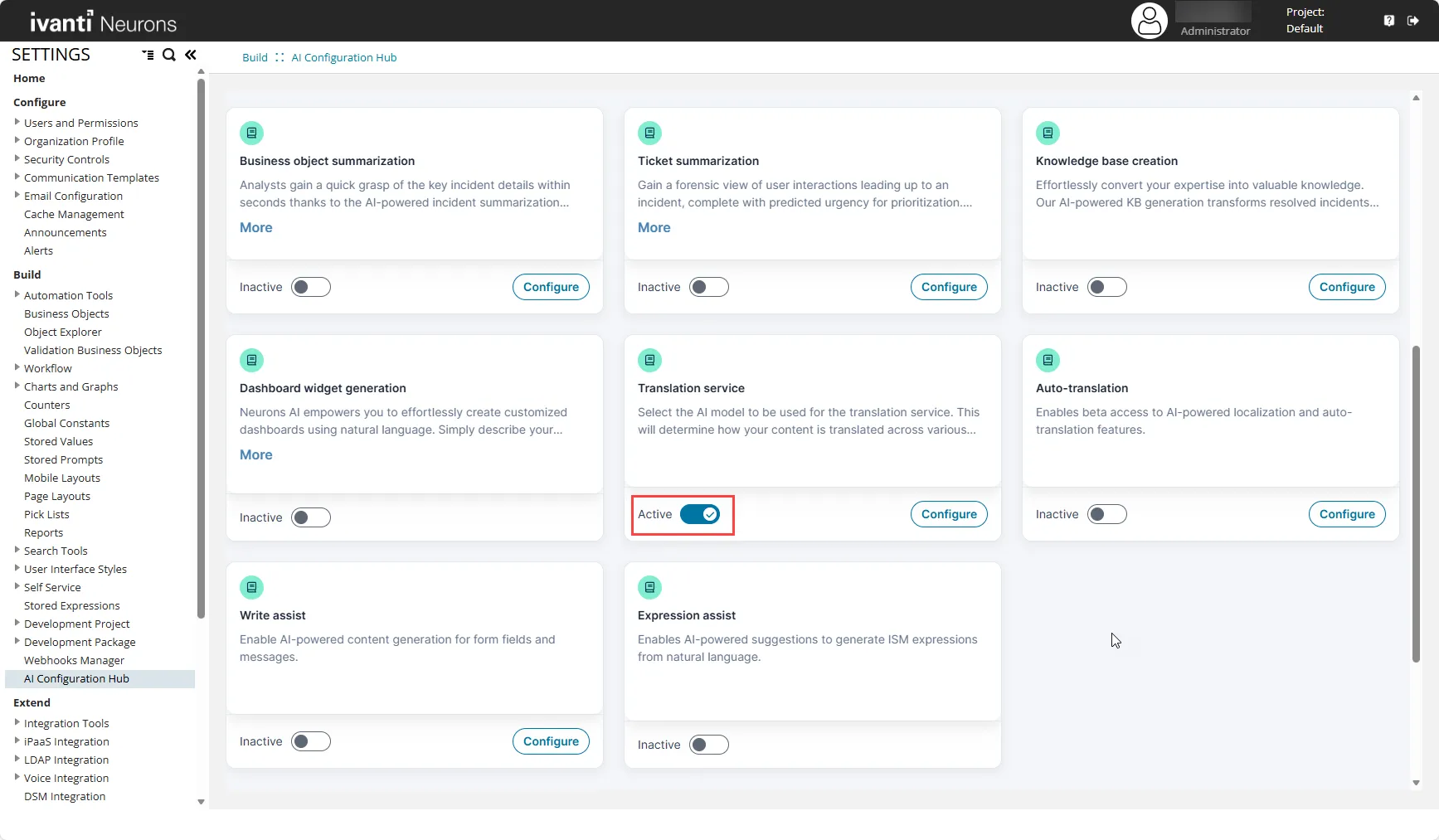
- Go to the Configuration console > AI Configuration Hub.
- Set Translation service to Active using the toggle button.
Configure Ivanti-hosted Translation Model
Ivanti-hosted translation model is the default model, and it supports all AI-related translation use cases.
To configure the Ivanti-hosted translation model, do the following:
- Click the Configure button beside the toggle.
- From the Model Hosting Type dropdown, select the Internally Hosted option.
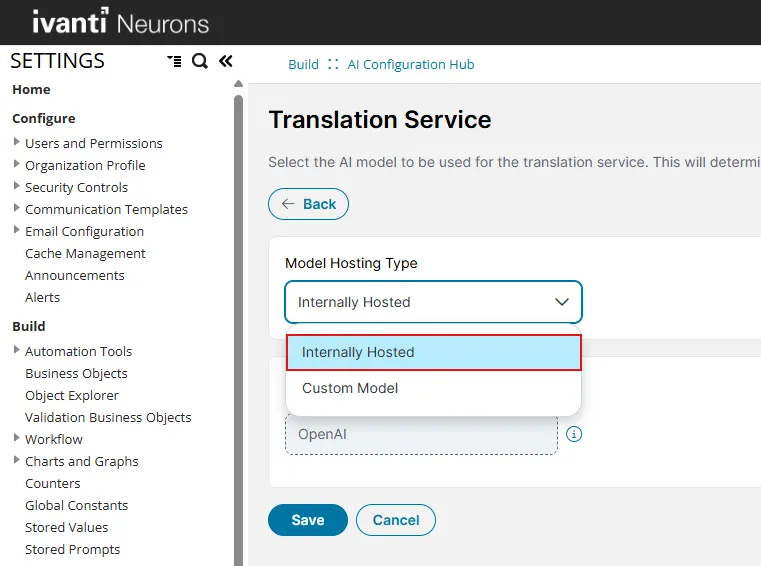
- By default, OpenAI is selected as the model, and no additional configuration is required.
- Click Save.
Configure Custom Translation Model
Custom translation model is optional, and you can use it only within the Localization Workbench.
To configure a Custom Translation Model that you own, do the following:
- Click the Configure button beside the toggle.
- From the Model Hosting Type dropdown, select Custom Model.
- Under Models, select the preferred model that you want to use for translation and fill the subsequent fields to configure it:
Model | Fields |
|---|---|
OpenAI | API Key, Endpoint URL, Model Name, Temperature |
Azure OpenAI | API Key, Endpoint URL, Model Name, Temperature |
Azure Translation | API Key, Endpoint URL, API Version, Region |
DeepL | API Key |
Google Translate | API Key |
- API Key: Enter the API Key to authenticate your application with the translation service provider.
- Endpoint URL: Enter the base URL where your translation API is hosted.
- Model Name: Enter the specific name or ID of the translation model you want to use.
- Temperature: Set the temperature accordingly.
- API version: Enter the version of API that you're using.
- Region: Enter the geographical region where your translation service is hosted.
- Click Save.
- Click Test Connection to validate the configuration. A success message will appear if the configuration is correct.
Fields marked with an asterisk (*) are mandatory.
Translation Limits per Call
Model Type | Max Strings per Call |
|---|---|
Ivanti-hosted Model | 20 |
Custom Translation Model | 100 |
How to use the feature
Refer the following use cases: