
Working with the Service Catalog
About Service Catalog Management
The Service Catalog lists request offerings, such as requests for software, computers, or email.
The Service Catalog is how customers order products and services from your organization. You control the customer experience within the Service Catalog framework, defining for each item an image, description, price, other fields, and workflow.
Users see all products and services available to them, grouped by category, within the Service Catalog.
The Service Catalog, Most Popular Category
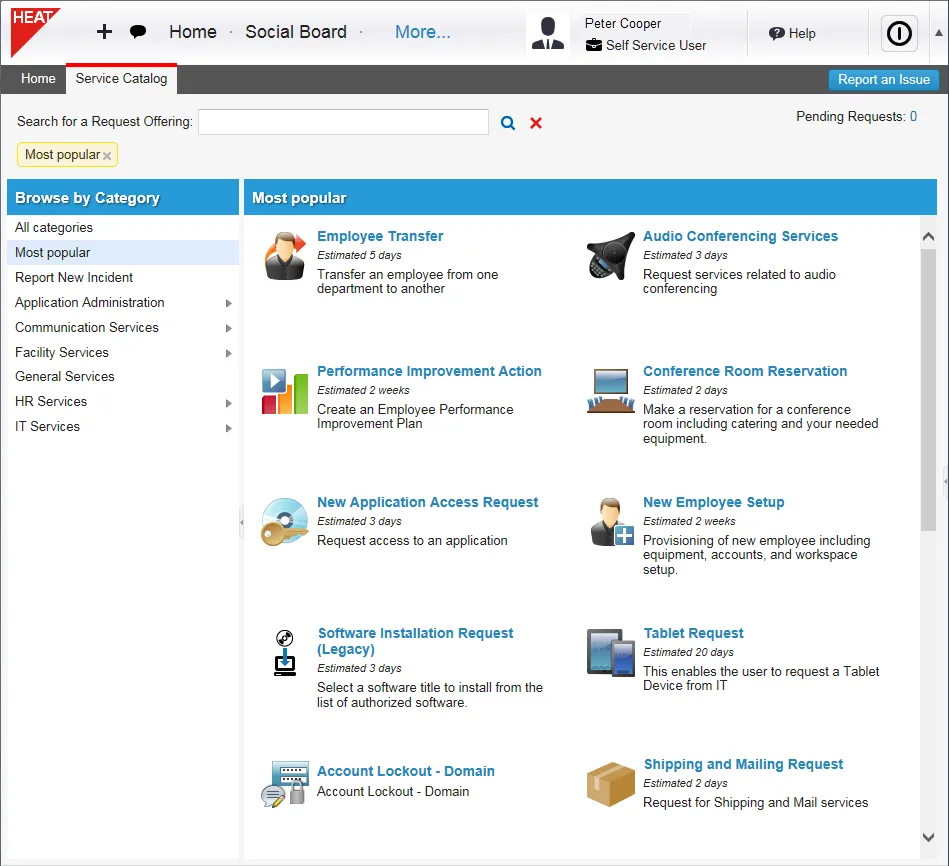
Users can track the progress through the lifecycle. Approvers authorize the order if necessary, and fulfillment groups perform any tasks related to item and service delivery, based on the tickets (work orders) generated by the order.
- Administrators can control the end-user interface and permissions. See Configuring the Self-Service Portal.
- Service owners can create request offerings, which are then published to the Service Catalog. See Creating a Request Offering
Viewing the Service Catalog
- Log into the Service Desk Console.
- Open the Service Catalog workspace.
The Service Catalog, IT Services Category
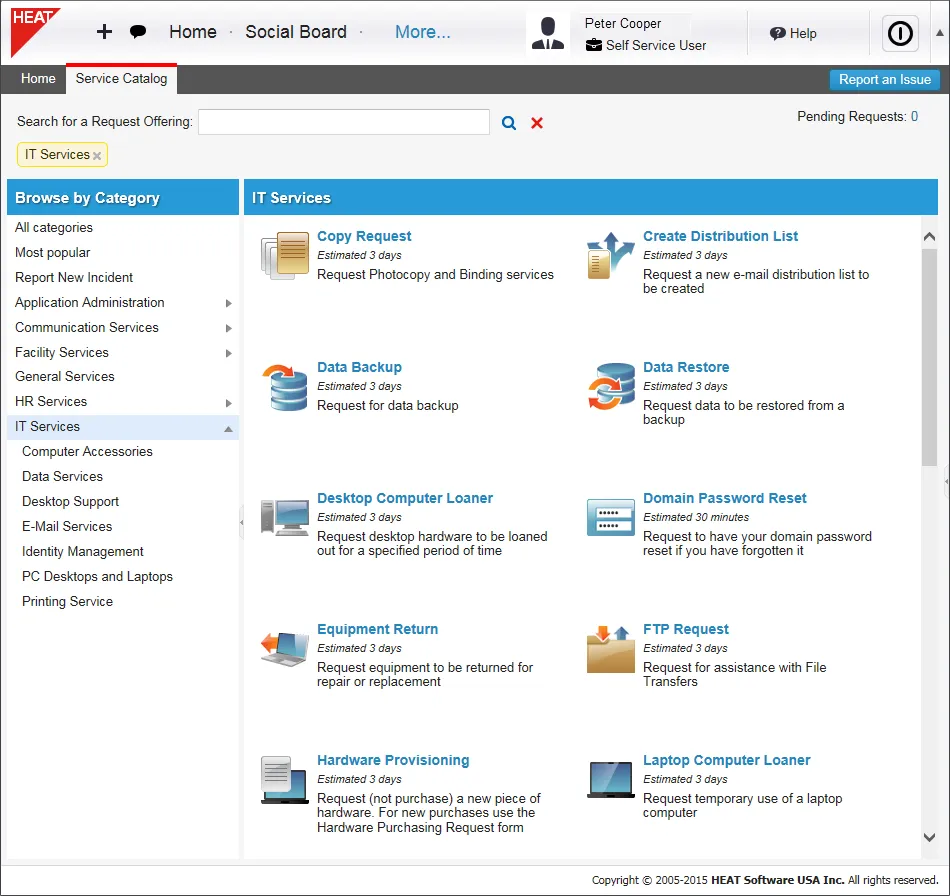
- Services are divided by categories. Click a category in the left page to limit your view to items in that category. Some items can appear in more than one category.
Requesting a Service
- Log into the Service Desk Console.
- Open the Service Catalog workspace.
- Click the service that you want to request.
The information form for that service appears. Each service has its own information form, which consists of one or more pages.
Example of a Service Information Form
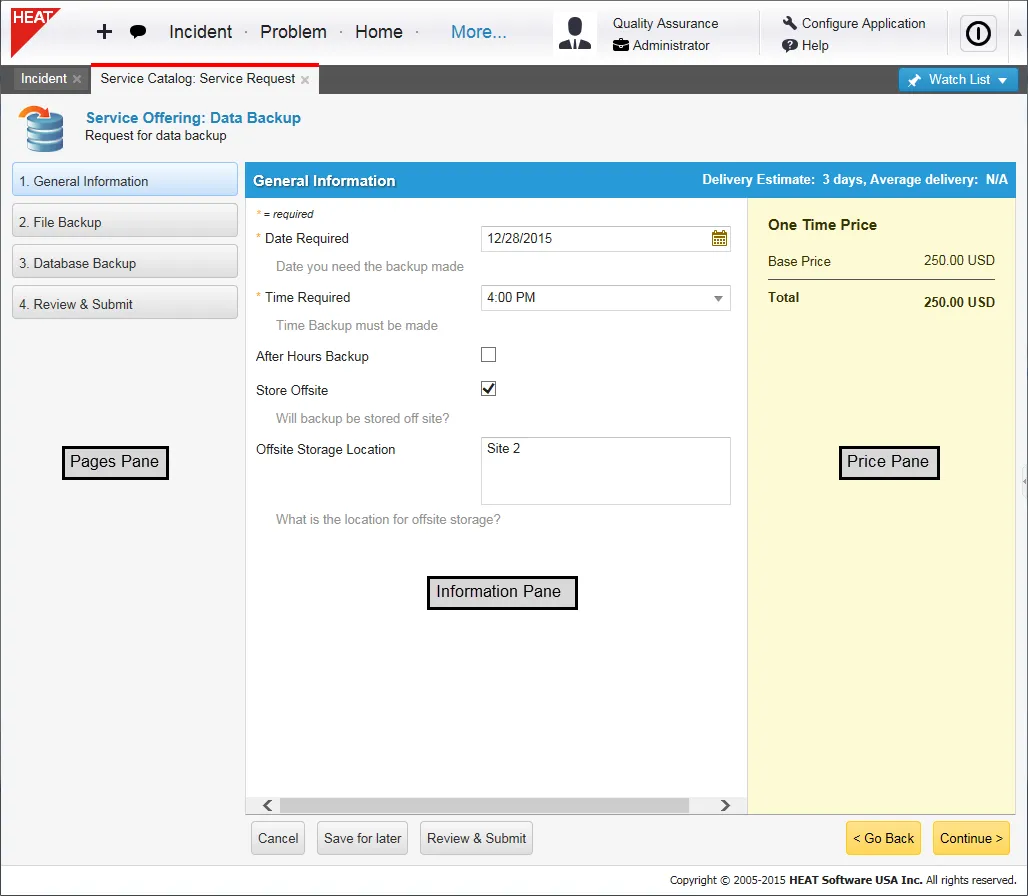
- Enter the requested information. If the form has multiple pages, click Continue to go the next page, and enter the requested information.
- When you have entered all the requested information, click Review and Submit.
Exception: If you are using the Service Catalog to report an incident, click Save Incident. See Managing Incidents.
- Click Edit to make changes to the request.
- Click Submit to submit the request.
- An email is automatically generated to the person assigned the request.
- The request is automatically added to your My Items list, and the progress bar appears.
Service Requests in the My Items List

About Delivery Times
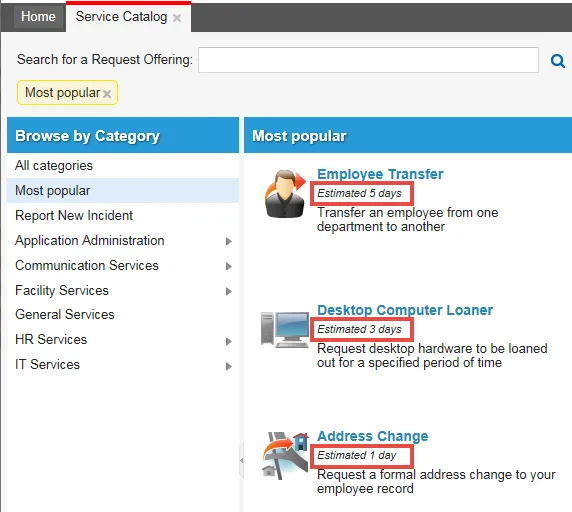
If configured, each item in the Service Catalog shows the estimated time it takes to deliver the request.
Estimated Delivery Time
After the request has been fulfilled, the system automatically calculates the average actual delivery time, based on time to complete the request. You can view this under My Items.
Average Delivery Time
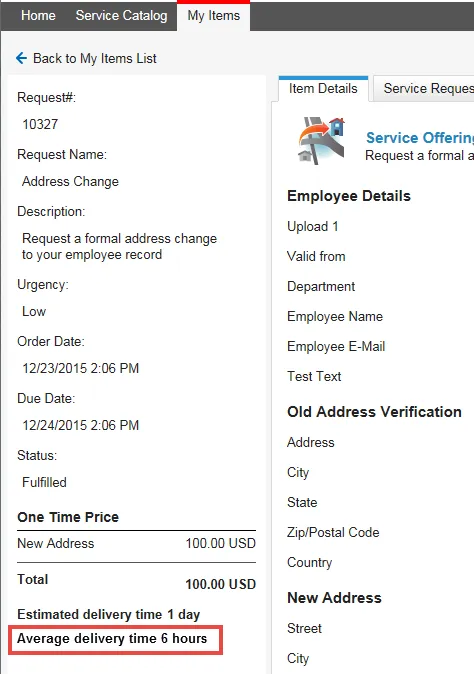
This information is taken from the last 90 days and uses the ServiceReqDeliveryAvgView business object.
To change the time-frame used to take the average:
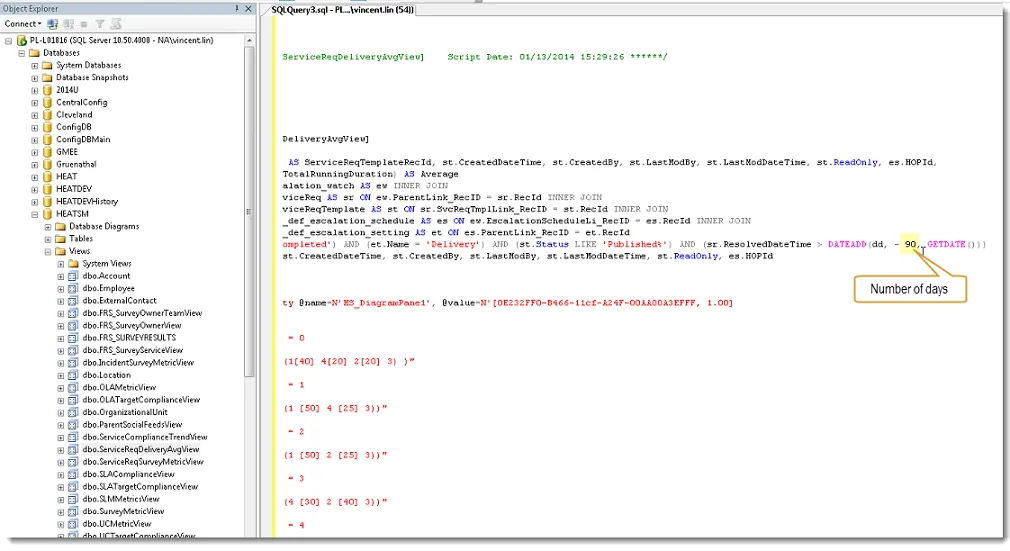
- On-premise customers: In the view, change the number of days to a new value.
ServiceReqDeliveryAvgView
- Cloud customers: Contact your support representative.