Example: Using a Cascading Validation List
This example illustrates how to trigger values from additional fields or a combo box (cascading validation list) by creating a service that uses a value based on the OwnerTeam field.
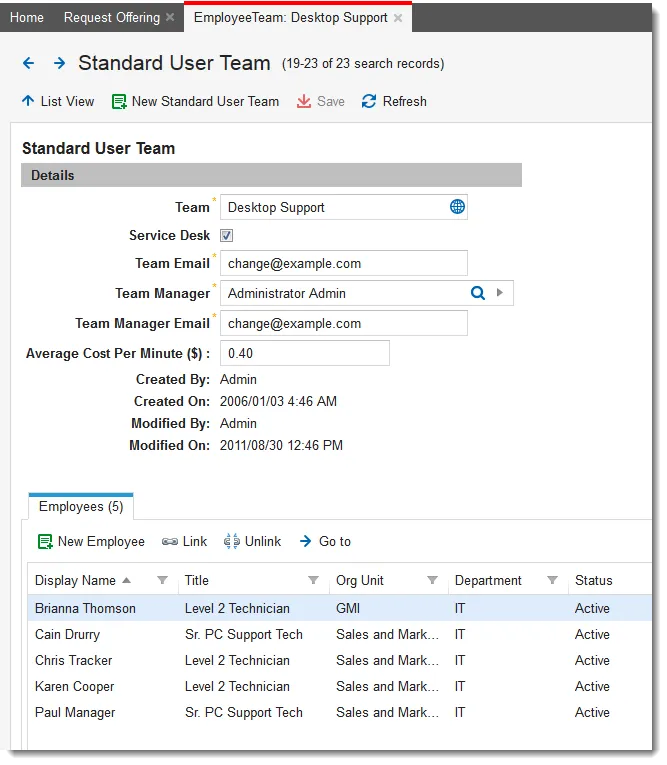
Before configuring this option, ensure that you have a standard user team called Desktop Support that it is populated with active employee names.
Standard User Team - Desktop Support
- Log in to the Service Desk console.
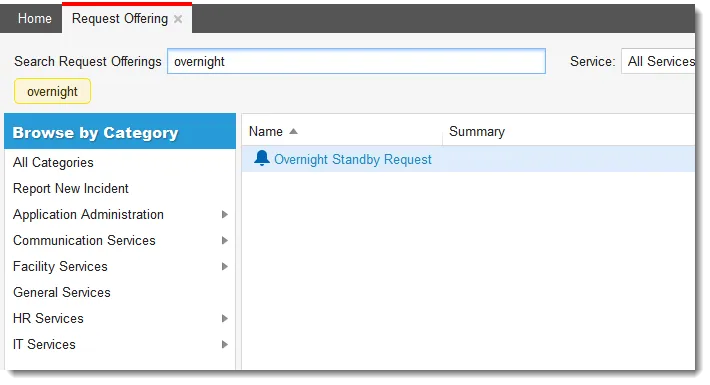
- Open the Request Offering workspace. The list of request offerings is displayed.
- Enter overnight in the Search Service Offerings text box. The Overnight Standby Request offering opens.
Request Offering - Overnight Standby Request
- Click Overnight Standby Request. The Define Request Offering page opens.
- Click the Design Request Form tab. The service request form opens.
Sample Request Offering - Design Request Form Page
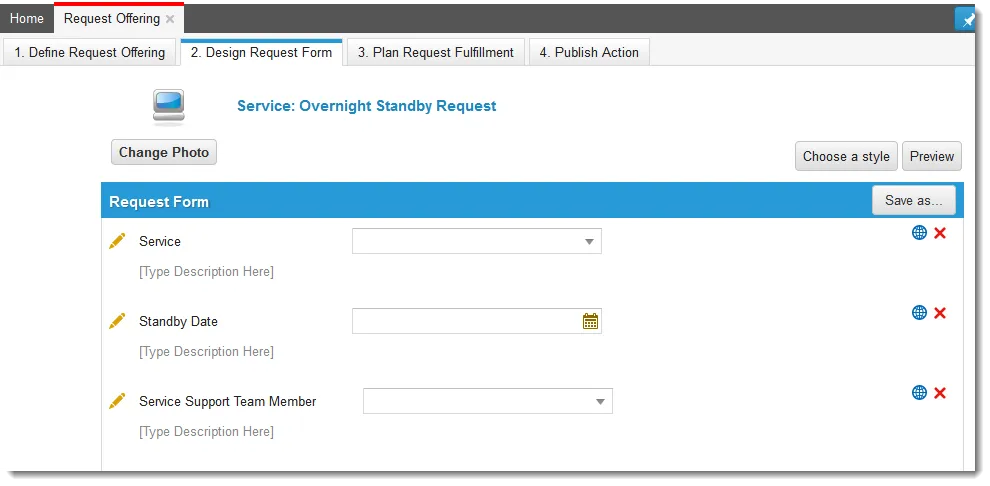
- Click the edit icon
 next to Service. The Configuration Editor appears. (See Configuring the List Control for more information.)
Sample Request Offering - Item Configuration Editor for Service
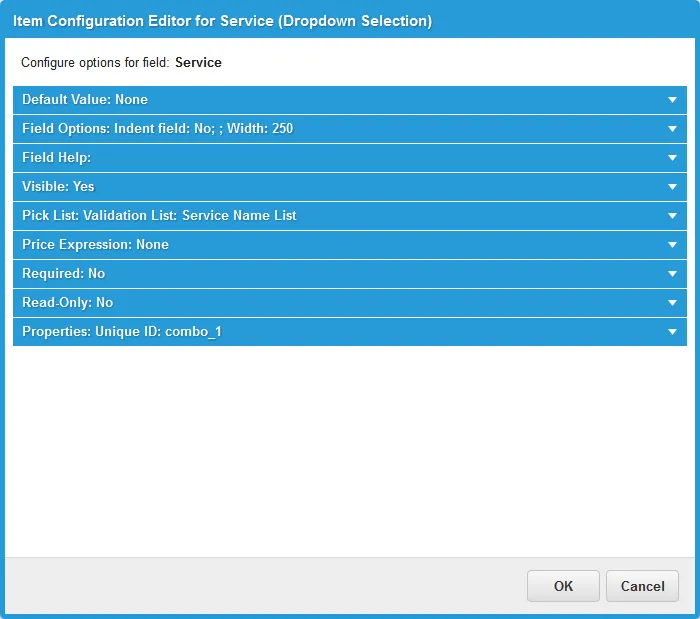
- Expand the Pick List: Validation List area, and in Validation List to Use, choose Service Name List from the drop-down list.
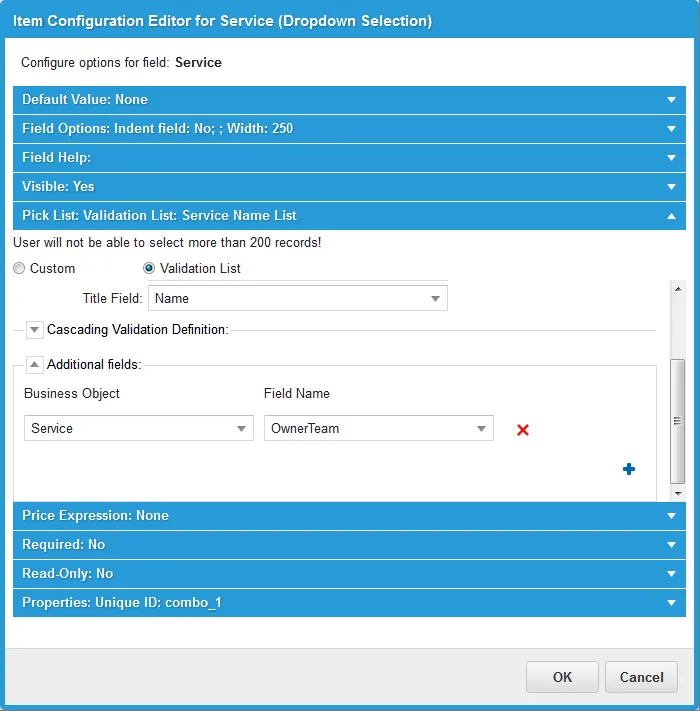
- In the Additional fields section, add the Service business object and choose the OwnerTeam field.
Sample Request Offering - Service Business Object, OwnerTeam Field
- Click OK.
- Click the edit icon next to Service Support Team Member. The Configuration Editor opens.
Sample Request Offering - Item Configuration Editor for Service Support Team Member
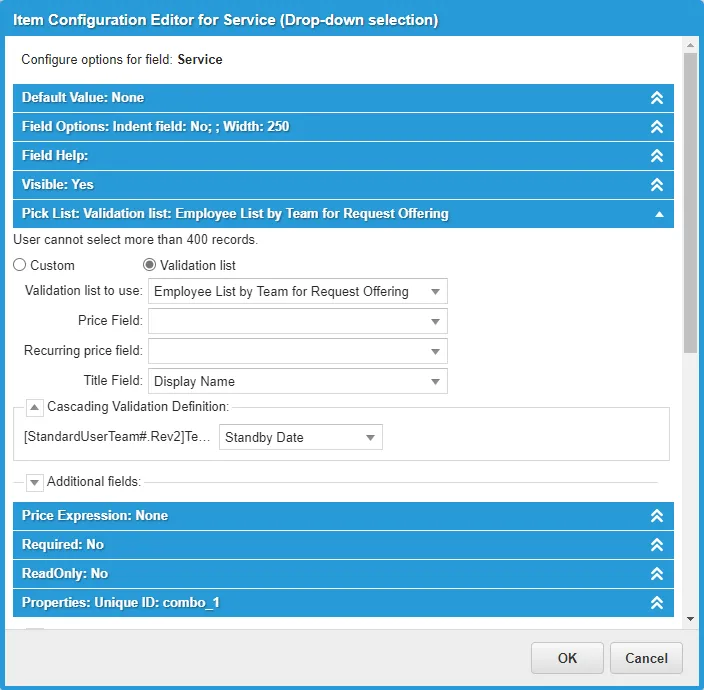
Ensure that the cascading validation definition shows Standard User Team object and the OwnerTeam field.
- Click OK.
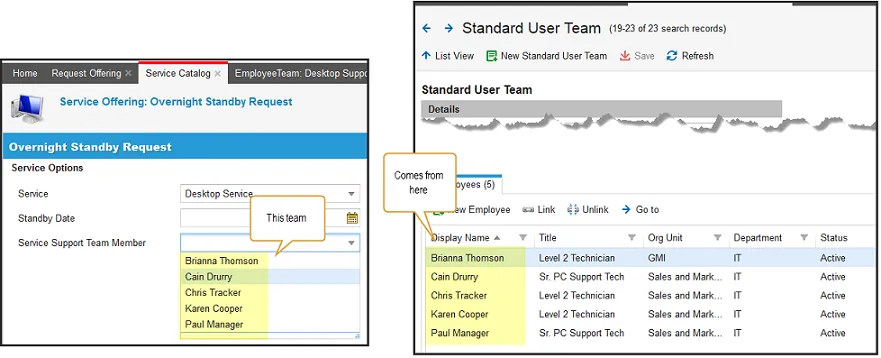
When Overnight Standby Request: Desktop Service is selected from the Service Catalog, the OwnerTeam service field automatically populates the Service Support Team Member list from the Employee Team: Desktop Support list. The OwnerTeam field must be previously configured to include team members. (See Working with Teams.)
Sample Service Catalog - Overnight Standby Request
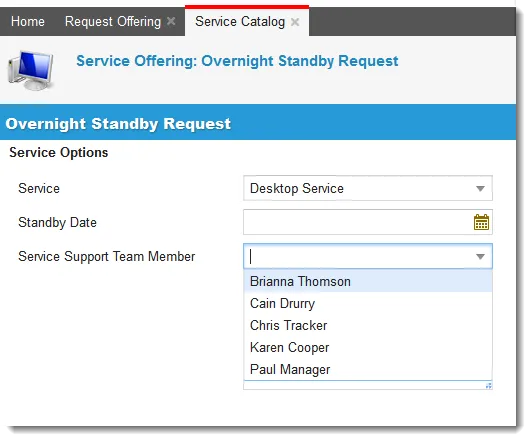
Sample Service Catalog - List Source