Viewing Master Incidents
1 min
- Log in to the Service Desk console.
- Open the Incident workspace. A list of incidents is displayed.
- Click the down arrow next to All and then click All Saved Searches.
- From the list of saved searches, click All Active Master Incident.
Viewing Master Incidents
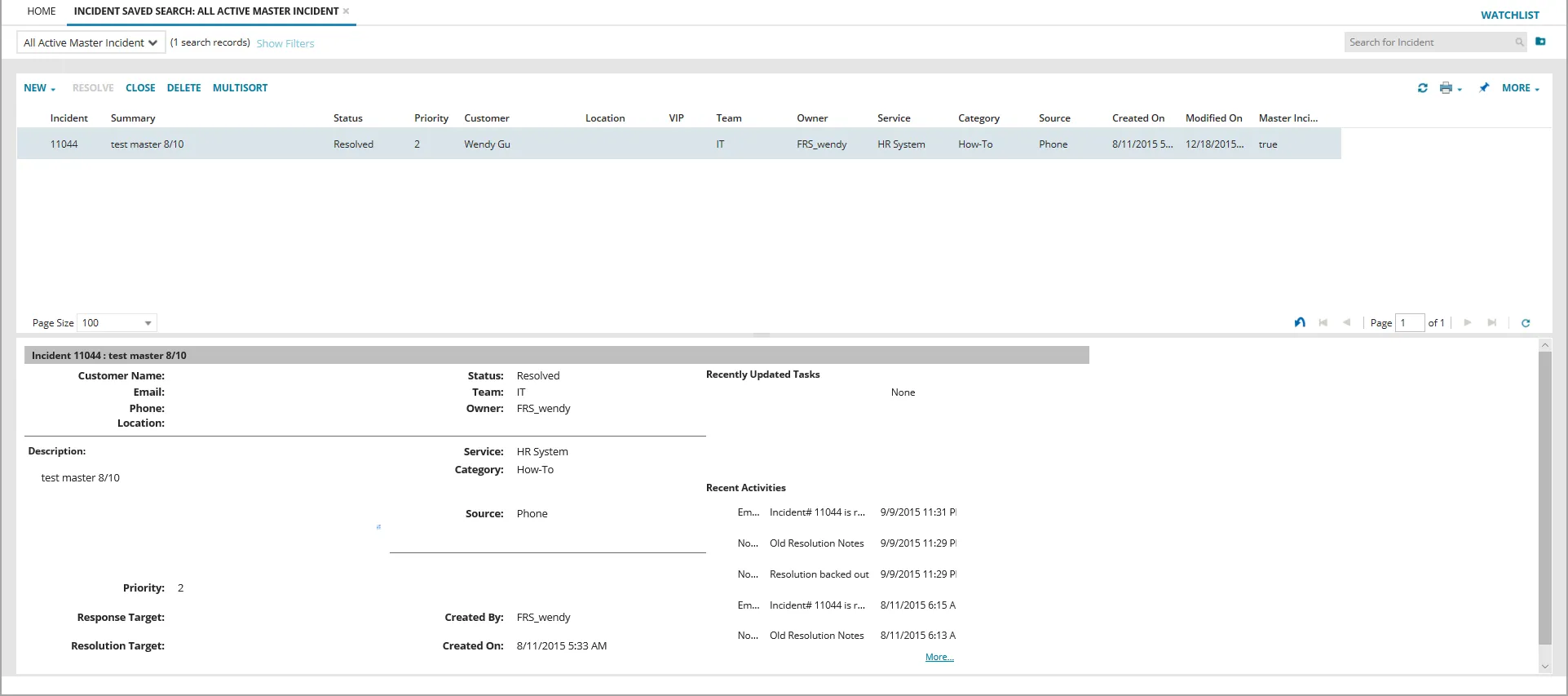
- Double-click a master incident to see its details.
- To see the incidents linked to the master incident, click the Related Incidents tab. All incidents that are linked to the master incident are listed.
Viewing a Report of Master Incidents
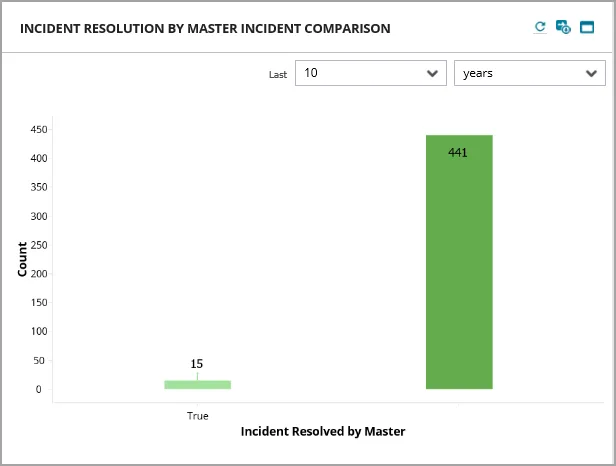
Neurons for ITSM contains a report that shows the number of incidents that were resolved by a master incident. To use the report, do the following:
- Log in to the Service Desk console.
- Click Dashboards > All Dashboards to bring up the list of all of the dashboards.
- Open the Service Desk Manager dashboard. The Incident Resolution by Master Incident Comparison report is displayed on the bottom right.
- From the Last drop-down list, select a number.
- From the next drop-down list, select a time period, such as Hour(s) or Month(s).
- Click the refresh icon
 to update the report.
Master Incident Report