Example: Moving Records Using a Webhook
3 min
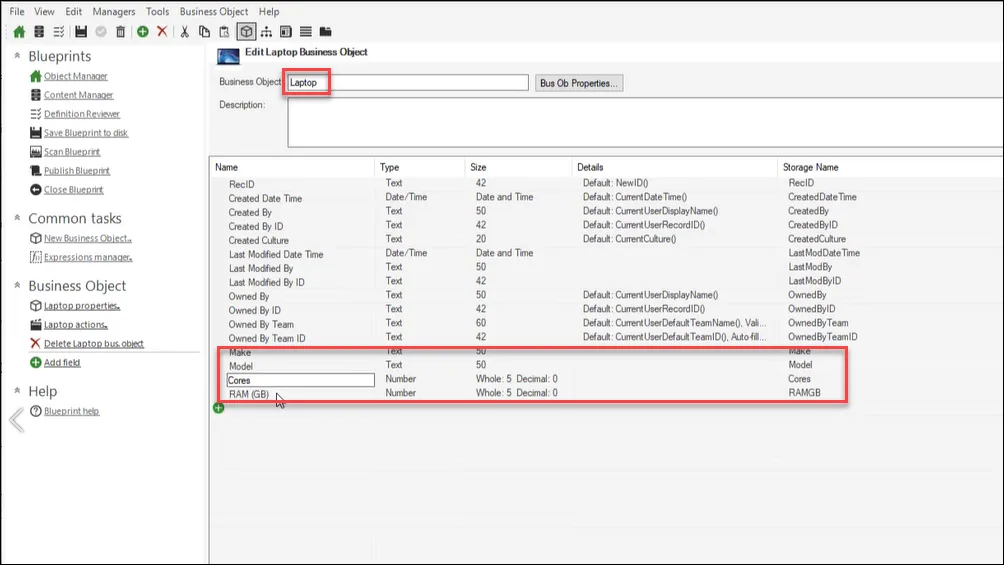
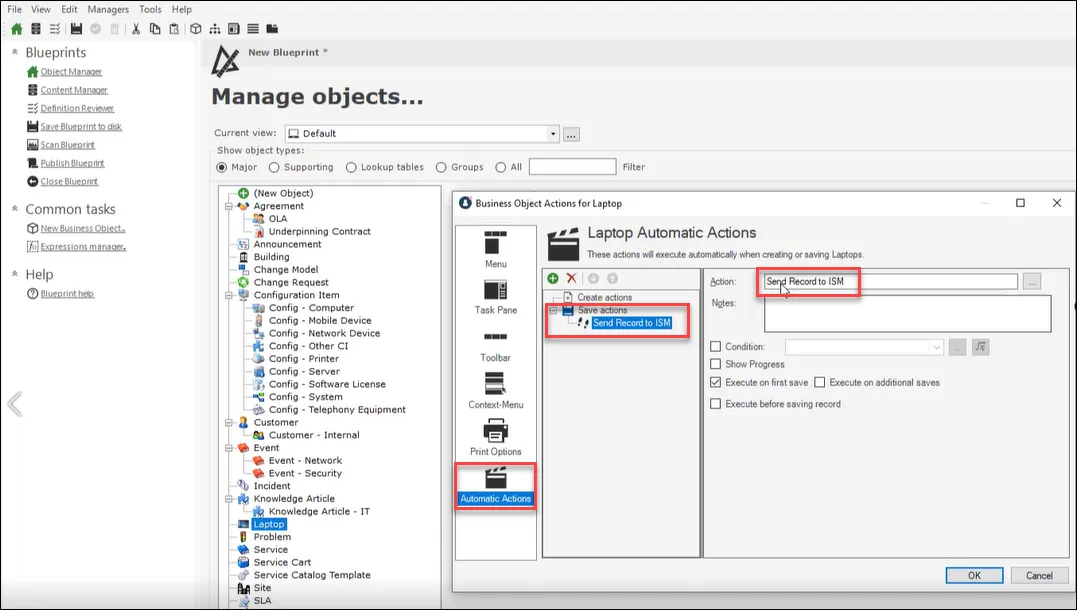
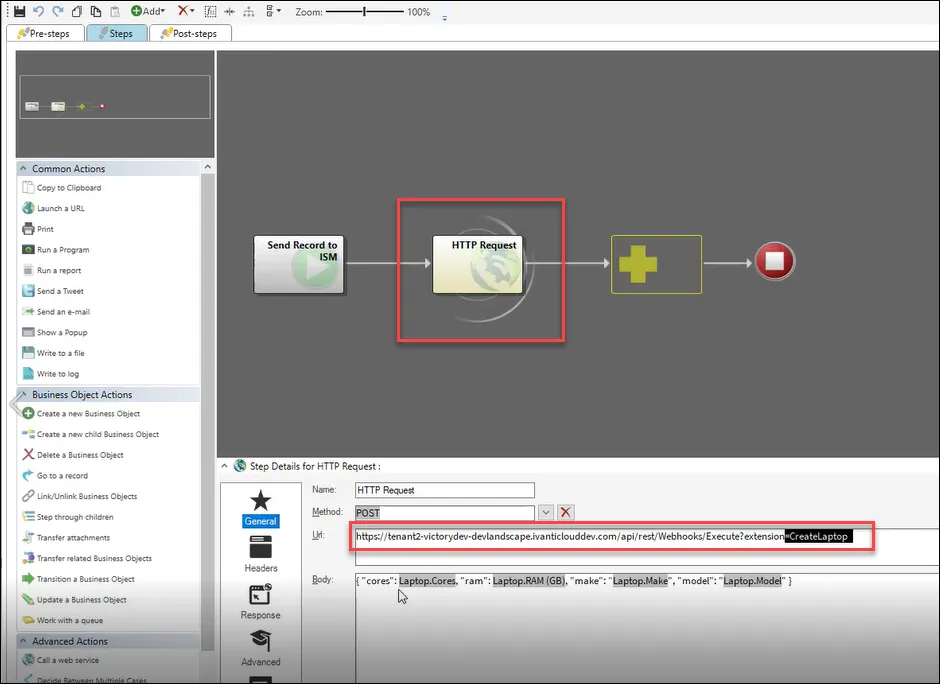
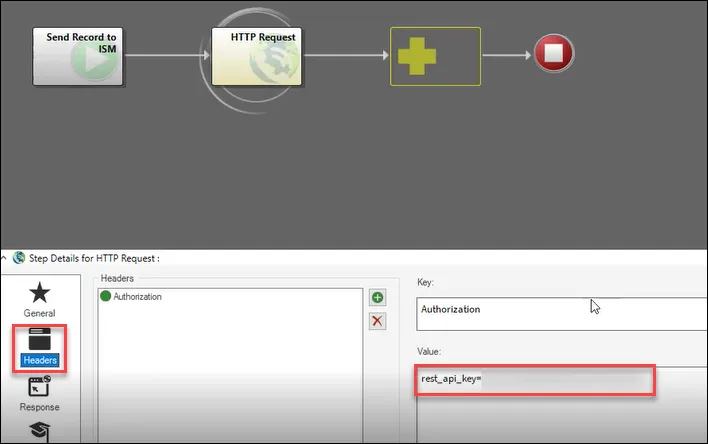
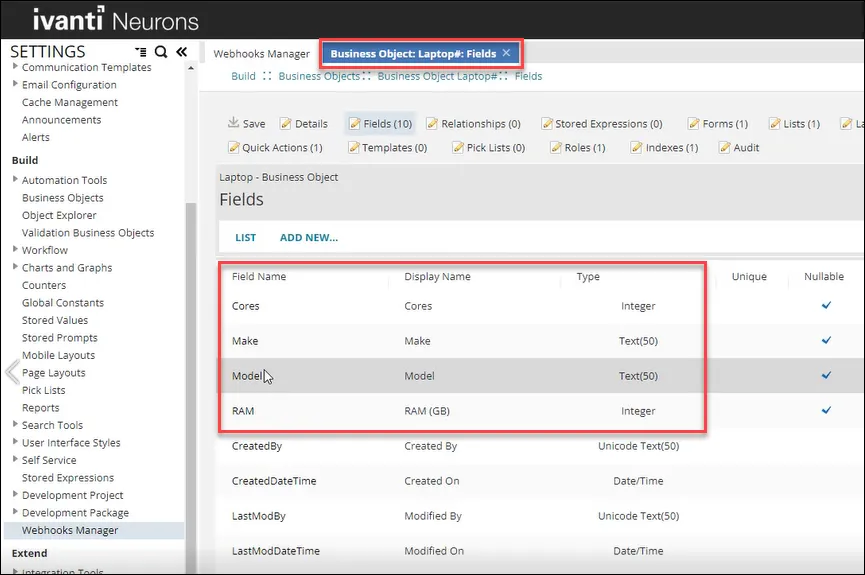
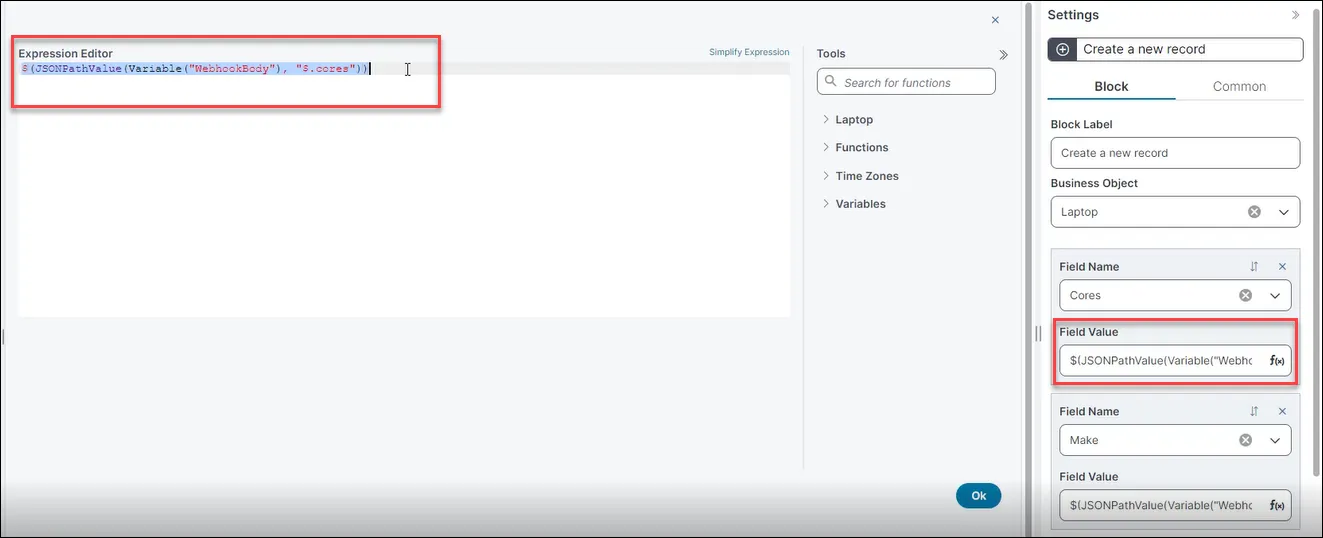
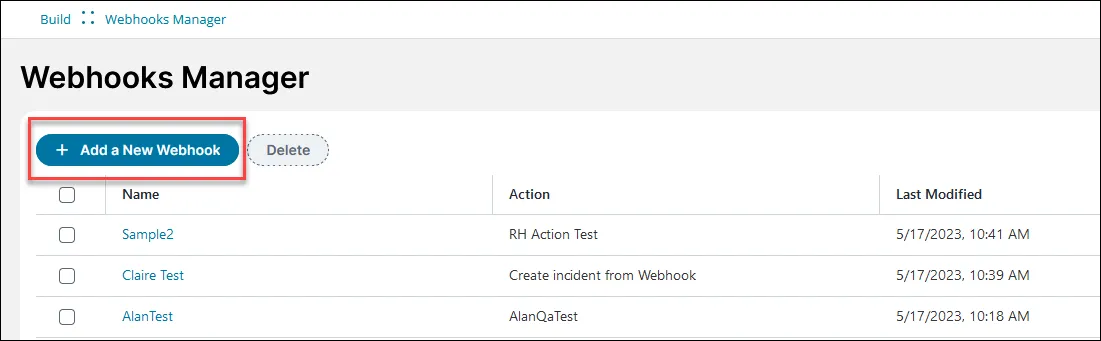
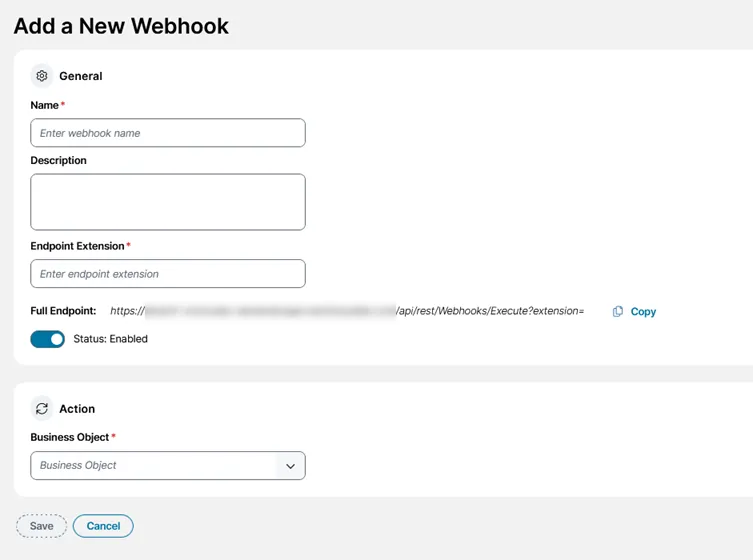
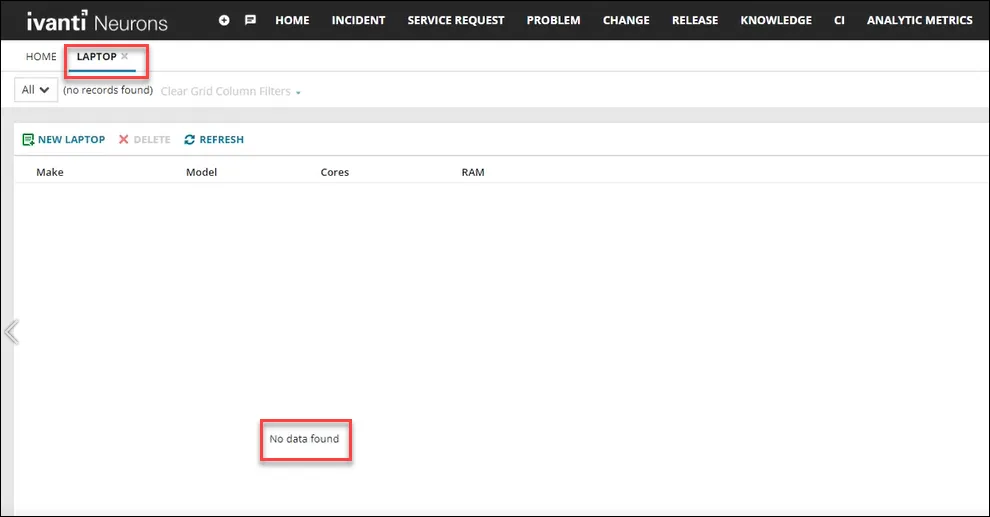
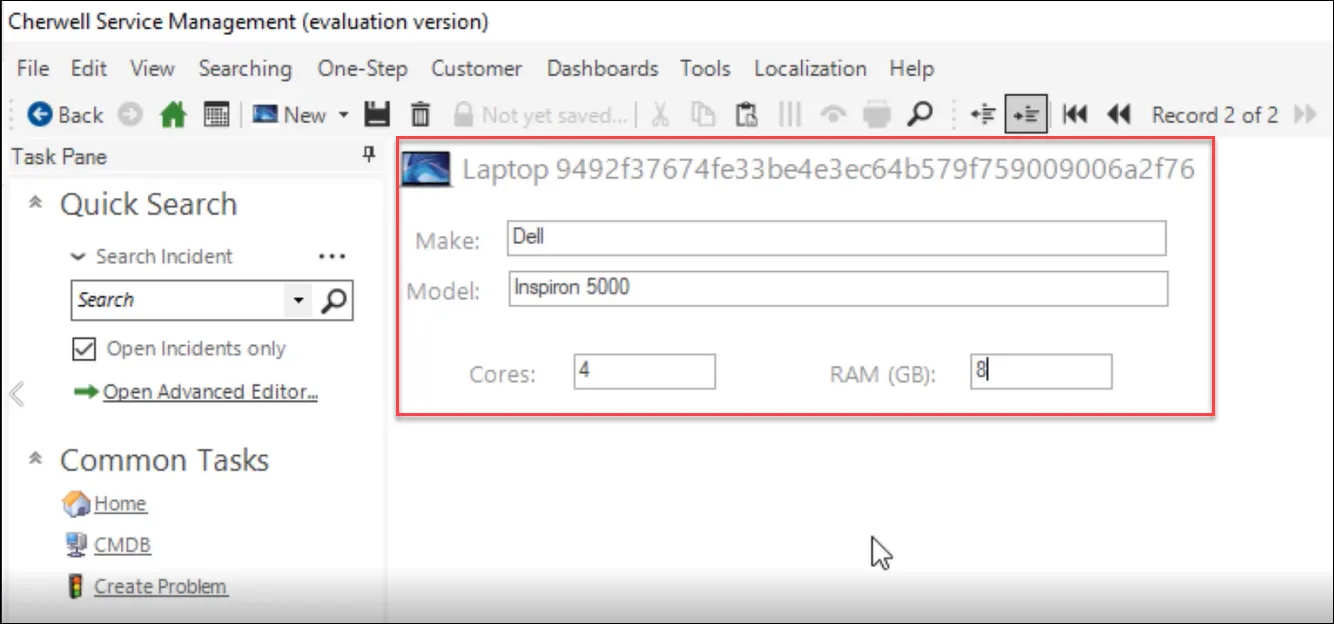
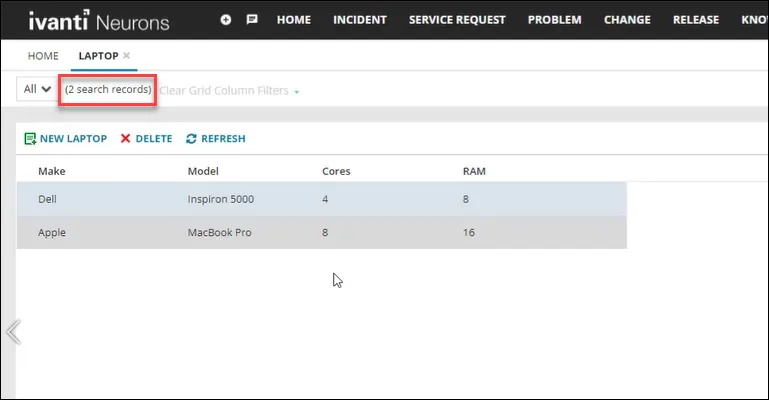
scenario a company uses ( ) to track the creation of records however they want to replicate the creation of that small number of records in automatically there is an http request one step action in that calls a webhook to automatically replicate any created records in then sends the request with no intermediate formatting required prerequisites this example assumes you have administrator level access to and are familiar with creating both business objects and one step actions™ you also need an administrator role for setting up csm in , create a business object called laptop that mirrors one already created in for help on creating business objects in , see create or edit a business object in csm https //help cherwell com/bundle/csm features 10 5 help only/page/content/suite features/business objects/create edit a business object html in , create an automatic action for the laptop business object called send record to ism this triggers an http request one step action to send data to the webhook ensure that execute on first save is selected for help on creating one step actions in , see create or edit a one step action https //help cherwell com/bundle/csm features 10 5 help only/page/content/suite features/one steps/create edit a one step html select the ellipsis on the right hand side of the action name followed by edit in the right click context menu to open the one step editor enter these values in to the fields as follows field value name http request method post url https //{tenant url}/api/rest/webhooks/execute?extension=createlaptop body {"cores" laptopcores, "ram" laptop ram(gb),"make" "laptop make", "model" "laptop model"} tip data from the created record is embedded in the json to be sent select headers and add the necessary authorisation header in this case, rest api key={your rest api key} to get a rest api key, see using the rest api key docid\ uaqtdeghj3ebw29q0gop8 setting up itsm ensure that an identical business object called laptop exists in open the graphical action designer see using the graphical action designer (gad) docid 2wq6ihun2zxir21ea3m7g tip you can use the classic action designer if you prefer create an action using the update stored values and variables action block type this block updates the stored values and variables used in your action for more help see update stored values and variables quick action docid\ dofjmmkz8 omktccl485k configure the action to store the json in the required variable webhookbody create a new block using the update variable and stored values action block type and edit the values as follows field value variable type variable name webhookbody data type json value will be populated by simplified expression editor (see next step) create a new block using the create a new record block type and then create an expression using the simplified expression editor to use that variable to populate the fields use this expression $(jsonpathvalue(variable("webhookbody"), "$ cores")) for help, see using the simplified expression editor docid\ aycvgwq xaxop0ofpgl9h create a webhook to trigger this action when data is sent to the appropriate endpoint in the settings menu, click on webhooks manager in the build section the webhooks manager opens click add a webhook enter information into the fields field value name create a laptop record description webhook for creating a record to mirror one created in endpoint extension createlaptop note the endpoint extension is case sensitive full endpoint https //{tenant url}/api/rest/webhooks/execute?extension=createlaptop select business object laptop select action create laptop from json (composite action) click save a confirmation message appears saying webhook successfully created your webhook appears in the list and is enabled by default using the webhook to see your webhook in action and/or test it, check there are no records in for your laptop business object go to and create some new laptop records using a client (desktop client shown) go to and select refresh when the chosen trigger occurs, (in this case, records being created in ), the webhook runs in the background and carries out its task your records are automatically replicated from into