Example: Enabling Cost Items in a Business Object
This example shows how to enable the Cost Item field within a business object, so that users can access it.
- From the Configuration Console, click Build > Business Object to open the Business Objects workspace.
- Open the business object to which to add the Cost Item field.
- Create the relationship (see Using Relationships) by doing the following:
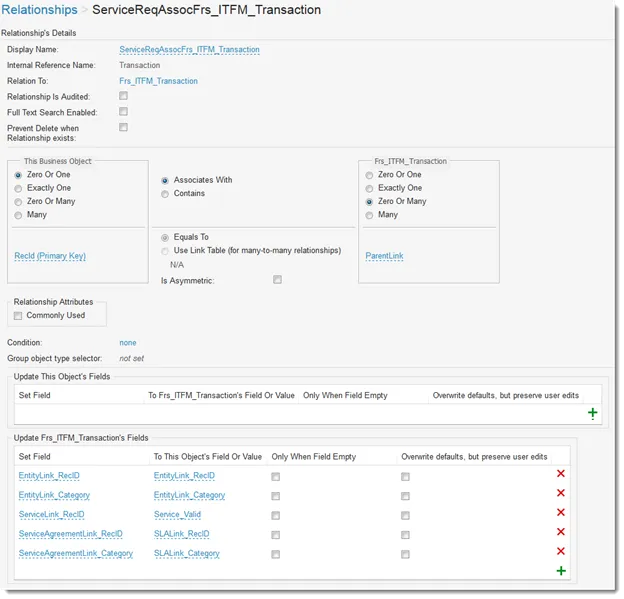
a. From the Relationships tab, add a relationship to Frs_ITFM_Transaction (if one does not already exist).
b. Set the parameters as shown:
Frs_ITFM_Transaction Parameters
- To add the tab to the workspace, do the following:
a. Click Layouts.
b. Select the form to use.
- Click formView. The Form View Editor appears.
- Near the bottom of the page, click Add Child Panel.
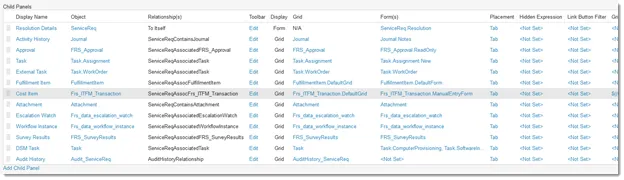
- Add the information for Cost Item.
Sample Cost Item Child Panel Settings
Field | Value |
|---|---|
Display Name | Cost Item |
Object | Frs_ITFM_Transaction |
Relationships | ServiceReqAssocFrs_ITFM_Transaction |
Display | List |
List | Frs_ITFM_Transaction.DefaultGrid |
Forms | Frs_ITFM_Transaction.ManualEntryForm |
Placement | Tab |
- Click Save.
- To define the rollup cost relationships (see Data Rollups), do the following:
a. Click Frs_ITFM_Transaction from the list.
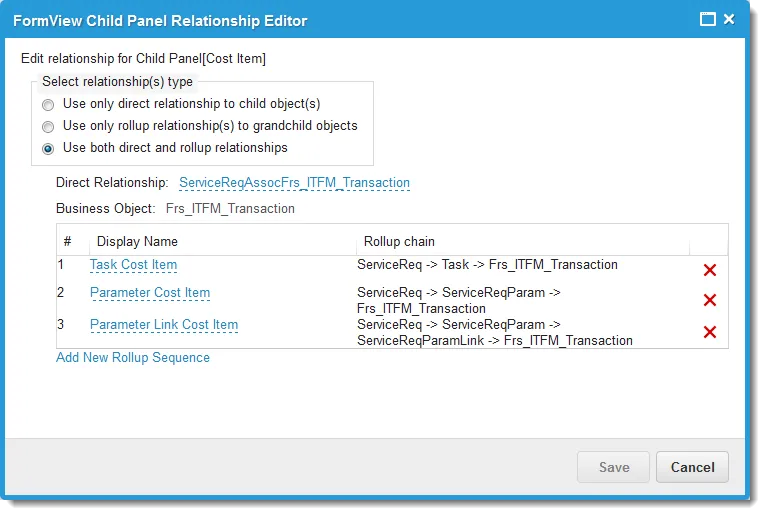
b. Set the following in the FormView Child Panel Relationship Editor. See About Tracking Cost Relationships in a Service Request.
Display Name | Rollup Chain |
|---|---|
Task Cost Item | ServiceReq -> Task -> Frs_ITFM_Transaction |
Parameter Cost Item | ServiceReq -> ServiceReqParam -> Frs_ITM_Transaction |
Parameter Link Cost Item | ServiceReq -> ServiceReqParam -> ServiceReqParamLink -> Frs_ITFM_Transaction |
Sample Form View Child Panel Rollups
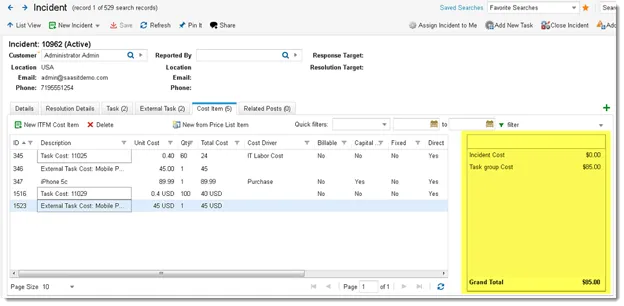
- Check Show Summary screen for transactions to add the cost summary panel.
Sample Cost Summary Panel
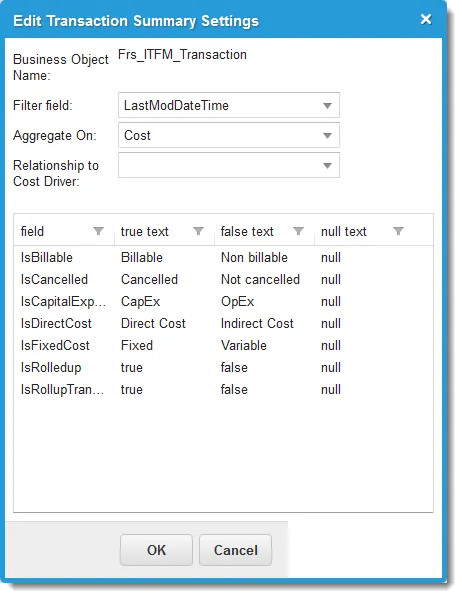
- Click Edit Summary Settings to define what appears in the cost summary panel.
Sample Transaction Summary Settings
- Click Save.
About Tracking Cost Relationships in a Service Request
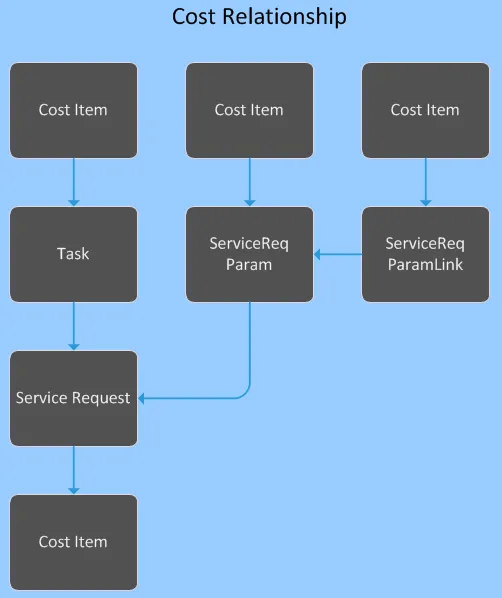
Each service request has a task and a ServiceReqParam attached, each having their own cost items. The ServiceReqParam has attached to it ServiceReqParamLink, which has its own cost item. And the service request itself has a cost item. The following diagram illustrates the relationship given in the above example.
Cost Relationship