
Example: Defining an Approval Block for the Service Request Business Object
4 min
Determining the Approver Field
- From the Configuration Console, click Build > Business Objects to open the Business Objects workspace.
- Select Service Request. The Service Request Details page appears.
- Click the Fields tab. The service request fields are listed.
- Click DefaultApprover. The DefaultApprover field is a pick list and it uses the list name Contacts in Contact Store.
Default Approver Pick List
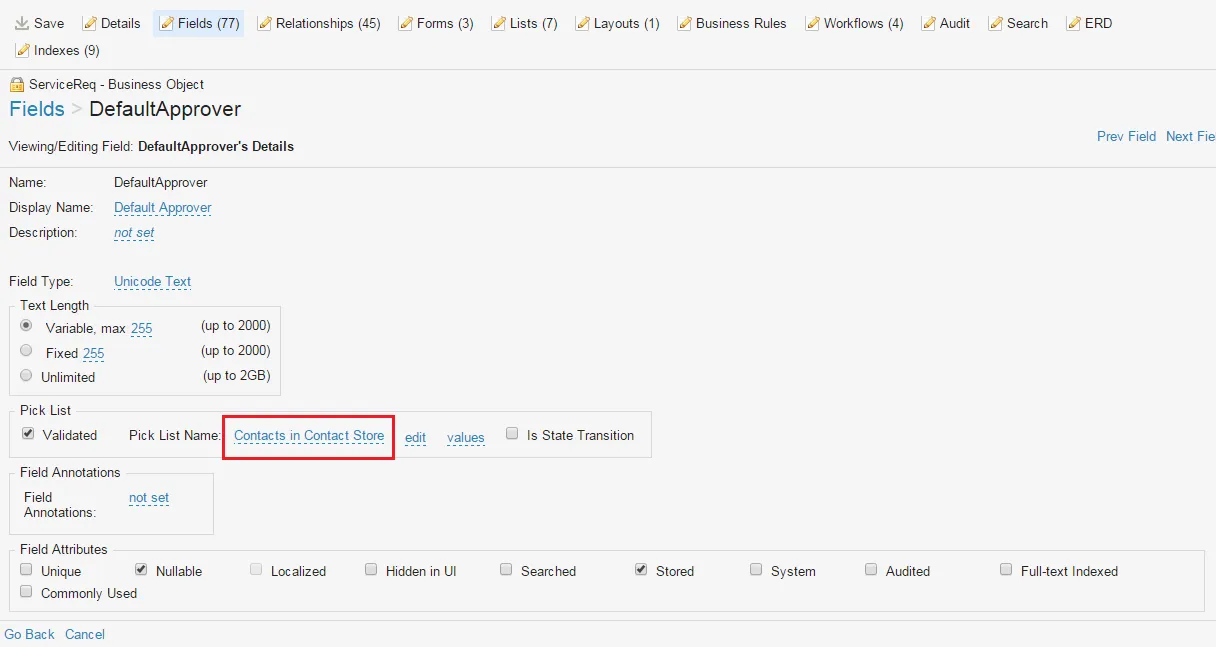
- Make a note of this.
Determining the Pick List Value
- From the Configuration Console, click Build > Pick Lists to open the Pick Lists workspace. The pick lists are listed.
- Click LoginID of Employee. The Validation List page appears.
- The value of the List Name field is LoginID of Employee.
Validation List
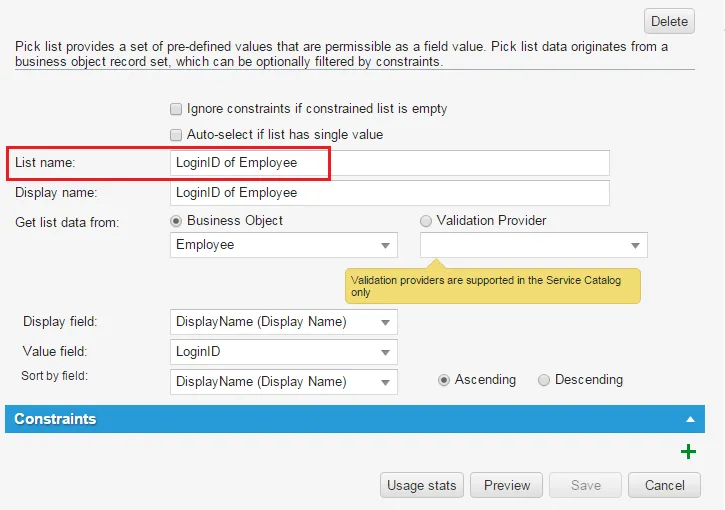
- Make a note of this.
Creating an Approval Workflow
- From the Configuration Console, click Build > Business Objects to open the Business Objects workspace.
- Select Service Request. The application displays the Service Request Details workspace.
- Click Workflows. The application displays the workflows.
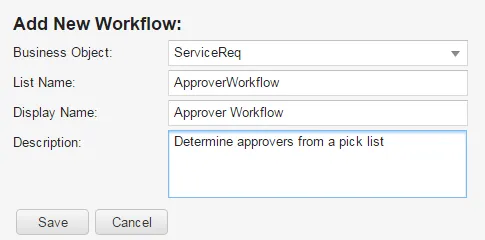
- Click Add new.... (Optional. You can modify an existing workflow instead.) The application displays the Add New Workflow page.
- Enter information as needed in the following fields:
Field | Description |
|---|---|
Business Object | Service request. |
List Name | A unique name for the workflow. Do not use spaces. |
Display Name | The name as it appears in a form. |
Description | A description of what the workflow does. |
Add New Workflow Page
- Click Save. The workflow page appears.
- Click Add Version. The Workflow Editor appears.
- Drag and drop the Get Approval block onto the Workflow Editor.
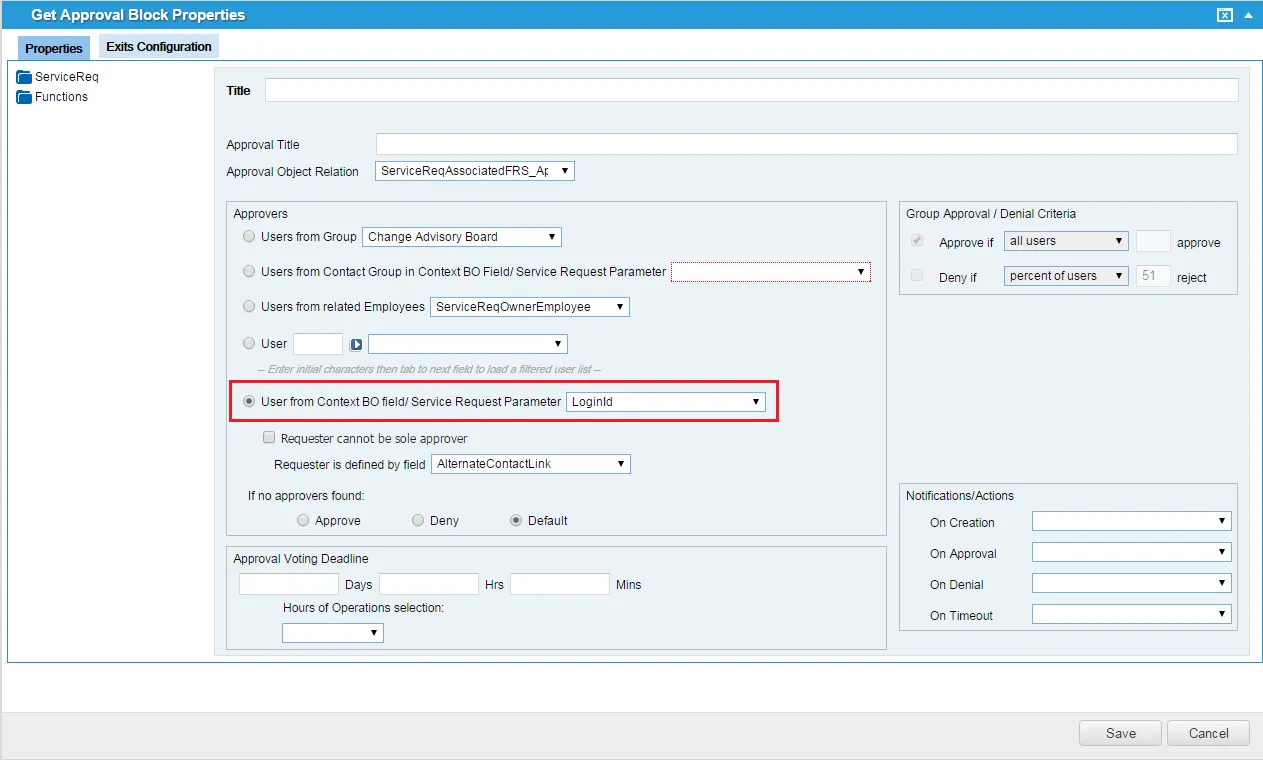
- Double-click the Get Approval block header and set the following
- Select User from Context BO field/Service Request Parameter and select LoginId from the drop-down list.
Because the contact group field is not a business object field by default in the Service Request business object, this use case describes specifying a default approver from the business object in context option and not from a contact group from a business object in context.
Get Approval Workflow Block Properties Example
- Save your changes.
Now the service request workflow is set up to get approval from the owner of the organization to which the request offering is published.