
Using My Items
2 min
Self Service users can track their Service Requests and issues from the My Items workspace. They can access their list of items from their Home page in the My Open Items pane, or from the My Items workspace.
Administrators can view a list of all My Items for all users, and see the progress of each at a glance.
My Items Workspace
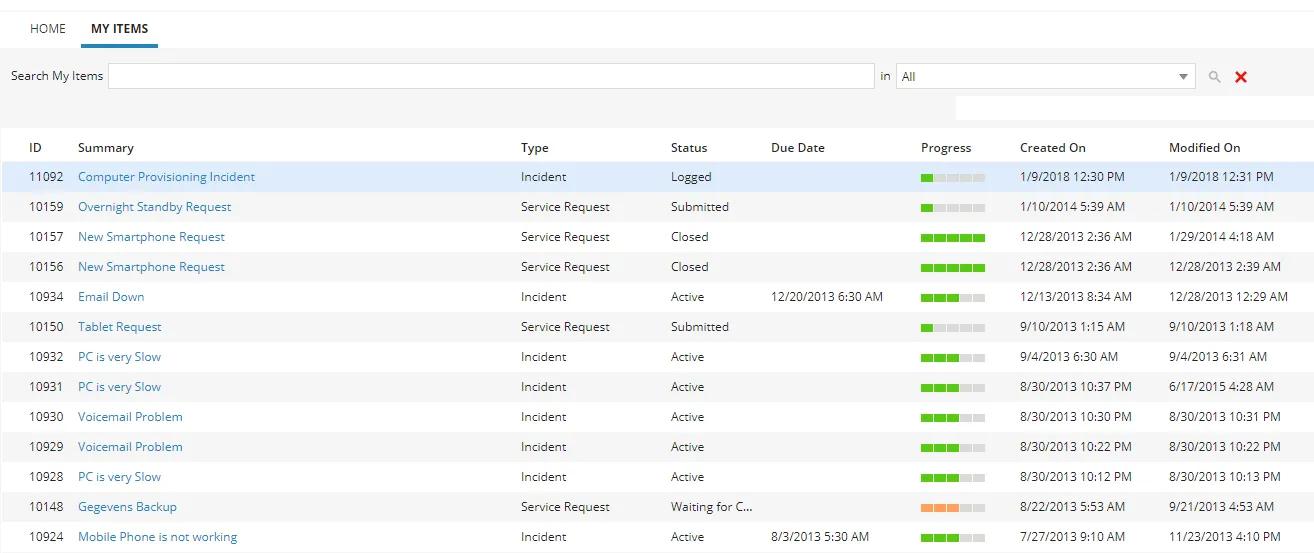
Viewing My Items
- Log in to Neurons for ITSM.
- Open the My Items workspace. A list of records is displayed.
- Click on a record to view the details.
Filtering the My Items List
The My Items workspace displays a list of all your open items. You can filter this list so you only see the items that you want to see.
Administrator can view the list for all users' items.
- Log in to Neurons for ITSM.
- Open the My Items workspace. A list of items appears.
- In the toolbar area, enter a keyword in the first search text box and press the ENTER key or click the Start search icon
 .
.
My Items Search Area

The matching results are displayed.
For information about approving requests, creating tasks, fulfillment item, and cost item, see the following topics: