
Triggering on Category Tickets to ADO or Jira
1 min
If you want to trigger Security Tickets based on the category, set up Business Rule Triggered Actions.
- In the Configuration console, select Build > Business Objects.
- Under the ivnt_SecurityIncident object, create a new Business Rule Triggered Action.
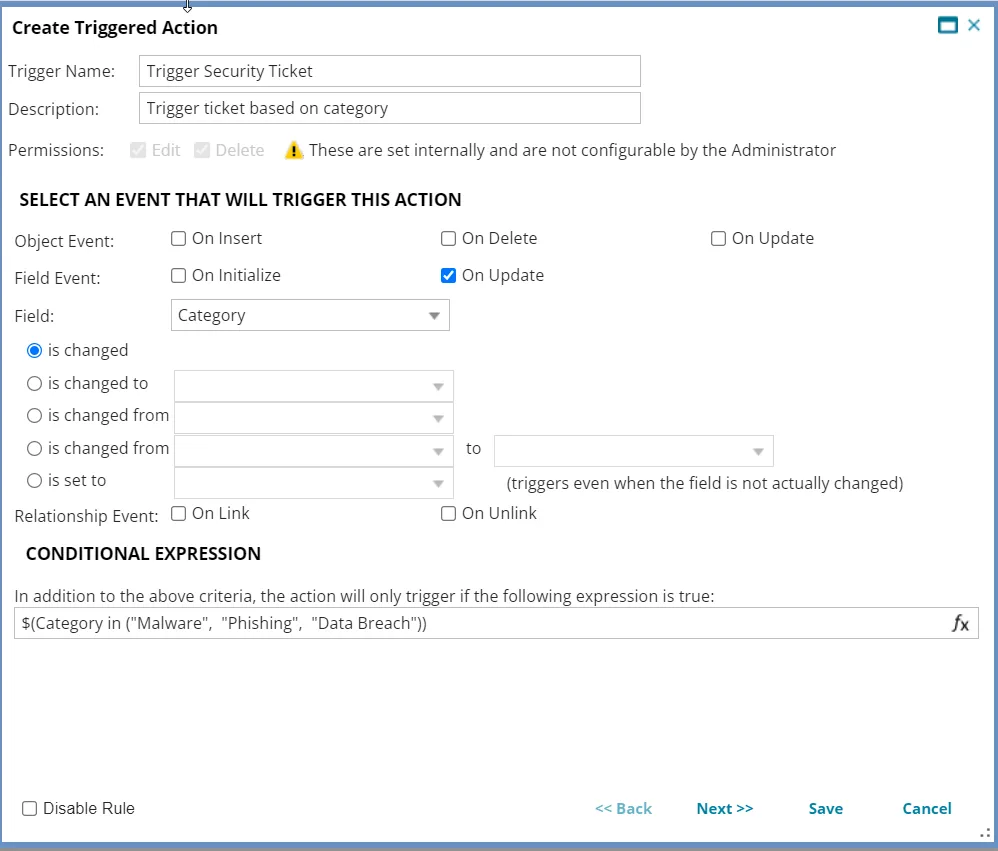
- Name the Triggered Action and provide a description.
- Select On Update then select Category from the Field drop-down menu. Select is changed.
- In the Conditional Expression field, add the categories you want included in the Triggered Action. For example: $(Category in ("Malware", "Phishing", "Data Breach"))
- Select Next.
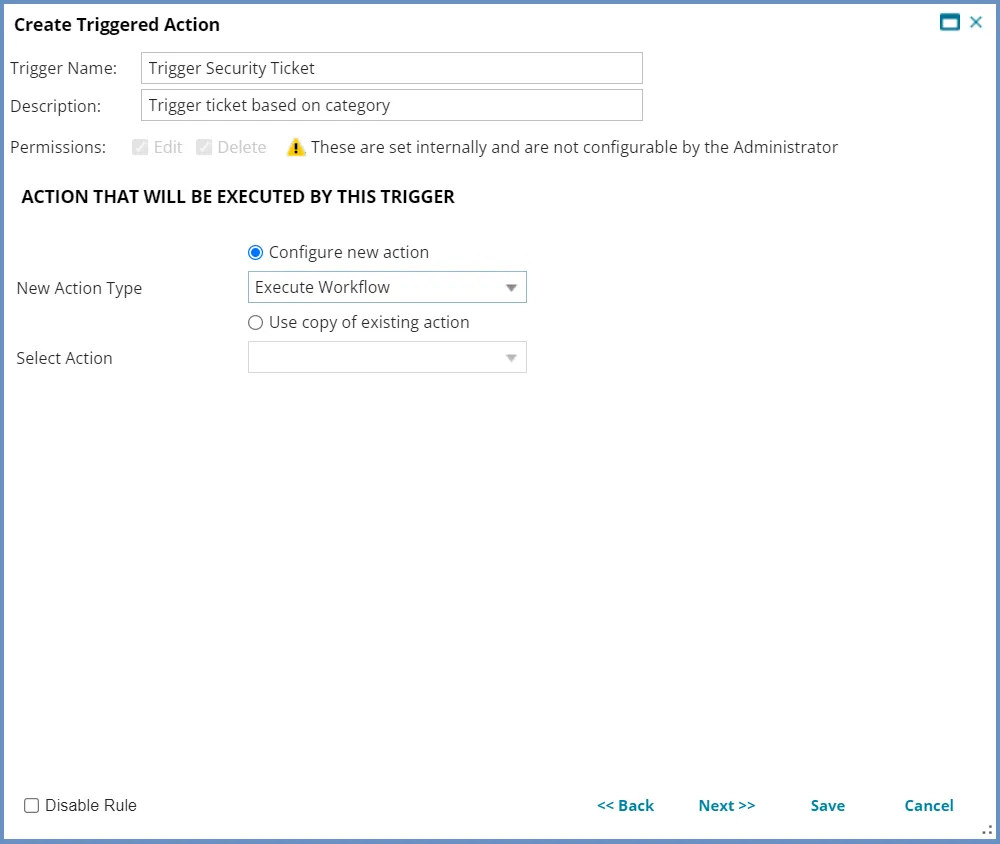
- Select New Action Type then select Execute Workflow from the drop-down menu.
- Click Save.