
Importing and Exporting a Workflow
2 min
Importing a Workflow
You can import a workflow to use as a basis for other workflows or to duplicate a workflow.
- From the Configuration Console, click Build > Workflow > Workflows to open the Workflows workspace.
- Click the workflow to import into. The version list appears.
- Check the workflow version to import.
- Click Import Workflow from the workspace toolbar. The navigation window appears.
Importing a Workflow
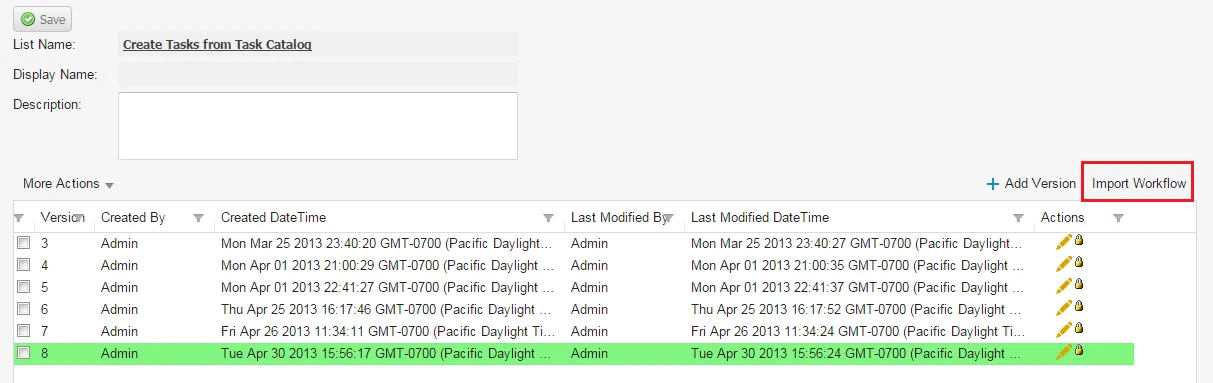
- Navigate to and select your workflow XML file, then click Open. The application imports the workflow and displays it as a new version on the version list.
Exporting a Workflow
You can export a workflow to use in other workflows.
- From the Configuration Console, click Build > Workflow > Workflows to open the Workflows workspace.
- Click the workflow to export to. The version list appears.
- Check the workflow version to export.
Workflow Version List
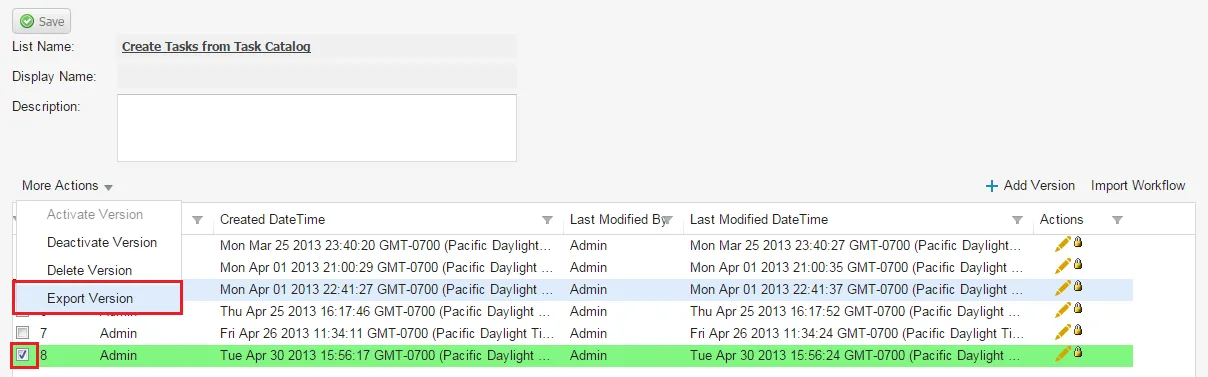
- Choose More Actions > Export Version. The export confirmation window appears.
- Check Save File, then click OK. The application saves the workflow XML file to your local drive, usually to your downloads folder.