
HR Checklists
2 min
The HR Manager role has the ability to create checklists for other HR roles to use. For example, onboarding checklist, or benefit elections.
To create a checklist
- Select More workspaces > HR Checklist > New HR Checklist.
- Enter up to 10 items into your checklist with or without due dates.
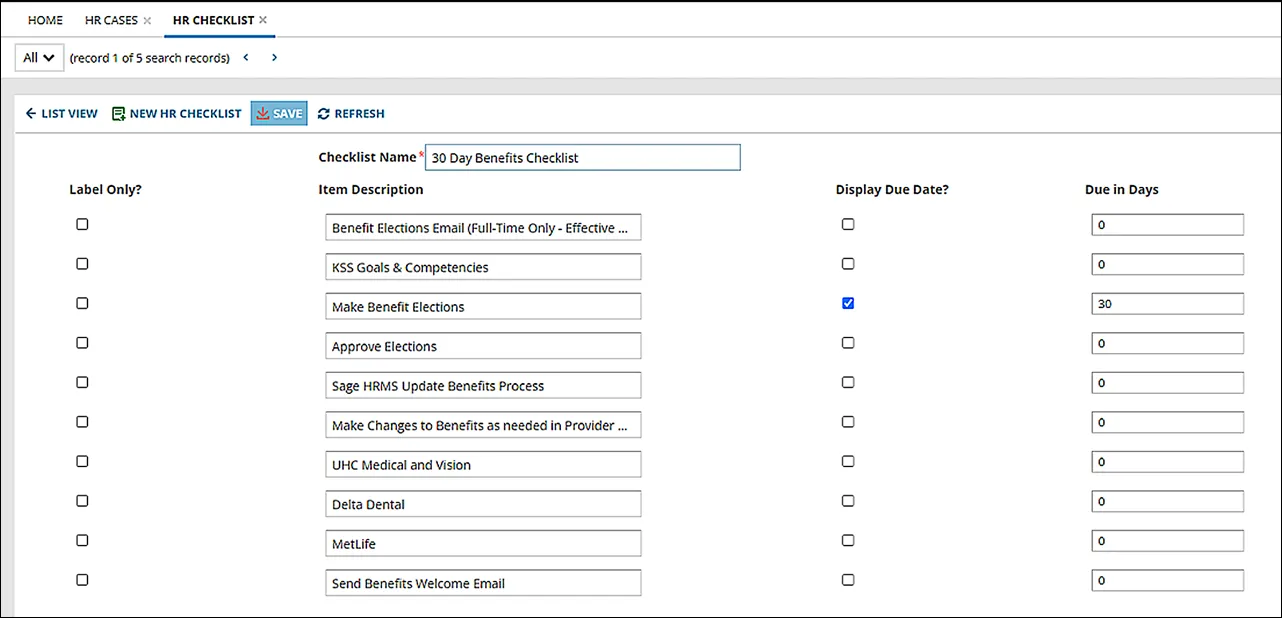
- Select Label Only if you don't want to show the Done or Skipped buttons when the checklist is being used as part of an HR Case.
- If there is a due date for your item, enter the number of days in Due in Days and select the Display Due Date checkbox.
To add a checklist to an HR Case
- Open an HR Case.
- Select the Checklist tab.
- Select New HR Checklist Item.
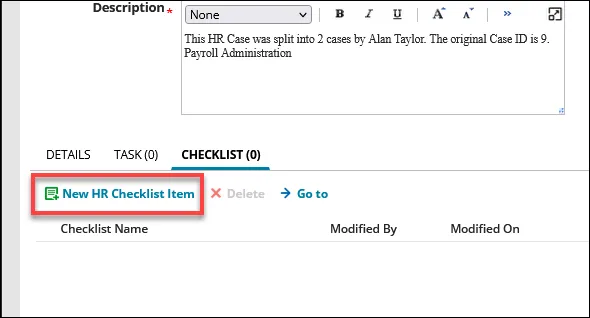
- Select a checklist type from the Checklist Name drop-down list.
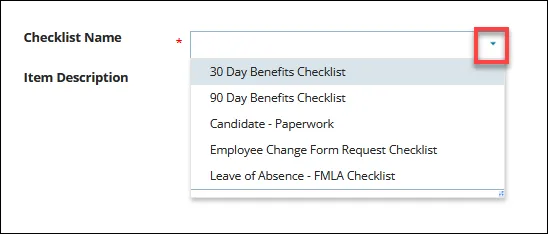
- Select Save.
To use a checklist associated with an HR Case
- Open an HR Case.
- Select the Checklist tab.
- Select your chosen checklist and then select Go to.
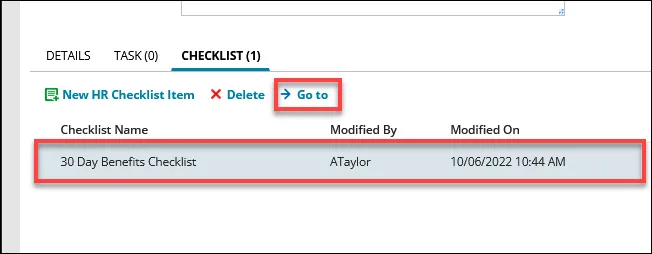
- Select Done or Skipped buttons for the tasks that have been addressed.
- Scroll across to the far right to add any comments for tasks.
- Select Save.