
Example: Giving Service Desk Analysts Access to Assigned Incidents
1 min
At minimum, a Service Desk Analyst should be able to view and update his assigned incidents (as specified in the Owner field in the Incident workspace).
- From the Configuration Console, click Configure > Users and Permissions > Roles and Permissions to open the Roles and Permissions workspace.
- Click Service Desk Analyst.
- Click Object Permissions.
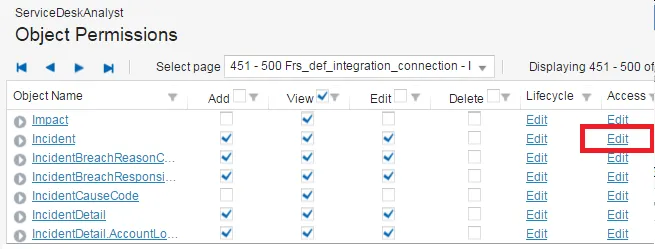
- Navigate to Incident.
- Click Edit in the Access column.
Service Desk Analyst Incident Business Object Permissions
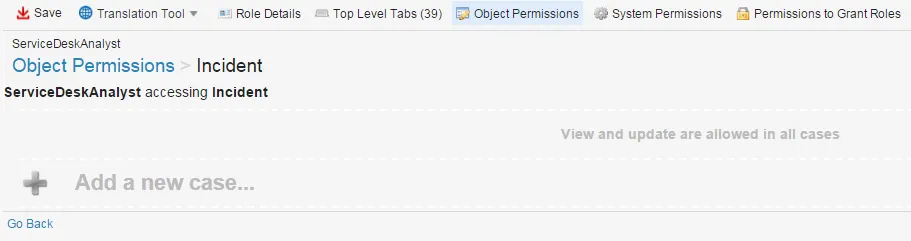
The Service Desk accessing Incident page appears.
- Click the gray plus sign to add a case.
Add a Case
- Enter information:
Value |
|---|
Update and view |
where |
Employee (via IncidentOwnerEmployee) |
is |
the logged in user |
- Click Save.
Upon logging in as a Service Desk Analyst, the incident list only shows their assigned incidents.