
Configure the Risk Score Matrix
The GRC Score Matrix Config business object enables administrators to define how risk scores are calculated and displayed in Risk Management. Administrators can configure impact and likelihood values, scoring ranges, and matrix colors used to generate the Risk Score Matrix.
The configured matrix is displayed on the Risk Score Matrix tab in the Edit Risk workspace, providing users with visibility into how risk scores are determined.
Only administrators can create or update Risk Score Matrix configuration records.
Create or update a Risk Score Matrix
- Log into Neurons for ITSM as Administrator.
- Click on More and search for GRC Score Matrix Config business object.
- Click New GRC Score Matrix Config.
- From the Type list, select Risk.
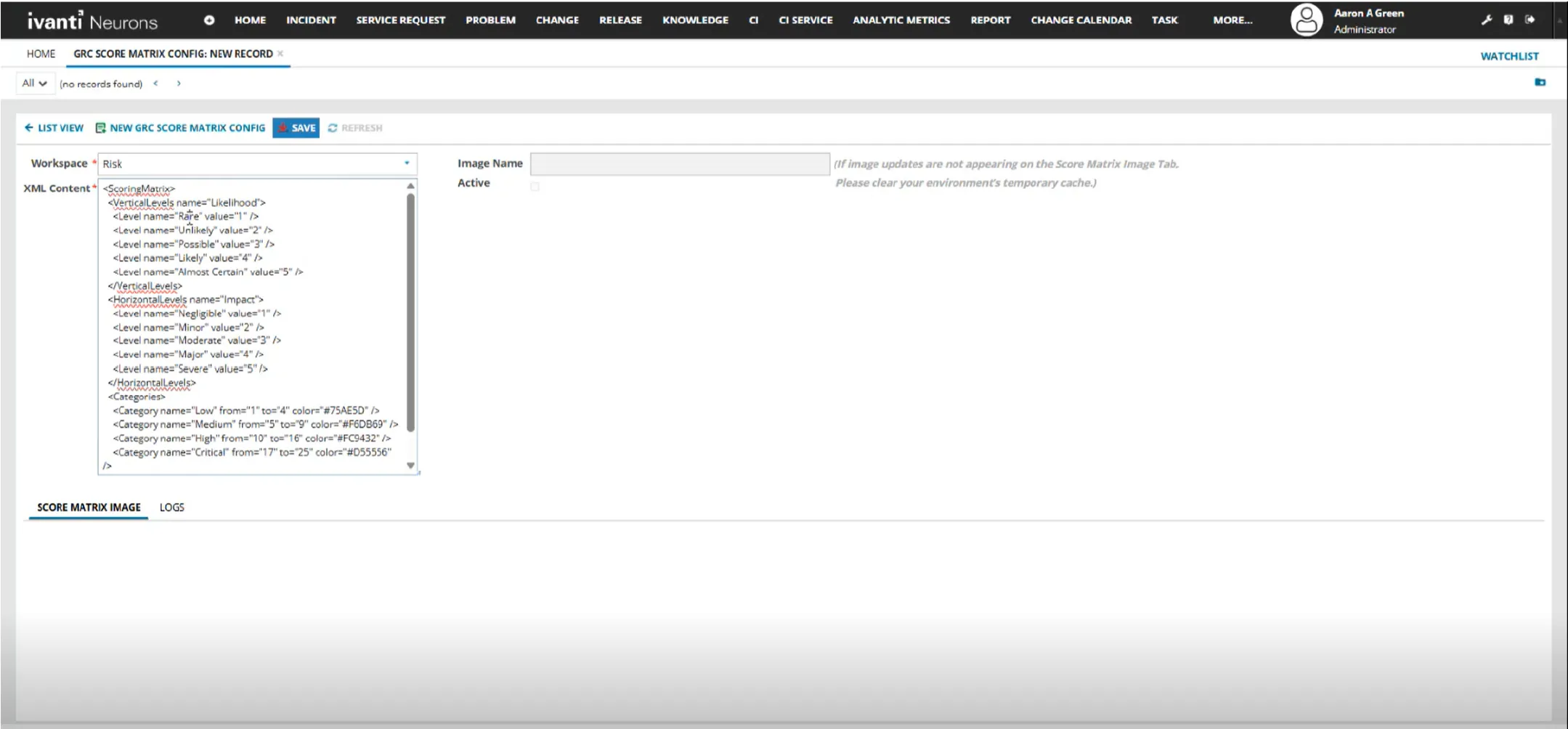
The system automatically generates the XML content for the score matrix configuration.
- Review the generated template and modify it as required.
- Update the Likelihood and Impact values.
- Modify the matrix colors, if required.
- Save the record.
- Refresh the new GRC Score Matrix Config record.
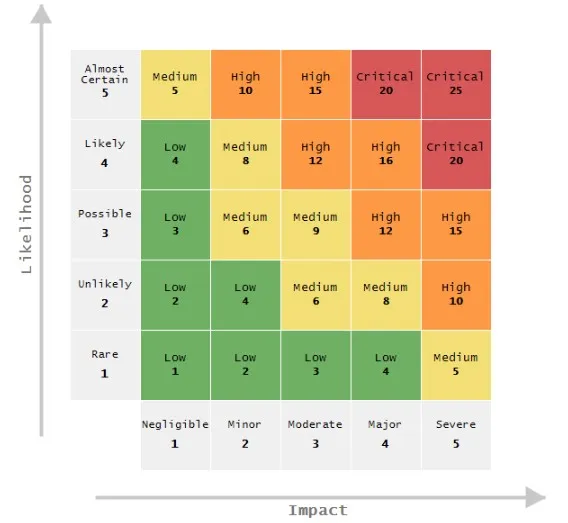
- Navigate the Score Matrix Image tab to view new Risk Matrix Image.
GRC Score Matrix Config
Generated Matrix Score
Multiple GRC Score Matrix configuration records can exist. However, the application uses only the active configuration record. You cannot switch between configuration records.
If a GRC Risk Score Matrix Image record encounters an error during processing, such as invalid XML syntax, configuration issues, or image generation failures, detailed error information is captured for troubleshooting.
Administrators can review error details in either of the following locations:
- The Logs tab on the affected GRC Risk Score Matrix Image record.
- The application's system logs or diagnostic logs.