
Workspace
Role: Administrator
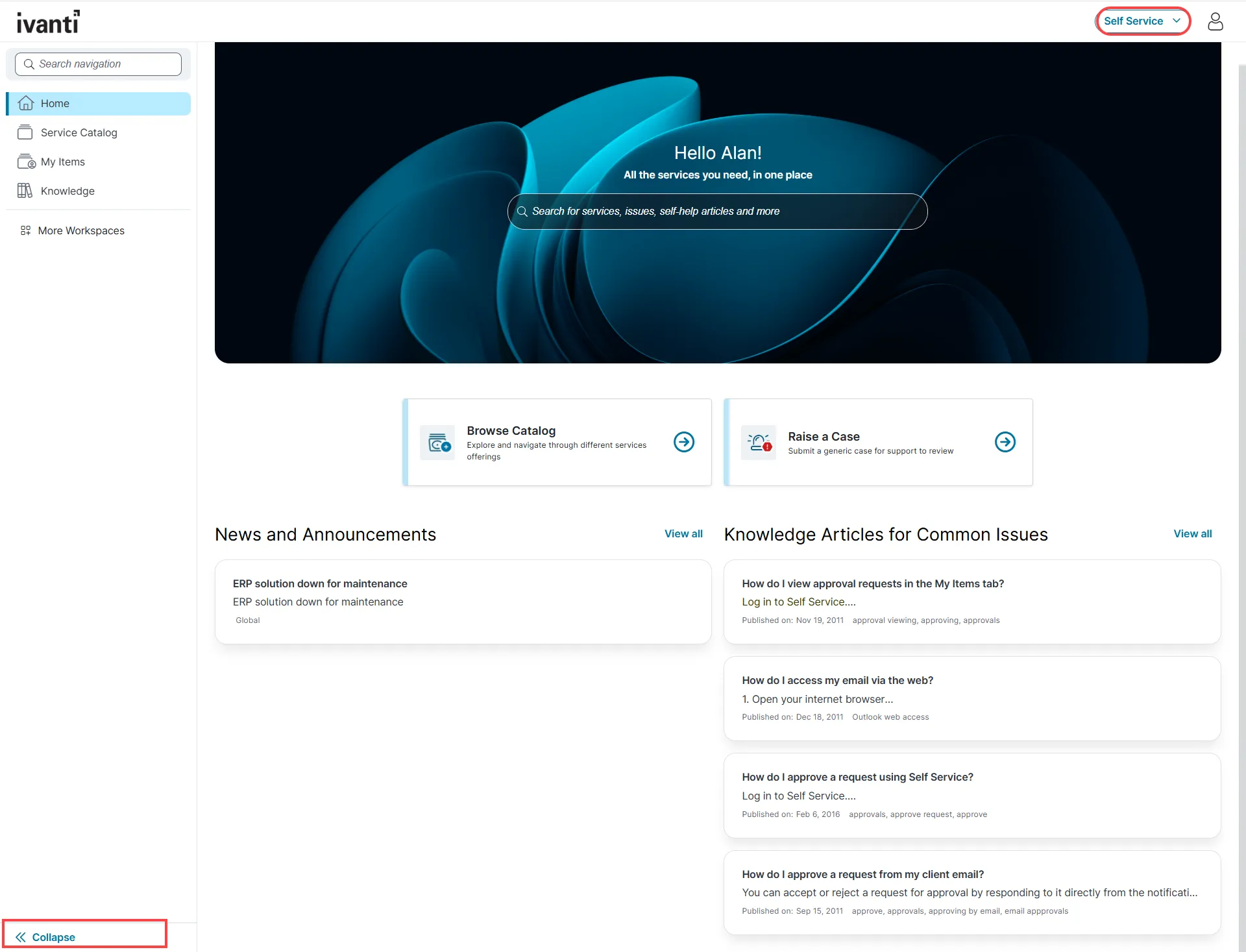
A workspace in the Self Service Portal V3 is a role based, configurable area that organizes key modules into a unified interface for easy access. Workspaces are designed to improve usability by displaying relevant content and enabling direct interaction based on the user’s role and permissions.
By default, the workspace includes the following modules:
- Home
- Service Catalog
- My Items
- Announcements
- Knowledge
- Search
In addition to the default modules, administrators can configure the following:
- FAQ
- Alerts
You have the option to include the Alert and FAQ workspaces on the Home page. To enable alert notifications and FAQs, refer to the Creating and Configuring Workspace in the Administrator Help.
Starting with Neurons for ITSM 2026.3, Self Service UI V3 features a persistent side one navigation panel that replaces the hamburger menu. The logo now remains visible in the header across desktop, tablet. Users can collapse or expand the navigation panel as required. On mobile devices, the hamburger menu remains available, however, the application uses the new standardized UI icons.
When collapsed, only workspace icons are displayed to maximize available screen space. When expanded, all default workspace names and icons are shown. The updated layout preserves logo spacing, prevents overlap with other header elements, and provides a consistent and responsive user experience across devices.
The extended role selector is now right-aligned, ensuring that all available roles are fully visible and accessible within the dropdown menu. This improvement enhances usability and makes role selection easier, especially for users with multiple assigned roles.
Customization of Workspace Using Page Designer
Use Page Designer to tailor workspace elements and provide a personalized user experience. Administrators can:
- Modify background colors, fields, menus, buttons, and text.
- Apply diverse color palettes, logos, and images.
- Drag and drop interface components for quick layout adjustments.
- Apply themes to individual sections such as Home, Service Catalog, Knowledge Base, FAQ, My Items, and Announcements.
- Instantly preview design changes using the Preview option within the Page Designer editor.
All workspace layout and content configurations are managed through Page Designer. For more information, refer to Page Designer in the Administrator Help.
To Access the Workspace from the Style Editor
Administrators can enable or disable the Self Service portal V3 workspace for specific roles using the Style Editor.
To access the workspace from the Style Editor:
- Sign in to Neurons for ITSM as an administrator.
- From the Configuration Console, click Build > User Interface Styles > Style Editor.
- Under the Role column, locate the Self Service section.
- Use the dropdown in the UI column, select the UI v3 option.
For more information please refer to Working with Style Editor in the Administrator Help.