Working with Business Objects
3 min
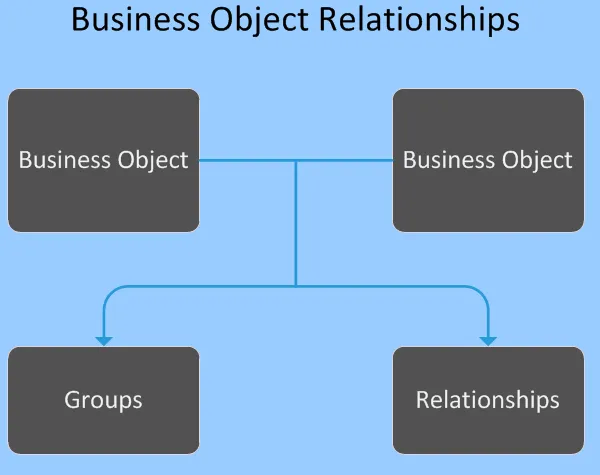
administrators can create business objects they are defined by sets of metadata stored in a business object definition a business object is created by defining the fundamental properties such as name and purpose, and then you edit it to assemble the required components for it to be used, such as forms, layouts, and business rules includes several default business objects, designed for your business needs as an administrator, you can use these business objects, edit them, delete them, or create your own you may be limited in how you can customize some business objects some definitions are restricted from editing to prevent the modification or removal of required items if you attempt to edit a restricted business object, you receive an error message contact it support if you need to remove the restriction on the business object this can only be done by it support important edit and read only permissions for metadata components including fields, relationships, forms, lists, layouts, triggered actions, saved searches and pick lists are indicated by a green pencil or red dot icon in the components indicating a green pencil icon can be edited; components indicating a red dot icon are read only components with no icon displayed can be edited and deleted you can duplicate a read only component and then edit it metadata components marked with a yellow pencil icon indicate a soft lock, meaning they have limited edit permissions for more information on soft lock, see modifying a business object with soft lock docid\ prrpnuvje8dmzc oaqymn business object properties a business object's properties are established by a business object definition and are stored in a system table in the database using record associated with the business object these properties control how the business object is identified and how it operates when you create a business object, you define fundamental properties such as name and purpose you can define more complex properties, such as indexing and annotations, and modify existing properties by editing the business object refer to business object tabs docid\ prrpnuvje8dmzc oaqymn for a description of these properties in addition to properties, a business object has business rules, forms, lists, layouts, and so on together these form the business object business object records the business object data are stored in records each record is of the same type as the business object that stores it for example, employee records are stored in the employee business object and notes records are stored in the notes business object as a result, a record (such as the birthdate field) is subject to the same rule as its associated business object business object relationships a business object relationship lets two business objects collaborate through the records in the business objects in a relationship, business objects either can belong to other business objects or simply be associated with other business objects each relationship contains a parent business object the center of a relationship with one or more child business objects child business object the supplier of additional data to a parent business object for example, the incident business object can have a relationship with the notes business object so that you can track notes pertaining to a specific incident incident becomes the parent business object to the child business object when you create a business object relationship between two business objects, you define the fundamental properties that tell the relationship how to operate plan a relationship before you create it thoughtful design alleviates complications the application restricts the modification and removal of some business object relationships to prevent modifying or removing mandatory items the default constraint ( parentlink field) can only be used in one relationship relationships using the parentlink field allow the child business object (for example, notes) to be part of several parent business objects (for example, incident and problem) uses a relationship string to specify a field, business object, or group of business objects a relationship string is defined in the context of a specific base business object refer to expression grammar docid\ pf6ggqn8 79wx1mpbid for more information about syntax refer to using relationships docid\ szcp qyw98hbg7iwleeu2 for more information about relationships viewing business objects you can view business objects in three ways you can view common, other and all business objects viewing common business objects from the configuration console, select build > business objects select a business object to view its features the application displays business objects here if the commonly used field is checked for the business object viewing other business objects from the configuration console, select build > business objects in the find box, enter the name of a business object (for example, employee), then select go select a business object from the list that appears to view its features the application uses the type ahead feature and displays business object names as you type viewing all business objects from the configuration console, select build > business objects > select view all select a business object to view its features the value in the object name column is the name of the business object stored in the database and the value in the display name column is how it appears in the following additional actions can be performed from the business objects workspace creating a business object docid\ prrpnuvje8dmzc oaqymnusing validation business objects docid 0y8n6cncv7 uueg068u59using workflows docid\ p4kb1hcf81wnxmoqhbcjsusing counters docid\ olke 5 axeqr hqijyeae