
Using an Entity Relationship Diagram (ERD)
1 min
You can view an entity relationship diagram (ERD) of some business objects (such as incident and change) by clicking ERD from within a business object. This provides a high-level view of related business objects.
The basic elements of the entity relationship diagram are as follows:
- The business object that stores information is in the center of the diagram.
- To see the relationships between other business objects, hover your mouse over a relationship line. See Relationship Types.
Sample Entity Relationship Diagram for the Address Business Object
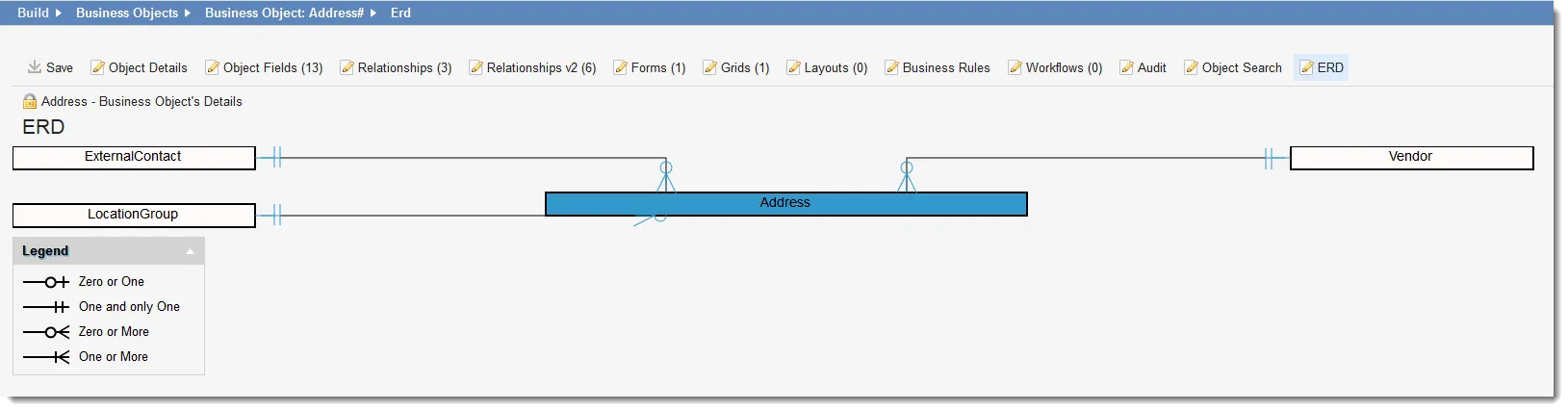
- Click the white arrow in the legend header at the bottom of the diagram to show the symbol definitions.
- Drag the related business objects as needed.
- Print the diagram using the Print command for your browser.