
Example – Using Quick Action Variables in Expressions (GAD)
1 min
Role: Administrator.
Minimum Version: Ivanti Neurons for ITSM 2024.4.
Feature Eligibility: To use these Quick Actions, set the global constant EnableActionService to True.
This example shows how to store a user’s response from a prompt into a Quick Action variable and then display that response in a pop-up message. When using a variable inside an expression (for example, concatenating text), you may need to convert the variable value to text using ToString().
Procedure
- Log into the Service Desk console as an Administrator.
- Select any incident from the Incident workspace.
- Go to More menu > Edit Actions > Graphical Action Designer.
- Drag the Update Variables and Stored Values block from the Advanced Actions.
- Click Editor in the side-panel.
- Add a variable with the following values:
a. Variable Type: Variable
b. Name: YesOrNo
a. Type: Text
b. Value: $(Prompt("prompt","YesNo"))
- Add a Show a Popup block after the Update Stored Values and Variables block.
a. In the Show a Popup's configuration, set Contents to: $("YesNo response is " + ToString(Variable("YesOrNo"))).
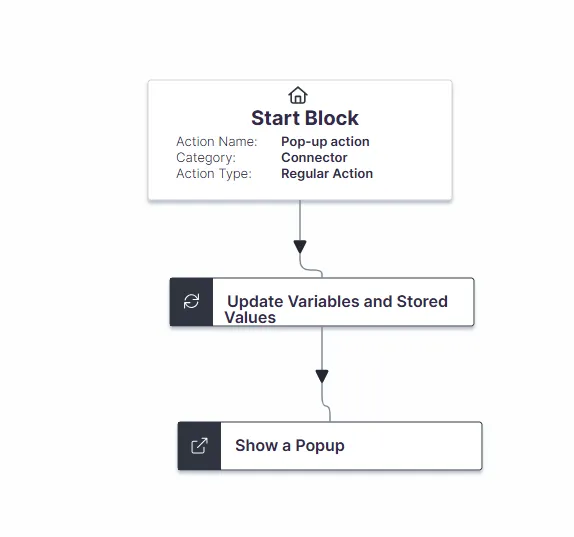
- Save the action and execute it from More menu > No Category > select the action name in the incident form page.