
Duplicating a Form
0 min
- From the Configuration Console, click Build > Business Objects.
- Open a business object.
- Click the Forms tab. The application displays a list of forms for the business object.
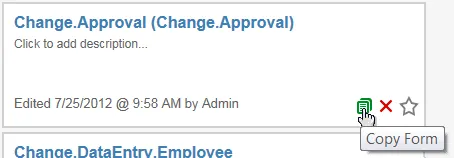
- Move your mouse pointer over a form name and click the Copy Form icon.
Copy Form Button
The application displays the Enter the Name window.
- Enter a unique name for the new form.
- Click Save. The application displays the new form in the form list.