
Creating an Alert Category
1 min
You can create or modify the alert categories that appear on the Alert page. You can either add categories directly into the database, or create a workspace that enables users to add alert categories.
The Alert Category workspace is not provided in the out-of-the-box version of Neurons for ITSM. If you want to use it, you must create it by following the instructions below.
- Log in to the Service Desk console.
- Open the AlertCategory business object.
- Create a new layout called AlertCategory. This creates the workspace.
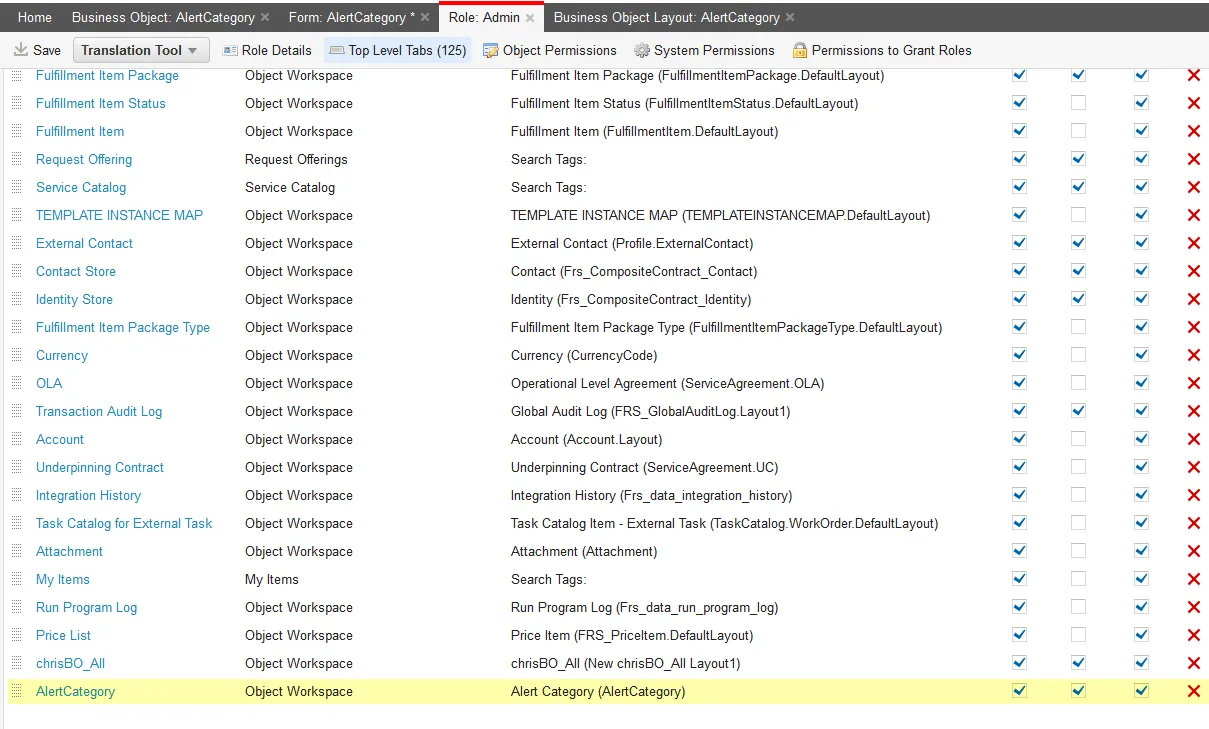
- Open the Role workspace, and add the AlertCategory workspace that you just created to the top-level tab of the administrator and any other role for which to provide category privileges. This reveals the workspace to the roles you chose.
Assigning a Role to the AlertCategory Layout
- Refresh the browser screen, then open the AlertCategory (the one that you just created) workspace. The list of current categories appear.
Alert Category Workspace
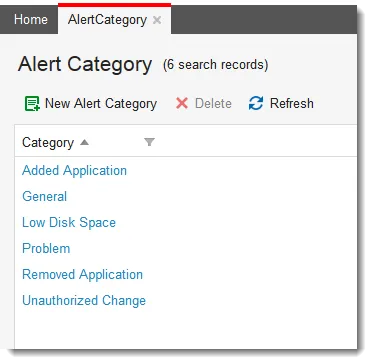
- Click New Alert Category, then enter a category into the field.
- Click Save.
- Click List View to ensure that your category is added to the list.
When users create a new alert, they can choose the new alert category.