
Asset Processor Configuration
1 min
This topic provides information on the steps to configure the Asset Processor feature, specific to Windows, Unix, and LanProbe platforms.
On the Asset Processor Configuration page, the Create a new CI checkbox is disabled, by default from the 2019.1 release. This change was introduced in the “Asset Processor Configuration” workspace due to the consolidation of AMDB and CMDB resulting in a unified IxM DB, introduced in the 2019.1 release.
To import any CI specific to Neurons for ITSM, the following configuration needs to be done in the Asset Processor Configuration workspace.
- Log in to Neurons for ITSM.
- Go to the Asset Processor Configuration workspace.
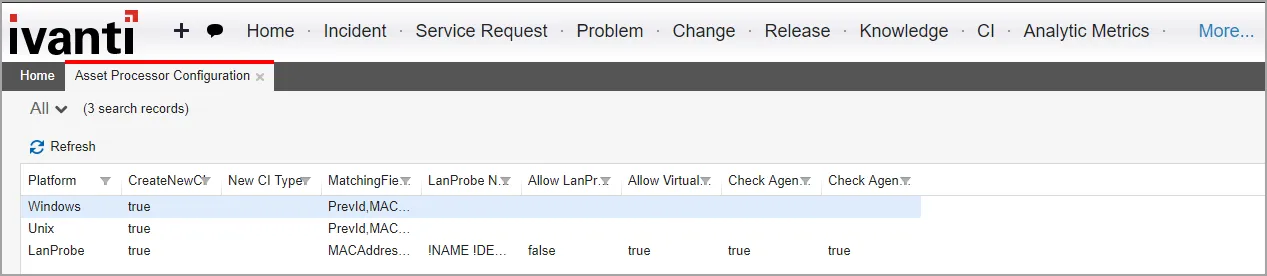
- Select the required platforms and define the following configurations.
- In the Matching Fields text box, enter PrevId,MACAddress,BIOSGuid,VMuuid,FQDN,HostName,SerialNumber,IPAddress. Only these values are available for use.
- Select the Create a new CI check box (by default, this check box is not selected).
- In the New CI Type field, ivnt_UnmanagedAsset is selected by default. Remove the selected value and make it a blank field instead.
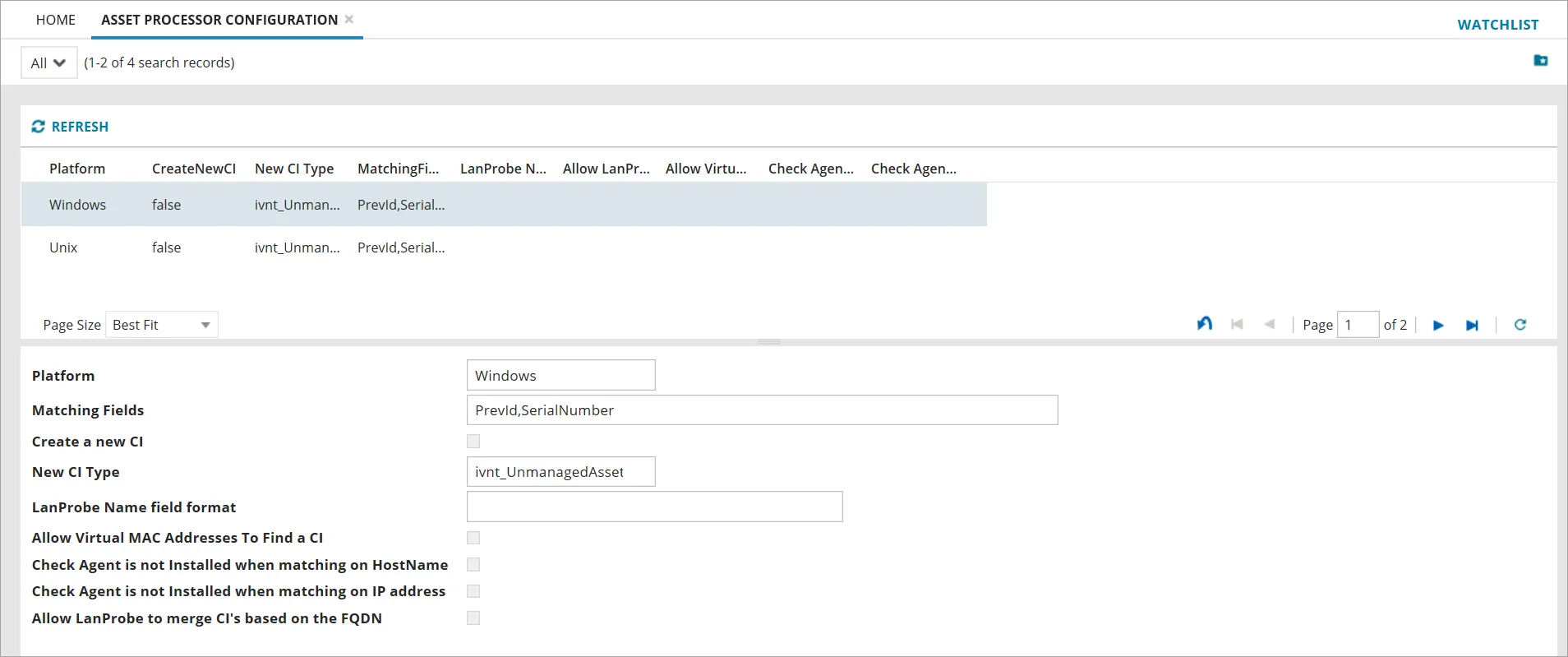
- Click Save.