
Decommissioning FTP and File on Shared folder Integration
3 min
Currently, ITSM customers can import data from FTP and Shared Path locations. Since these sources pose a security threat to the cloud environment, restrictions are added to the use of these options. These restrictions are feature flagged which can enable or disable the options available to an end user either while importing or exporting data to ITSM.
- Both FTP and File on Shared Folder controls are disabled using the feature flag from 2022.3 on wards. These feature flags can be turned off by the Cloud Ops in the Config DB under Feature Management workspace.
- The feature flag is not turned off to make sure both FTP and File on Shared Folder controls are still available and customer can migrate to Secure FTP without impacting their automation. However, it would be temporary.
- It's highly recommended to move your file upload related automation from FTP and File on Shared Folder location to Secure FTP on priority. Refer SecureFTP configuration documentation further.
Steps to enable or disable the feature flag
Navigate to the Feature Management Business Object in the Config DB and search for your tenant feature.
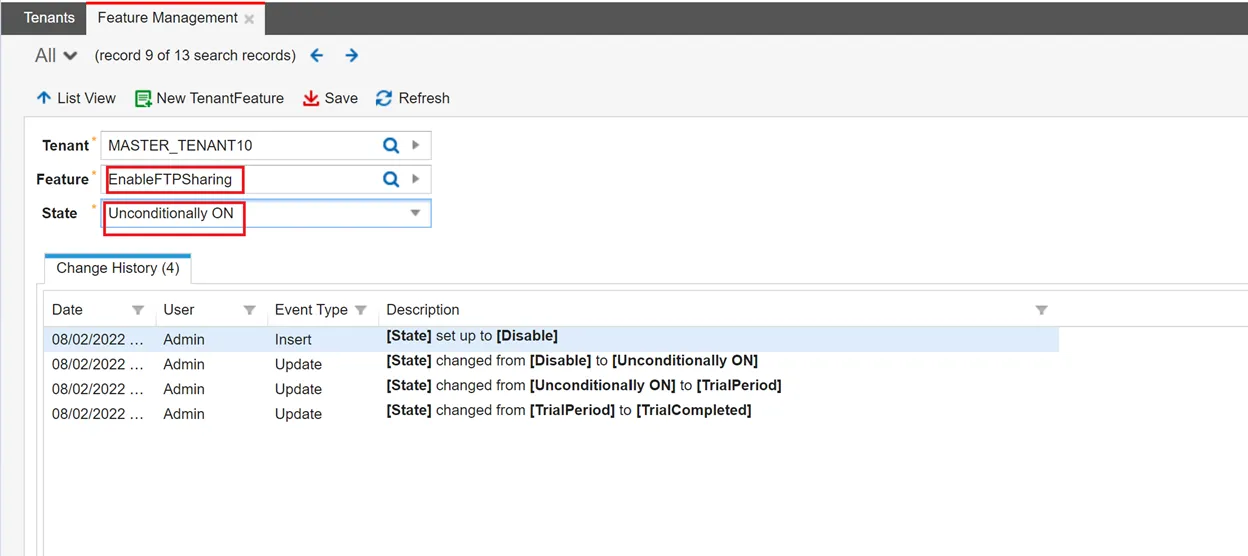
- Once you open the feature, set the State as Unconditionally ON to enable the feature.
Feature flag on
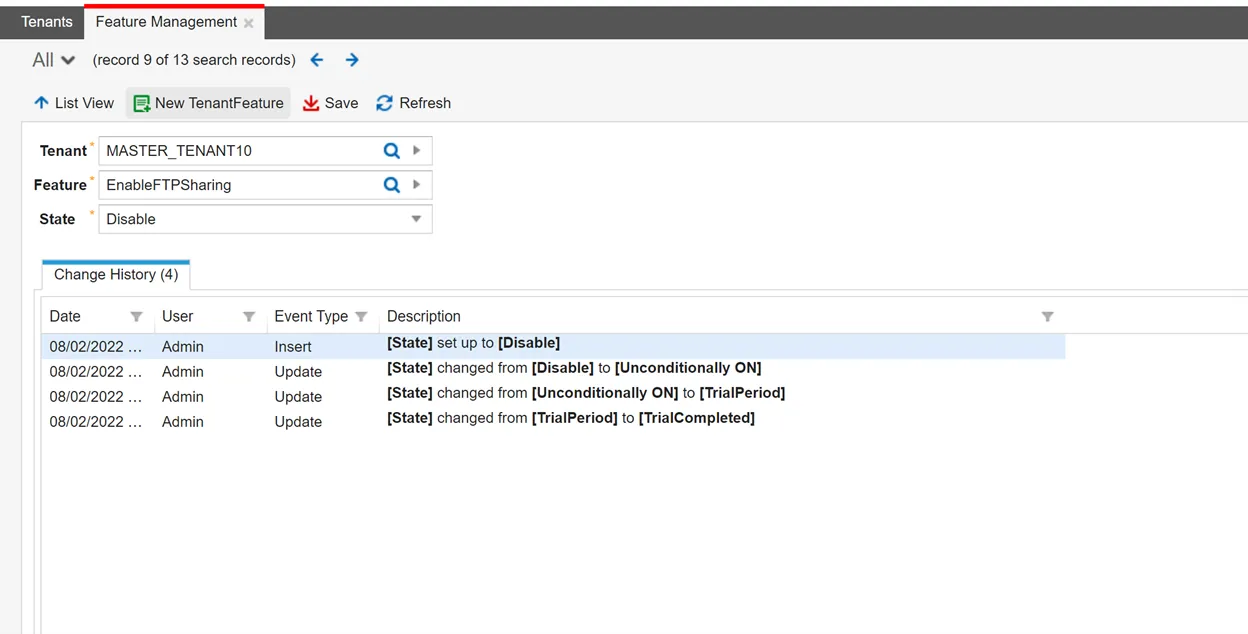
- Set the State as Disable or Trial Completed, this disables the feature.
Feature flag off
Post Feature Configuration
- From the Configuration console navigate to Data Import Connections under Integration tools.
- Click Add new and select the Connection Type field.
- When the feature is enabled - in the Connection Type field drop-down list, FTP and File on Shared Folder options are available.
- When the feature is disabled - in the Connection Type field drop-down list, FTP and File on Shared Folder options are not available.
- Similarly, the Location field in the Data Export Connections,
- When the feature is enabled, the Location will show FTP and Secure FTP.
- When the feature is disabled, the Location will show only Secure FTP.