
Human Resources - Enterprise Landing Page
1 min
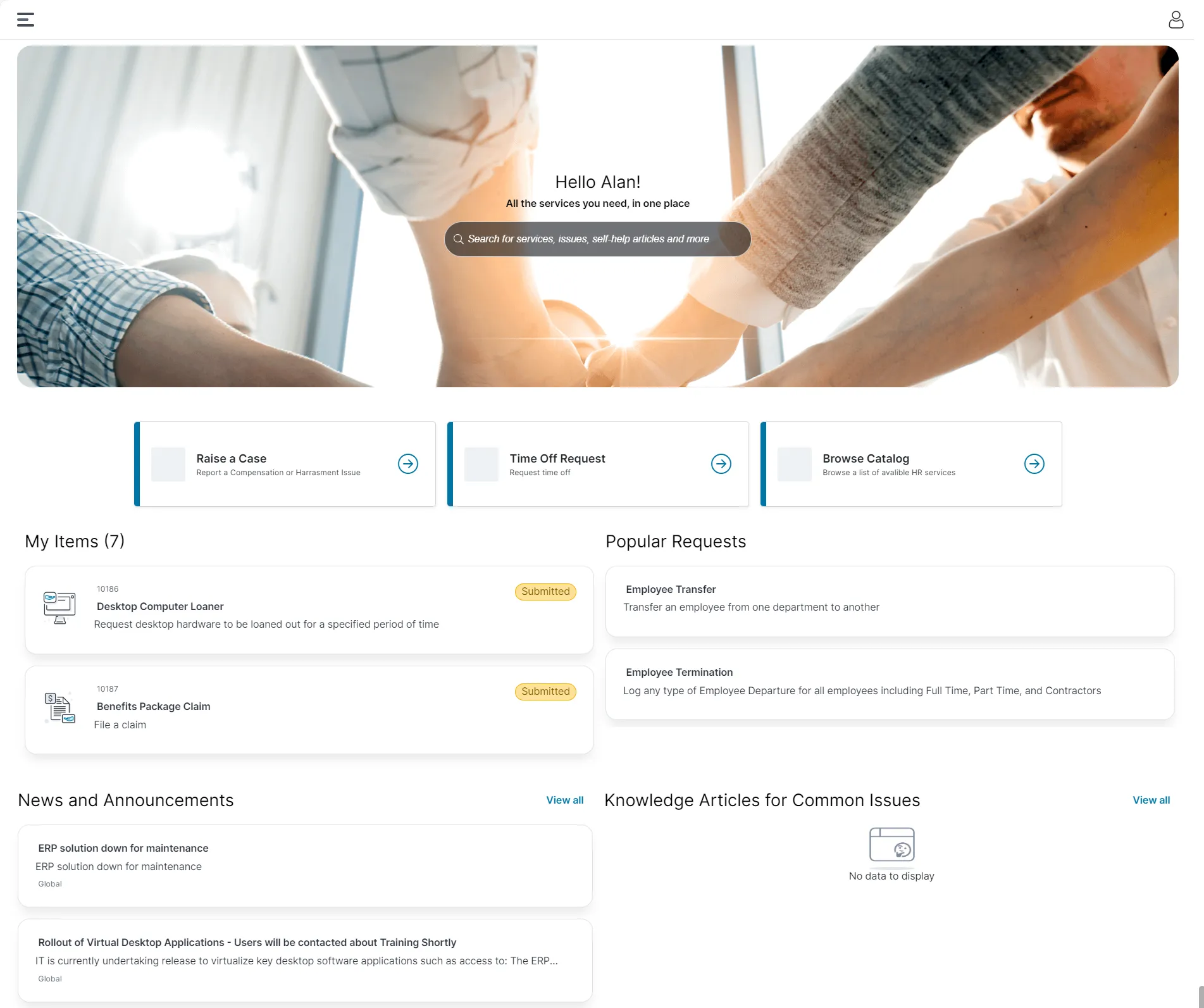
The V3 Enterprise Landing Page is extended to Self Service Human Resource portal. This aligns with the modern design that the Self Service V3 offers. Users can use the following out-of-the-box components:
- Default Banner - You can customize the banner as per your liking.
- Search Bar - Use it to search the portal using a keyword.
- Workspace tiles - Click on a tile to go the selected workspace.
- Raise a Case
- Time Off Request
- Browse Catalog
- My Items - Displays all your raised cases, requests, and incidents across IT, HR, and Facilities.
- Popular Requests - Displays the most requested offering.
- News and Announcements - Displays all news and announcements from the organization.
- Knowledge Articles for Common Issues - Displays the most common knowledge articles.
HR - Enterprise Landing Page
Existing Neurons for ITSM users should enable the Enterprise Landing Page to use the HR Enterprise Landing Page. For information on how to enable, refer to Configuring the Enterprise Self Service , Welcome Page and Working with Page Settings - Enterprise Landing Page.