Enhanced Traffic Management in the Virtual Traffic Manager
This section enables advanced load balancing for UDP services. By default, incoming UDP traffic from the same source IP and port (a "hot source") may be directed to a single worker process, potentially causing uneven load and reduced performance.
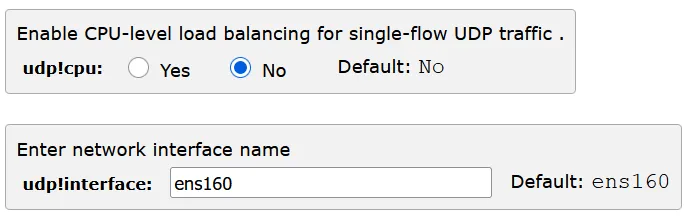
When you enable the udp!cpu setting, the traffic manager loads an eBPF program into the kernel. This changes how the kernel hashes and distributes UDP flows, ensuring that packets from a "hot" source are evenly balanced across all zxtm.zeus child processes.
Each individual child process (zxtm.zeus) supports a maximum loading threshold of 85%. Monitoring and maintaining load below this level helps ensure optimal performance and prevents overloading of any single process.
enter the udp!interface
This feature significantly improves throughput and reliability for high-rate UDP workloads such as DNS, syslog, or telemetry. It prevents a single worker process from being overloaded by bursts of traffic from busy clients or devices.
You must create a UDP-based virtual server after enabling this feature. If you only have an existing standard UDP server and enable udp!cpu, the feature will not take effect.
To configure a Advanced load balancing for UDP Services:
- Access System > Global Settings >Enhanced Traffic Management.
- Enable CPU-level load balancing for single-flow UDP traffic, disabled by default.
- Enter network interface name the default is ens160.