
Using both the query builder and manual editing
2 min
Use the query builder to start an expression, look up field syntax, and select predetermined values. Then, edit the expression directly as needed.
Procedure
- Select fields and criteria.
- Click All to combine multiple criteria with a logical AND or Any to combine multiple criteria with OR. You can manually edit individual logical operators in the expression field.
- In the expression field, edit the expression directly.
- For example, you can add parentheses, change logical operators, or manually edit field names or values.
- The automatic syntax check displays a status icon next to the expression field. A green icon indicates that the syntax is correct, and a red icon if incorrect.
- When the syntax is correct, click Search to display the matching devices and their owners.
Once you manually edit the expression, the query builder is covered with a gray box to indicate it no longer represents the current state of the expression. Click the Reset link to remove your manual edits and continue using the query builder.
Example: Find all iOS or Android devices that use AT&T as their service operator.
Figure: Service operator in Query Builder
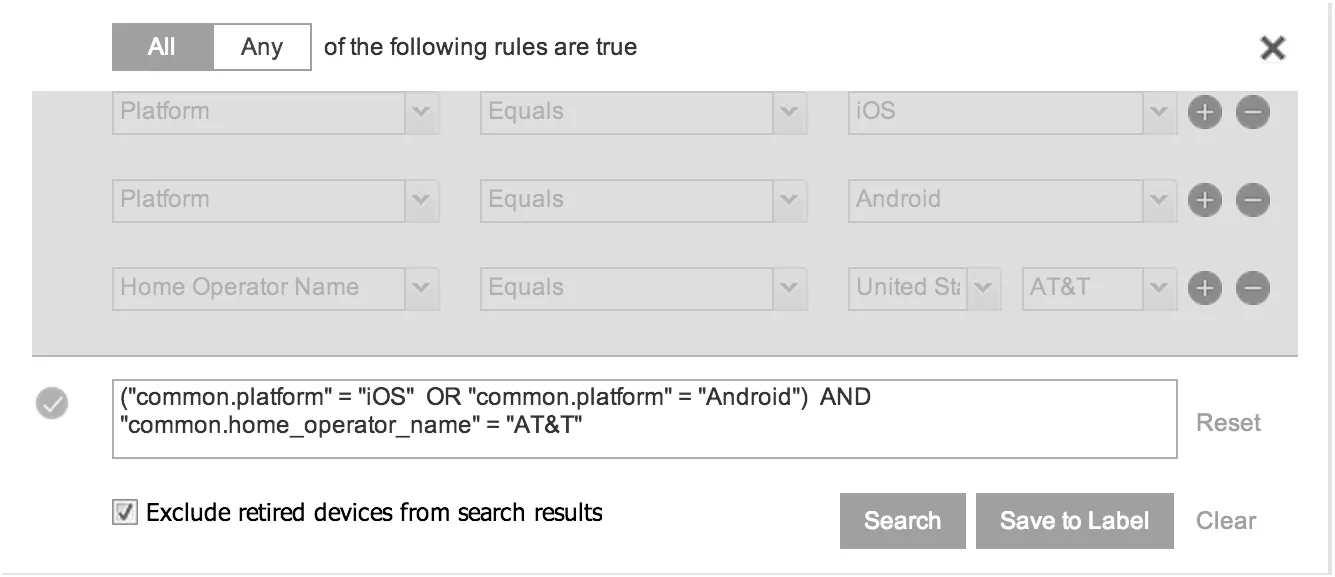
Build the expression to match the above example.
- Click Advanced Search to open the query builder.
- Select Platform in the first field, select Equals for the operator, then select iOS as the platform.
- Click the plus icon to add another row for criteria.
- Select Platform, Equals, and Android as the field, operator, and platform value, respectively.
- Click the plus icon to add a third row for criteria.
- Select Home Operator Name for the field and Equals for the operator. Notice that the value field adjusts automatically to display service operator values by country.
- Accept the first value field and select AT&T in the second value field.
Manually edit the expression.
- Replace the first AND with OR. The syntax is checked automatically as you type. Note a red icon indicating incorrect syntax while you edit the expression.
- Add parentheses around the phrase to read: ("common.platform" = "iOS" OR "common.platform" = "Android") AND “common.home_operator_name” = “ATT&T” Note a green icon indicating correct syntax has replaced the red icon. Your advanced search will look the same as the original image (see below).
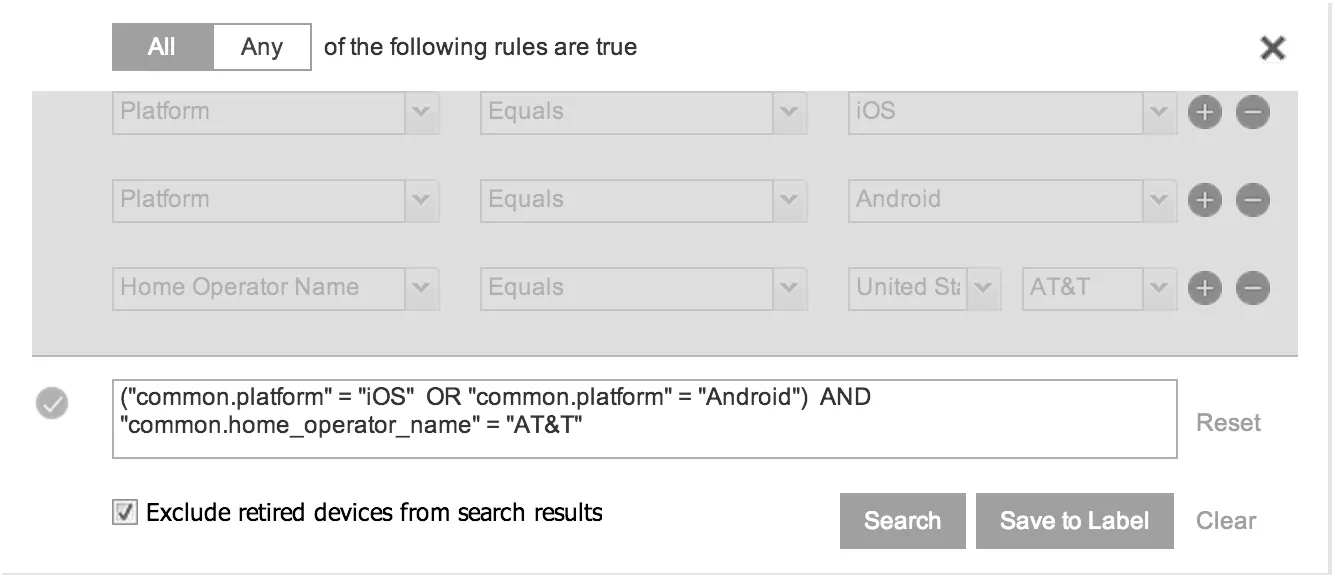
- To revert to the original expression without your manual edits, click the Reset link to the right of the expression.
- Click Search to display the matching devices and their owners.