
Deploying the TeamViewer QuickSupport app
1 min
This section explains how to deploy the TeamViewer QuickSupport app to Android devices managed by Ivanti EPMM.
Procedure
- In the Admin Portal, go to Apps > App Catalog.
- Select Quick Import.
- Select Google Play.
- In the Application Name field, enter teamviewer.
- Select Search.
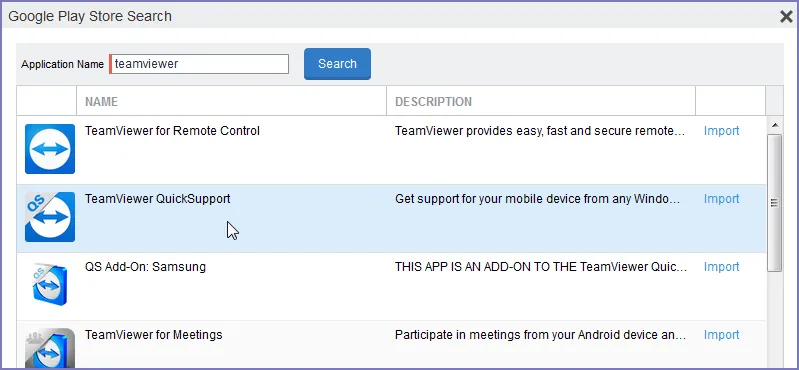
Google Play Store search results on TeamViewer
- Find the app in the search results.
- Select Import.
- Dismiss the displayed message and the Google Play Store Search dialog box.
- Under Apps > App Catalog, select the app you just imported.
- Select Actions > Apply To Labels.
- Select labels that represent the devices that should have the app added to the app catalog.
- Select Apply.
- Instruct Android device users to install the app.
- Instruct Android device users to launch the app. If an add-on is available for the device, the device user will be prompted to install it.
- Instruct device users to install the add-on if prompted to do so.