
How Help@Work for Android works
1 min
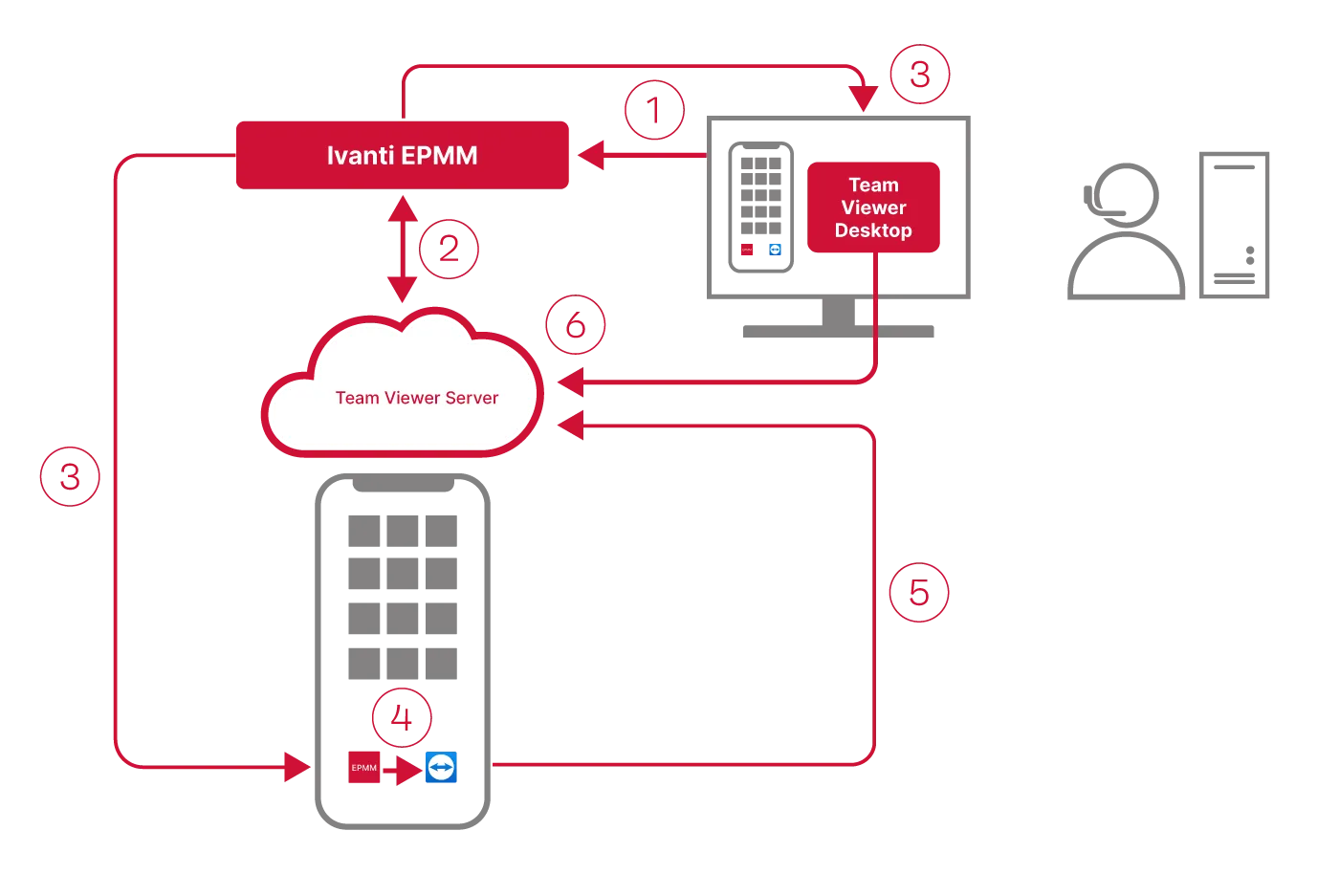
The following diagram illustrates how Help@Work for Android with TeamViewer establishes a remote control session.
Procedure
- Administrator selects a target device in the Admin Portal Devices > Devices.
- Ivanti EPMM contacts the TeamViewer Server to create a remote session and retrieve a session ID.
- Ivanti EPMM sends a command to Ivanti Mobile@Work on the device to start a remote session using the session ID. Ivanti EPMM also launches the TeamViewer software on your desktop with the session ID.
- The Ivanti Mobile@Work app sends a message (intent message object) containing the session ID to the TeamViewer app to start a remote session.
- TeamViewer app connects to the TeamViewer Server.
- Administrator takes remote control of the device.