
Configuring macOS for Authenticate
1 min
Procedure
- On Ivanti Neurons for MDM, click Configurations > Add.
- In the Search Configurations field, enter macOS Kernel Extension Policy.
- Select the policy. The Create macOS Kernel Extension Policy Configuration window opens.
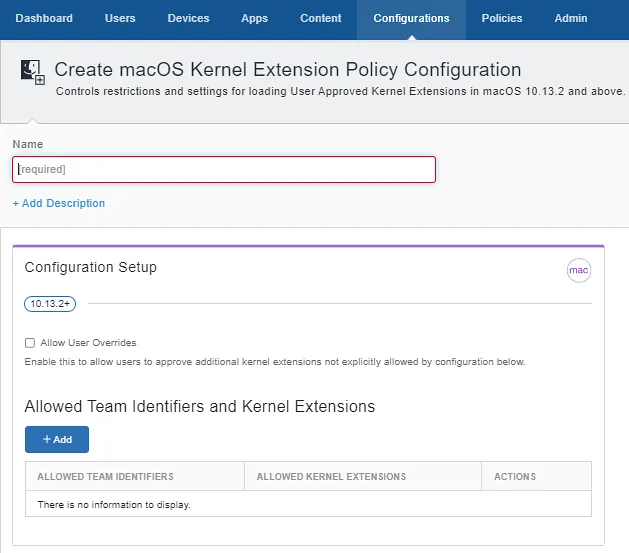
- Enter a Name for the policy.
- Under Configuration Setup, click Add.
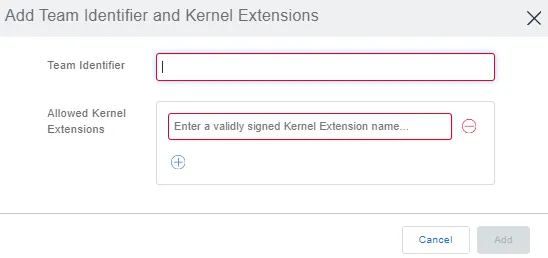
- Enter 2P68G9Z44L as the Team Identifier.
- Click Next.
- Select the devices to which the configuration is applied and click Done to complete the configuration.
Next steps
Configure the Configuring privacy preference for accessibility permission.