
Configuring LDAP in Ivanti EPMM for session revocation
1 min
Configure one or all of the following custom attributes in the LDAP configuration in Ivanti EPMM:
- userPrincipalName
- objectGUID
Procedure
- In the Ivanti EPMM Admin Portal, go to Services > LDAP.
- Select an LDAP server and click the Edit icon.
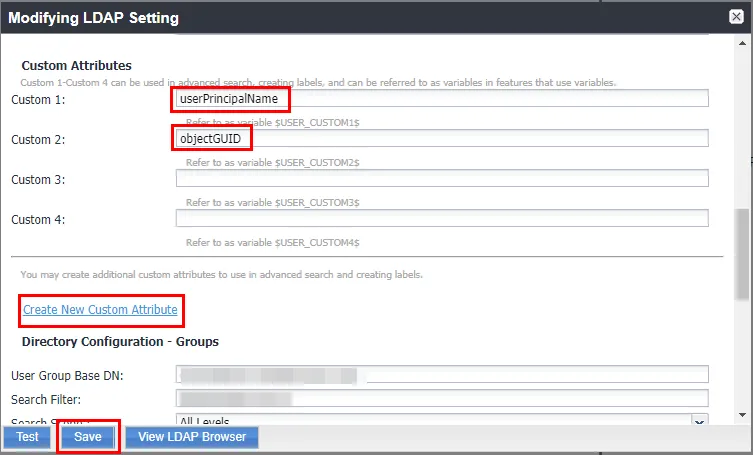
- In the Modifying LDAP Setting page, scroll down to Custom Attributes.
- Enter one or both of the following custom attributes:
- userPrincipalName
- objectGUID
- Use an available custom field or click Create New Custom Attribute to add a new custom field.
- Click Save.
Related topics
- For information about configuring LDAP in Ivanti EPMM, see "Configuring LDAP servers" in theGetting Started with Ivanti EPMM Guide.