To tag a single CI
0 min
- In the left navigation pane, click ITSM > Configuration Management > Configuration Items.
- Click a CI in the list to open the record and configure its relationship types.
- From the Select Actions drop-down, select Enable Editing. This enables you to edit the values for the existing parameters of the CI.
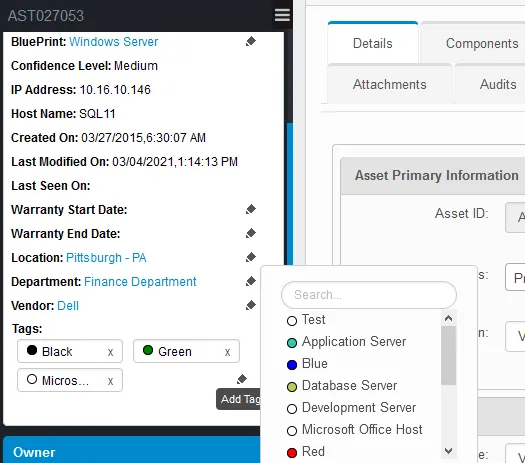
- In the left pane, click the Add Tag icon to tag the CI. Enter relevant criteria to search for the required option and/or click the listed option to tag. Click the “x” to remove a tag.