
Create the CI blueprint types
1 min
You need to create the blueprint types for the CI records, which define the overall type and structure of a CI, including its properties.
This section also includes a procedure for adding new properties to an existing blueprint.
To create a new blueprint
- At the top-right corner of the page, click Admin. Under the SACM heading, click the Blueprints icon. The Blueprints page displays.
- From the Select Actions drop-down, select New Blueprint. The New Blueprint page displays.
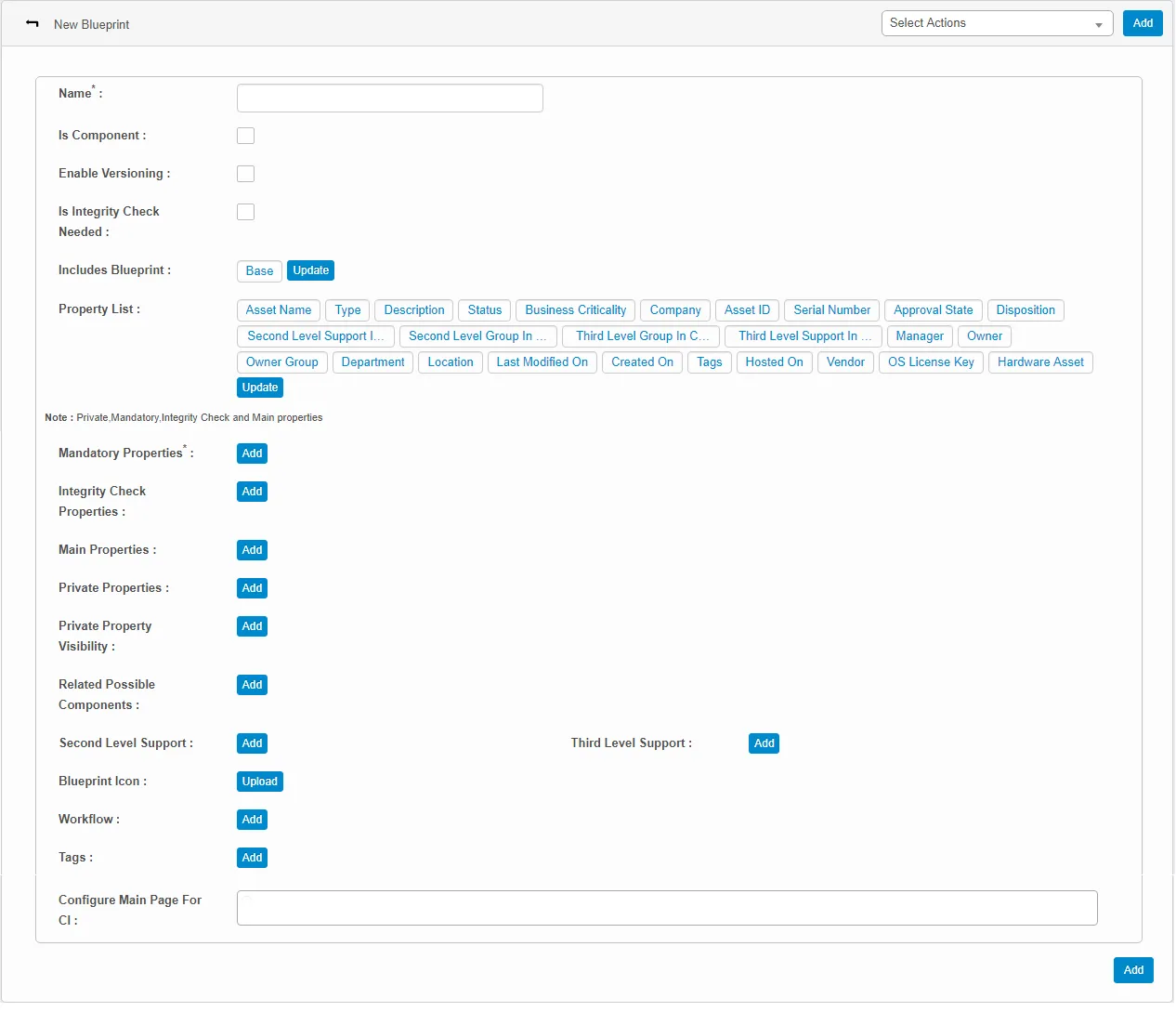
- Enter a name for this blueprint based on the nature of the CI.
- Select the Is Component option if the blueprint will be part of the main CI. Note that this component will be displayed during CI configuration.
- Select the Enable Versioning option to turn on version control. This option updates the blueprint version automatically when you update an associated CI with the status of “Production.”
- Select the Is Integrity Check Needed option to ensure that the corresponding properties are present in the CI. In case of absence, a notification will be sent to the configured user.
- Click Update to include new blueprints that are absent in the base.
- From the given property list, click Update if you want to add new properties to the list.
- Click Add to update the values of the following parameters:
- Mandatory Properties: Properties that will be the mandatory fields when adding a new CI to this blueprint.
- Integrity Check Properties: These properties are mandatory if the Is Component option is enabled.
- Main Properties
- Private Properties: Properties that are added or marked as private can be viewed only by specified assigned roles.
- Private Property Visibility: Display roles to whom the private properties are visible.
- Related Possible Components: The components of the parent CI. For example, the Network Adapter blueprint is a component of the parent Windows Server blueprint.
- Second Level Support: Configure a user to receive notifications that they can act upon accordingly.
- Blueprint Icon: Click Upload to select an image representing the blueprint.
- Workflow: Associate a configured, required workflow for the blueprint. A notification is sent to the configured user when the workflow is triggered.
- Tags: Define a color code for the parent CIs to facilitate an easy search of the corresponding CI/discovered asset existing in the CMDB.
- Configure Main Page for CI: Click in the text box to select the page for the blueprint.
- When finished, click Add.