
To select user-role access to modules
0 min
- At the top-right corner of the page, click Admin. Under the Others heading, click the Role Access icon.
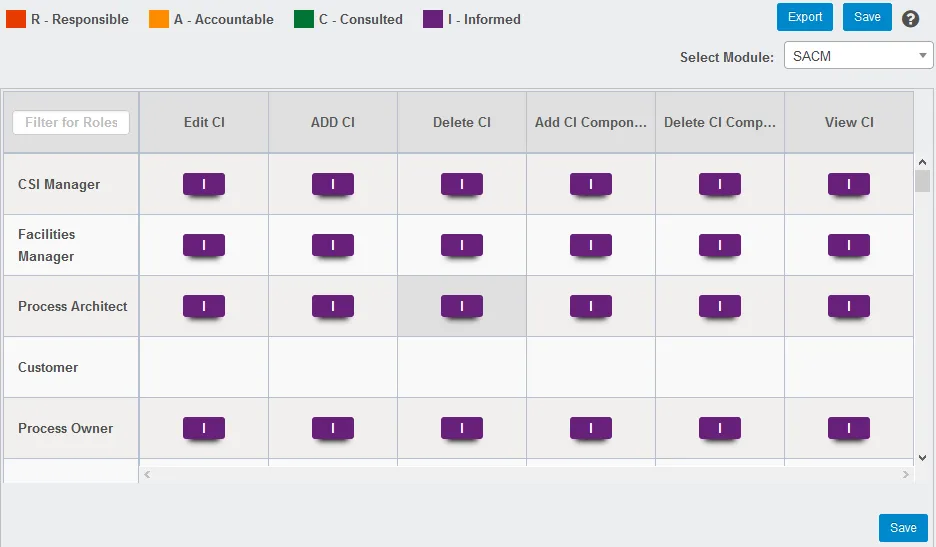
- From the Select Module drop-down, select a module.
- In each provided privilege box, select the appropriate user-role access. Available options are color coded along the top of the page.
- When finished, click Save.
NOTE: Click the Export button to export and view the configured RACI matrix for a module in Excel file format. An email with the attachment will be sent to the logged-in user.