
To schedule a discovery scan
0 min
When creating a scan, you have the option to schedule it to recur at certain times.
- For scan type, select the Scheduled option.
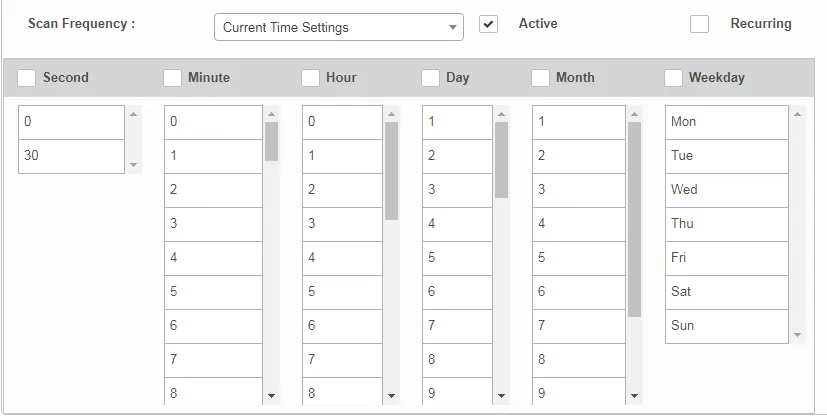
- From the Current Time Settings drop-down, select the scan frequency for executing the scan.
- Select options for Active and Recurring (to repeat the scan according to the defined time).
- Select the time interval option (second, minute, hour, etc.) according to the time selected in the Current Time Setting drop-down.
- Click Run to execute the scan as configured.