
To add an existing property to a CI
1 min
You must first enable editing for a CI record before you can add a property. For details, see the procedure above.
- In the left navigation pane, click ITSM > Configuration Management > Configuration Items. The Configuration Items page displays.
- Click a CI record to open it.
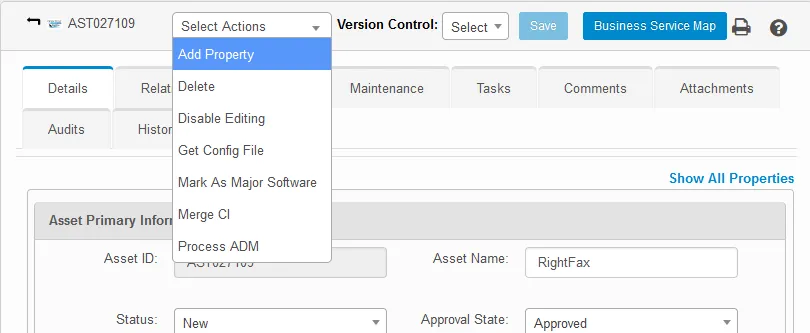
- From the Select Actions drop-down, select Add Property.
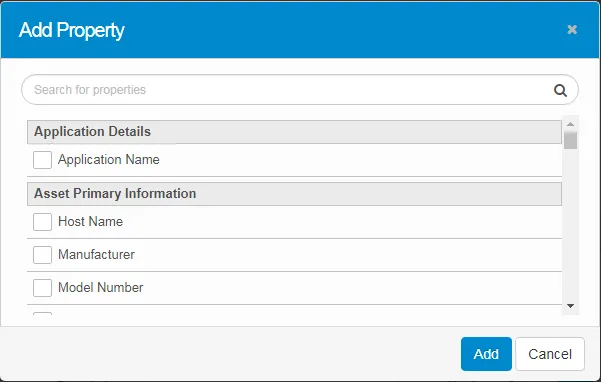
- Search for the required property or scroll down the list and select it.
- When finished, click Add.