
Troubleshooting and Known Issues
Debugging the Migration
There are several ways to debug the data migration:
Previewing the Package Before Migrating It
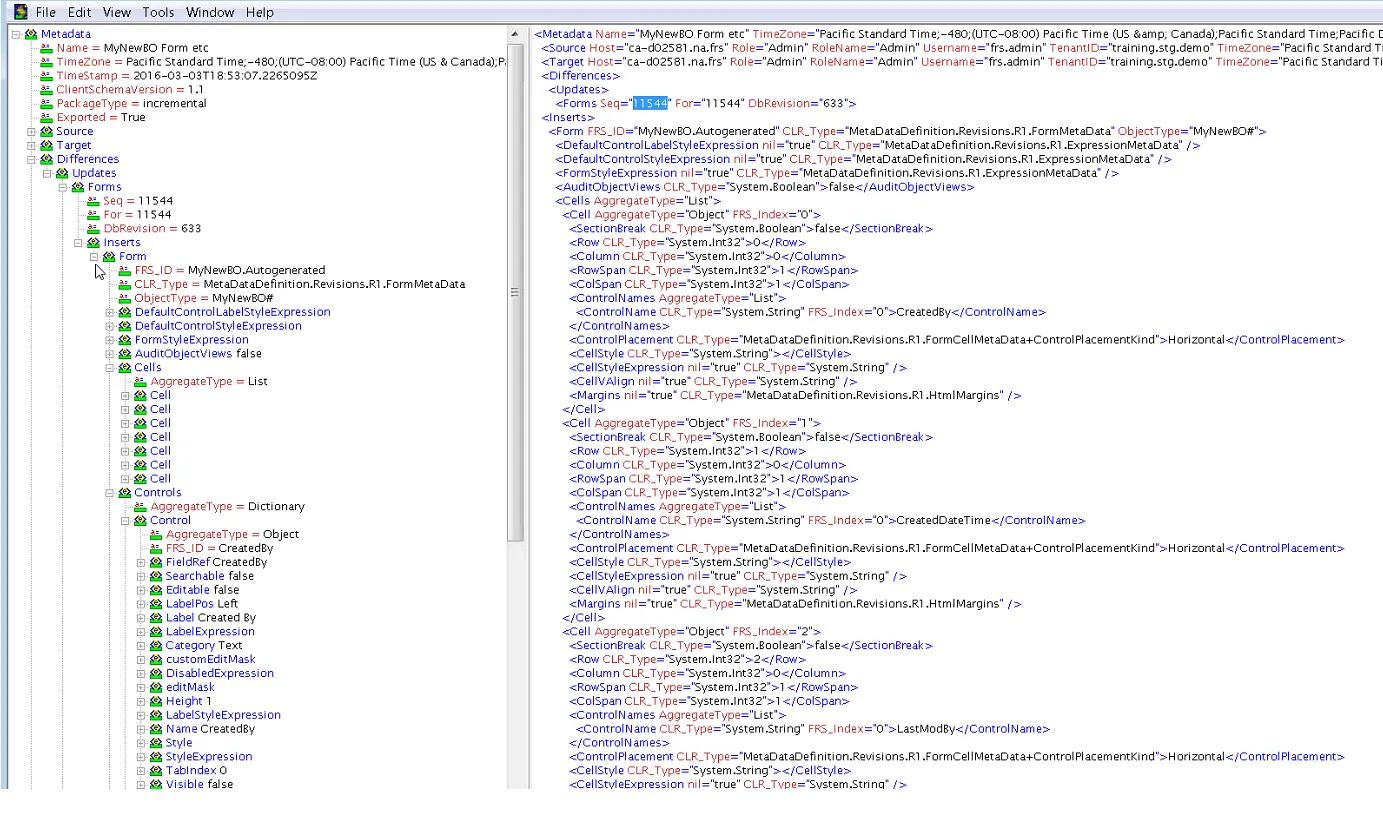
If you used the Ivanti Service Manager development project, as described in Appendix C: Using the ISM Development Project to Migrate Data, you can preview the changes to ensure that they are correct. On the Applying Package To screen, click Preview. The system downloads an XML file with the proposed changes. Open the file in an XML editor and ensure that the changes are correct. The system associates all warnings to a change record by using a unique sequence number.
Example of XML File with Proposed Changes
Viewing the Warning and Error Messages
After you perform the first migration from the production instance of the tenant to the staging instance of the tenant, review the error messages. You can review them in any of the following places:
•The patch log in the Ivanti Service Manager target tenant instance. See the Ivanti Service Manager online help for information.
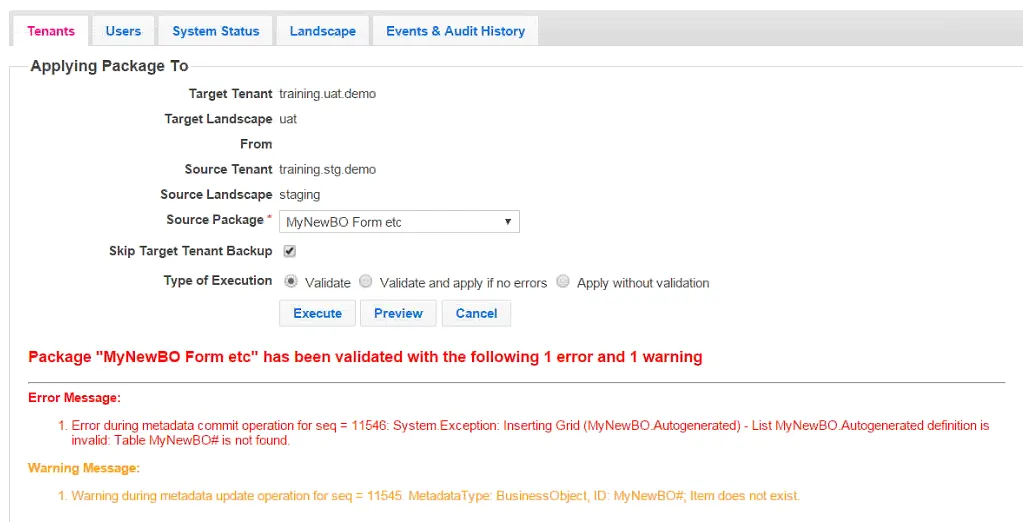
•If you used the Ivanti Service Manager development project, as described in Appendix C: Using the ISM Development Project to Migrate Data, the system displays errors and warnings on the bottom of the Applying Package To screen.
Sample Errors for a Package
Reviewing the Package Content
Review the package content:
•Check the Transaction Details workspace in Ivanti Service Manager. This workspace lists the details of the package migrations.
Viewing the Operations Console Log Files
Find and open the log files from the source tenant instance and the target tenant instance and compare the metadata.
Running Packages in the Correct Order
If you used the Ivanti Service Manager development project, as described in Appendix C: Using the ISM Development Project to Migrate Data, and your migration contains multiple packages, ensure that you migrate the packages in the correct order. If items must be migrated in a specific order and you do not follow that order, the system may display an error. To avoid this, we recommend creating a master package that contains the incremental packages in the correct order.
Checking the API Keys
Check the API keys. Each API key must be unique and cannot be shared between tenant instances. See About System Information.
Known Issues in the Operations Console
This section contains information about issues and limitations in the Operations Console.
Migrating Logos
Symptom
When migrating data that includes a logo, the updated logo does not migrate.
Affected Release
All releases.
Resolution
The Operations Console does not touch the logo during data migration. It does not remove the logo, but it also does not update the logo. Therefore, if you change the logo and then migrate data, after the data migration you must manually upload the new logo.
Also, changing the logo is not something that gets tracked in Ivanti Service Manager. Therefore, you cannot use the package process for this item.
Cannot Migrate Data if a Business Object Contains More than 100,000 Records
Symptom
The Operations Console cannot migrate database tables with more than 100,000 records. In some deployments, the ServiceReqParam table can have more than 100,000 records.
Affected Release
All releases.
Resolution
We have removed the ServiceReqParam tables so they are no longer part of the service request copy in the Operations Console.
We recommend as a best practice that your database tables be smaller than 100,000 records. We also recommend that if you do have a table with more than 100,000 records, you do not migrate it using the Operations Console.
If you do have a table with more than 100,000 records that needs to be migrated, use Microsoft SQL Server commands to manually copy the data and its relationships, or break the table into smaller tables, migrate the smaller tables, and then reform the data into a larger table after the migration.
Some Dashboard and Saved Search Properties are Not Migrated
Symptom
Some properties (such as "Set as default for myself", "Default for ...", and "My default") for dashboards and saved searches are not migrated.
Affected Release
All releases.
Resolution
These "default" properties are not metadata and are therefore not copied.
Problems Creating Packages
Symptom
When creating packages, it can be difficult to create the correct package for the migration. It can be challenging to find the right pieces of metadata to package and to find all of the dependencies.
Affected Release
All releases.
Resolution
•Before making any changes, always add a Ivanti Service Manager development project.
•Before making any changes, select a project. It is easier for you to include all changes in a project to a package.
•Review the transaction details to find and review transaction sets. You can search based on the object type, business object, entity name, and the name of the person who made the change. You can then add the transaction sets to the package.
•You may need to do a few iterations before you get the right package.