
Appendix A: Creating a Test Console Application using Visual Studio
As explained in the earlier Introduction section, the FRSHEATIntegration Web Service uses standard Web Service technologies, and can be consumed using various programming languages / platforms such as Microsoft .NET, Java, etc.
This section describes how one would create a test console application using Visual Studio 2010, specifically for creating the Web Reference to access the SOAP-based FRSHEATIntegration API.
Note that alternative .NET based clients such as WPF, ASP.NET, and Windows Forms clients can also be created, using the same concepts as presented here.
To create a new test console application in Visual Studio, follow these steps:
- Launch Visual Studio 2010, and then create a new Visual C# Console Project.
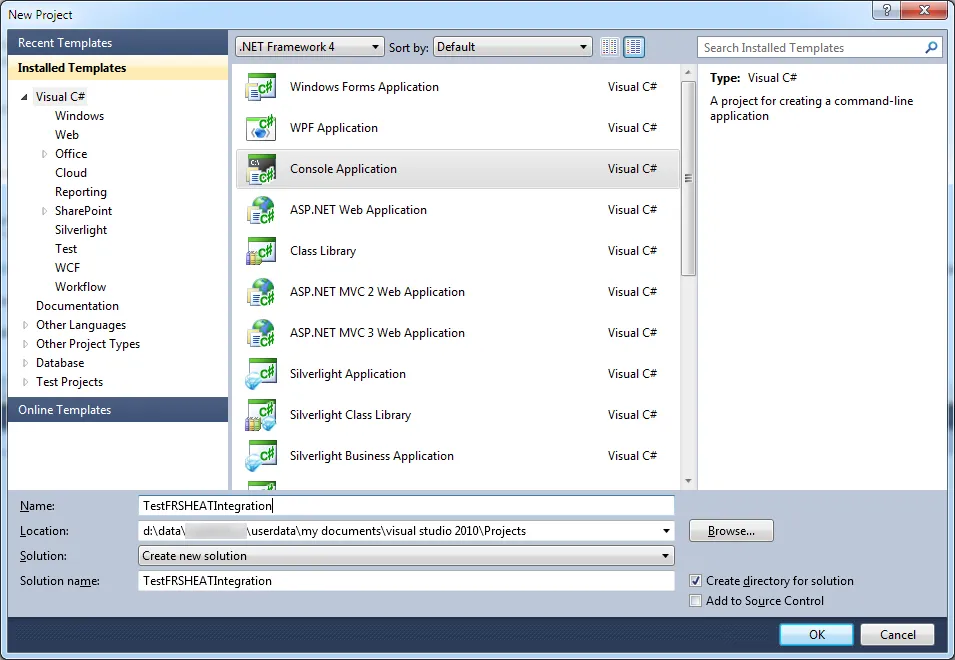
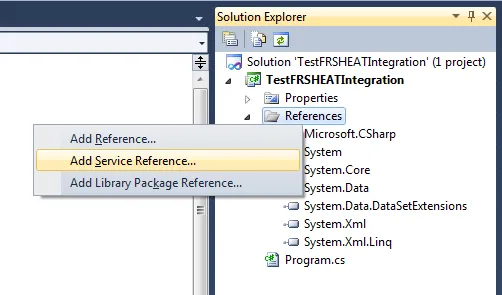
- In the Solution Explorer, right click the References folder, then select Add Service Reference from the context menu.
The Add Service Reference dialog box appears.
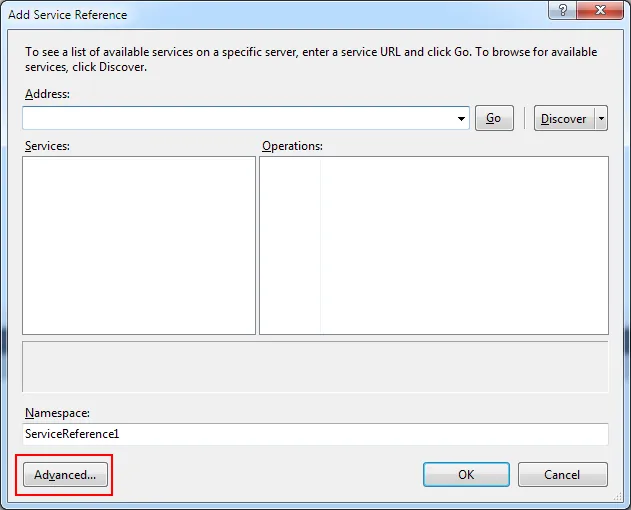
- Click Advanced in the lower left hand corner, to launch the Service Reference Settings dialog box.
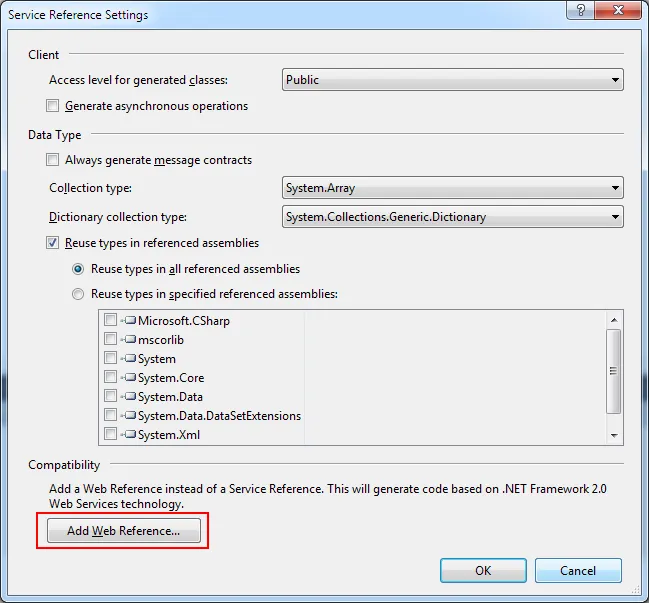
- Click Add Web Reference in the lower left hand corner, to launch the Add Web Reference dialog box.
At this point, you are now ready to author the necessary code, for exercising the FRSHEATIntegration Web Service.