
Audit Log
Actions taken by the Ivanti Access local administrator are captured in logs and displayed in Reports > Audit.
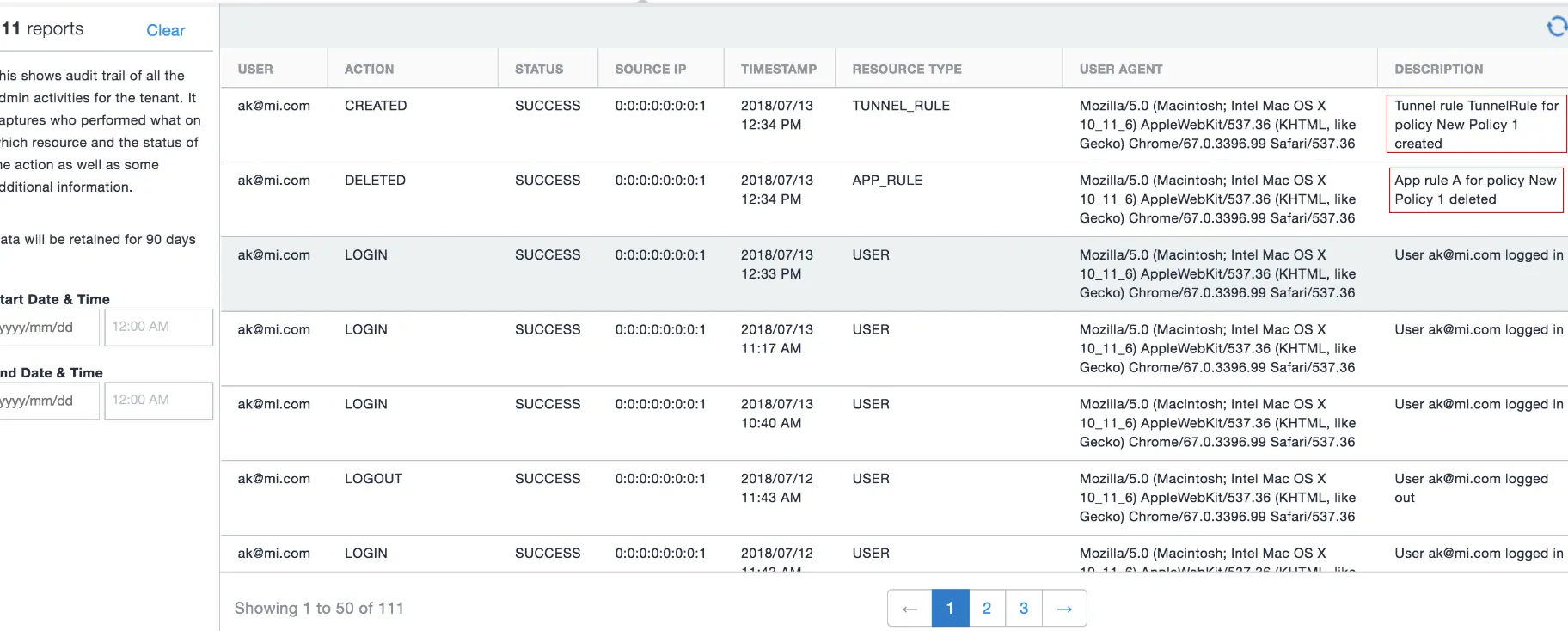
The Audit log displays audit trail information such as Actions, Status, SourceIP, Timestamp and so on.
The Description field now provides the following information about
- The policy update that displays the federated pair it belongs to.
- The rule update that displays the policy it belongs to.
Figure 1. audit log
You can do the following with the audit report data:
- Filter the reported instances to view a subset.
Filtering audit report data
To filter audit report data, do the following the following in the left panel:
- Enter a Start Date and End Date.
Audit report data available for filtering
The following fields are available to filter the report data:
Item | Description |
|---|---|
Start Date | Enter a start date to filter the data. |
End Date | Enter an end date to filter the data. |
Actions
Local administrator actions logged and reported in Reports > Audit include:
Action | Description |
|---|---|
Login | Local administrator signs in to the Ivanti Access administrative portal (User). |
Logout | Local administrator sings out of the Ivanti Access administrative portal (User). |
Password Changed | The local administrator password is changed (User). |
Password Reset | Password recovery key is reset. |
Created | The following are created or added:
|
Updated | The following are edited and saved:
|
Deleted | The following are deleted:
|
Rules_Reordered | Conditional rules are reordered (Policy). |
Registered | A Standalone Sentry is registered to Ivanti Access (CRT). |
Assigned | Standalone Sentry is assigned to the profile (CRT). |
Unassigned | Standalone Sentry is unassigned from the profile (CRT). |
Recovery Key Generated | A Recovery Key is generated for the Ivanti Access administrator account. |
EmailId | An Email ID is associated with Ivanti Access. |
Status provided for an action include:
- Success: The action was successful.
- Failure: The action was unsuccessful.
The description column provides a description of the action taken.
- Successful example: Saml pair SP-Box-IDP-PingIdentity created
- Failed example: Saml pair SP-Box-IDP-PingIdentity updated (failed)