
Finishing the System Configuration
1 min
When you have finished configuring the ISM Discovery web server, do the following:
For up to 2025.3 version
- Click Finish. The System Configuration Wizard closes and the system displays the Completed page of the install wizard.
- Click Finish in the installer page.
- Restart the host server that you just configured.
- Verify that you can access Neurons for ITSM by navigating to http://server_name/HEAT.
For 2025.4 and above version
- Click Finish. If AppServer Module is present in the environment, it launches the Powershell automatically and runs the install.ps1 script from C:\Program Files (x86)\HEAT Software\Prerequisite and prompts you to:
- TeamsBot: Select Yes to install TeamsBot or no to skip.
- Additional Services: Select Yes for ActionService, FRSSurvey, and FRSSurveyProxy or no to skip.
- CacheRebuild: Select Yes to install or no to skip.
Cache rebuild is mandatory while installing for the first time. When re-running the SCW you can skip the Cache rebuild.
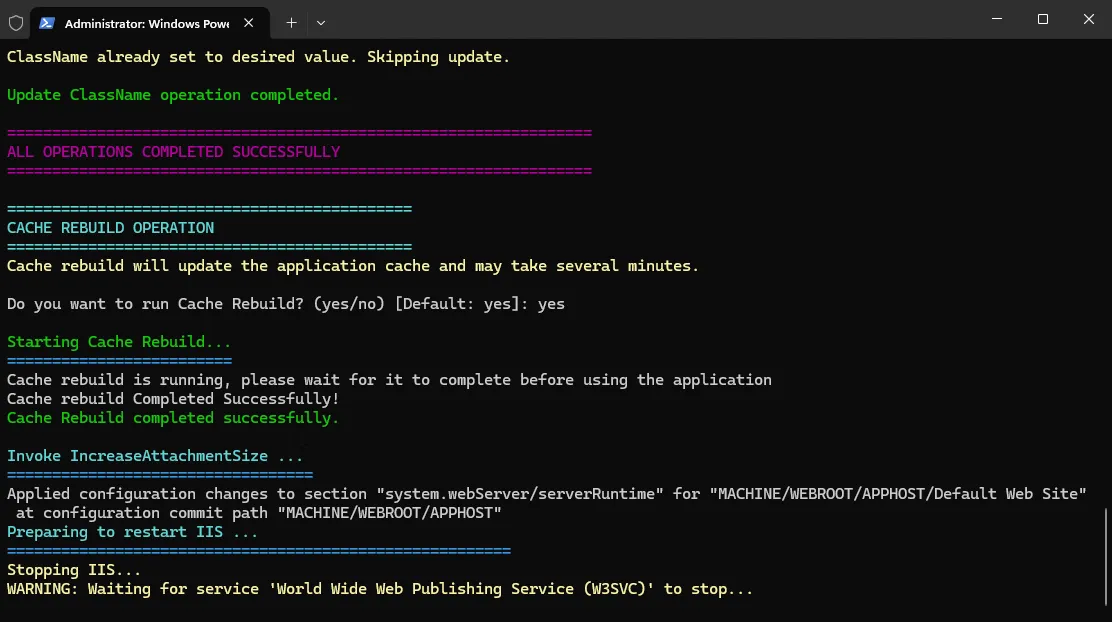
Once the CacheRebuild completes it restarts the IIS , closes SCW automatically, and returns to the installer.
- Click Finish in the installer page.
- Restart the host server that you just configured.
- Verify that you can access Neurons for ITSM by navigating to http://server_name/HEAT.