
Edit functionality in Ivanti Docs@Work
2 min
The editing feature is available by default. If you want to restrict mobile device users to read-only access to enterprise content, you can turn off editing in Ivanti Docs@Work. Enter the DISABLE_EDITING key-value pair in the Custom Configurations section of the Ivanti Docs@Work configuration. The key-value pair disables the following in My Files and all content sites in Ivanti Docs@Work:
- Editing
- Creating new files and folders
- Importing images from photo gallery
- Uploading to and deleting files in the backend resource
Disabling the edit functionality in Ivanti Docs@Work
You disable the edit functionality in Ivanti Docs@Work using key-value pairs. If editing is disabled, device users will no longer see the edit options in Ivanti Docs@Work. Users will also not be able to switch to edit mode while viewing a document.
Procedure
- In the Ivanti EPMM Admin Portal, go to Policies & Configs > Configurations.
- Select the Docs@Work configuration for which you want to disable editing.
- Click Edit.
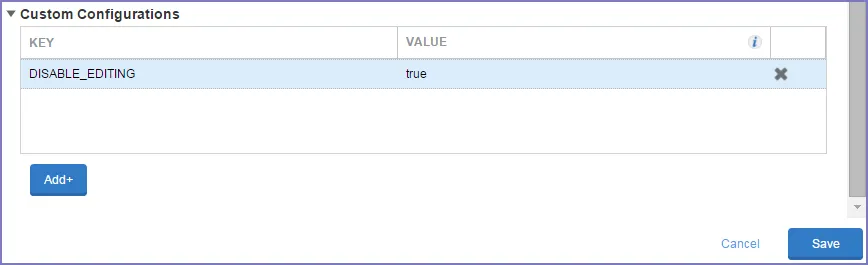
- Scroll down to the Custom Configuration section.
- Click Add+ to enter the following key value pair:
Key | Value |
|---|---|
DISABLE_EDITING | true |
- Click Save.