
Configuring Agentless Host Checking with Native Supplicant
The access control for this use case can be achieved through RADIUS CoA and a sample workflow is described below:
- The native supplicant performs 802.1X authentication and IPS creates a session. The IPS assigns a limited access role since the host check is not performed.
- The user configures the RADIUS URL-redirection attributes on the Cisco Switch. Using RADIUS URL-Redirection return attributes the Cisco switch redirects any initial HTTP/s traffic to IPS so that Layer 3 authentication is performed along with compliance check. Upon successful Host Check, a different set of radius attributes is pushed using Radius CoA to seamlessly access any resource. You must configure the following return attributes (supported only on Cisco switches): The following figure shows a sample IPS configuration for URL-redirection on Cisco switch.
Cisco-AVPAIR=url-redirect=https://<IPS-SIGN-IN-URL>/Cisco-AVPAIR=url-redirect-acl=REDIRECT_To_IPS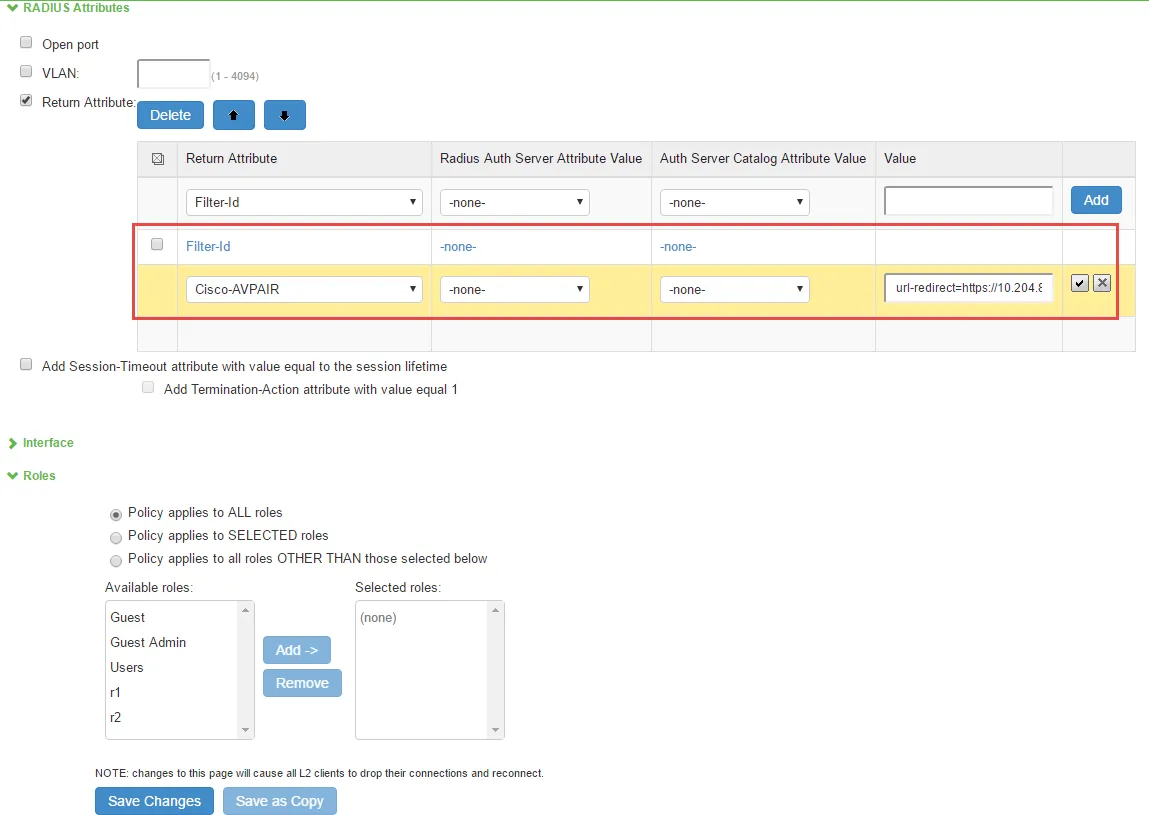
- The user configures the RADIUS CoA attributes. The recommended radius return attribute to perform access control using RADIUS CoA is Filter-ID for wired devices and ACL-name for WLC. You must configure the following return attributes on IPS: The following figure shows a sample IPS configuration for RADIUS CoA.
Cisco-AVPAIR=subscriber:reauthenticate-type=lastCiscoAVPAIR=subscriber:command=reauthenticateFilter-Id=PERMIT-ALL.in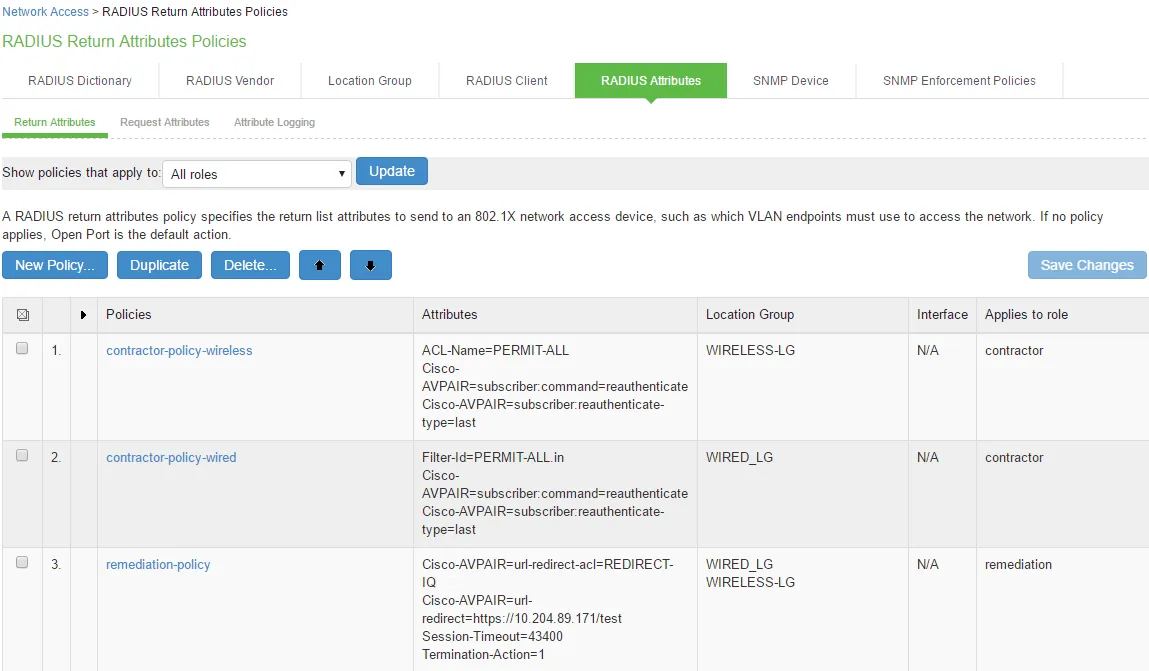
- The agentless L3 authentication is done through web browser and host check is performed. If host check passes the user receives new role (for example, full-access), which provides full access to authorized resources.
- The L2 and L3 connections are merged and the merged session receives full-access role. - The change of role triggers new RADIUS return attribute policy. The new policy triggers RADIUS CoA and applies new radius attribute, which provides full access to authorized resources. - VLAN change using CoA is not supported with Cisco Switches. It is recommended to use RADIUS disconnect for VLAN change. - The RADIUS CoA configuration for various Cisco switch platforms is described below.
Cisco Platform | IOS Version | RADIUS CoA Configuration |
|---|---|---|
3850 | 16.3 | Filter-Id=PERMIT-ALL.in |
2960X | 15.2 | Filter-Id=PERMIT-ALL.in |
2960 | 12.2 | Filter-Id=PERMIT-ALL.in Cisco-AVPAIR=subscriber:command=reauthenticate Cisco-AVPAIR=subscriber:reauthenticate-type=last |
| | |
| | |