Ruckus SmartZone WLC Configuration
1 min
The Ruckus SmartZone software platform provides unified software architecture across wireless LAN (WLAN) controllers, for appliance, virtualized and cloud environments for deployment flexibility.
To configure SmartZone WLC:
- Configure IPS as Radius Sever.
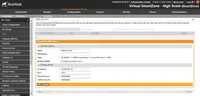
- Select Configuration > AP Zone > Zone Name > AAA servers> Create New.
- Configure Name, IP Address, Shared Secret and Confirm Secret.
To configure Hotspot (WISPr) service:
- Select Configuration > AP Zone > Zone Name > Hotspot (WISPr)> Create New.
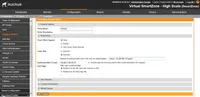
- Configure Portal Name, Login URL text box with https://IPS-ip/guest.
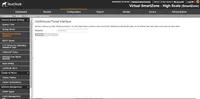
- Configure Northbound Interface password as Ruckus Request Password on Radius Client page in IPS.
To configure WLAN:
- Select Configuration > AP Zone > Zone Name >WLAN > Create New.
- Configure Name, SSID, Authentication type as “Hotspot (WIPSr) “, Authentication Method as “open” and Encryption as “None”.
- Select Hotspot configured from drop down list and select Authentication Server.