
Enabling Windows 10 app inventory reporting on Core
5 min
To enable app inventory reporting for Windows 10:
| 1. | Log into Ivanti EPMM, and then select Policies and Configs. |
|---|
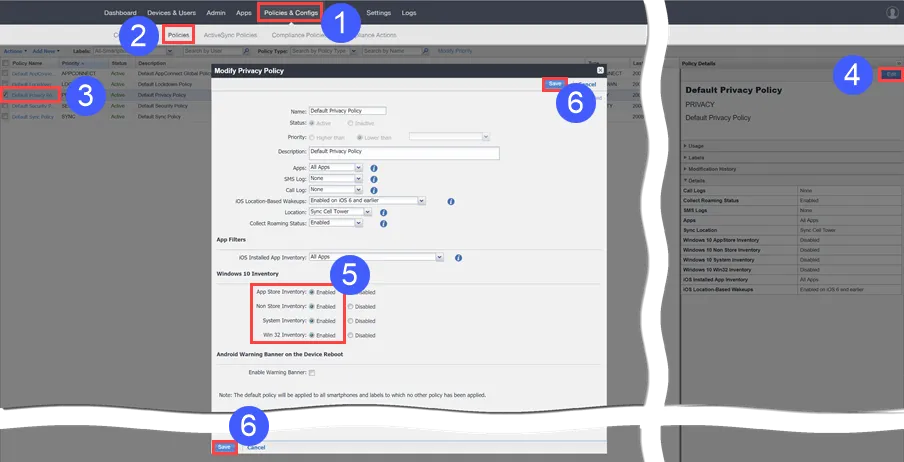
| 2. | Select Policies. |
|---|
| 3. | Select Privacy Policy. |
|---|
| 4. | Click Edit. |
|---|
| 5. | Enable the following Windows 10 inventory settings: |
|---|
| - | App Store Inventory |
|---|
| - | Non Store Inventory |
|---|
| - | System Inventory |
|---|
| - | Win 32 Inventory |
|---|
| 6. | Click one of the Save buttons. |
|---|