
Assigning the CPS role to a user
3 min
The process differs between Ivanti Neurons for MDM and Ivanti EPMM.
Assigning the CPS role to a Ivanti Neurons for MDM user
To assign the CPS role to a user:
- Log in to Ivanti Neurons for MDM and then click Users.
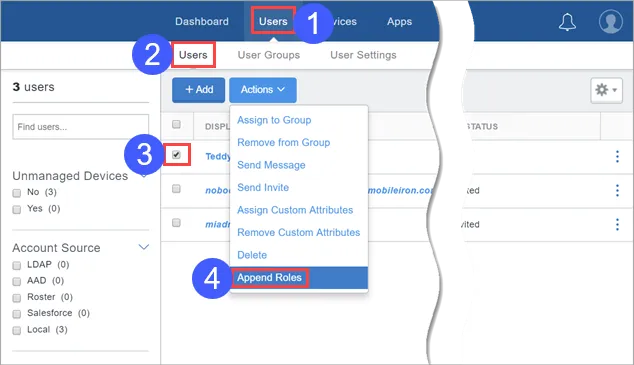
- Select Users.
- Select a user.
- Select Append Roles.
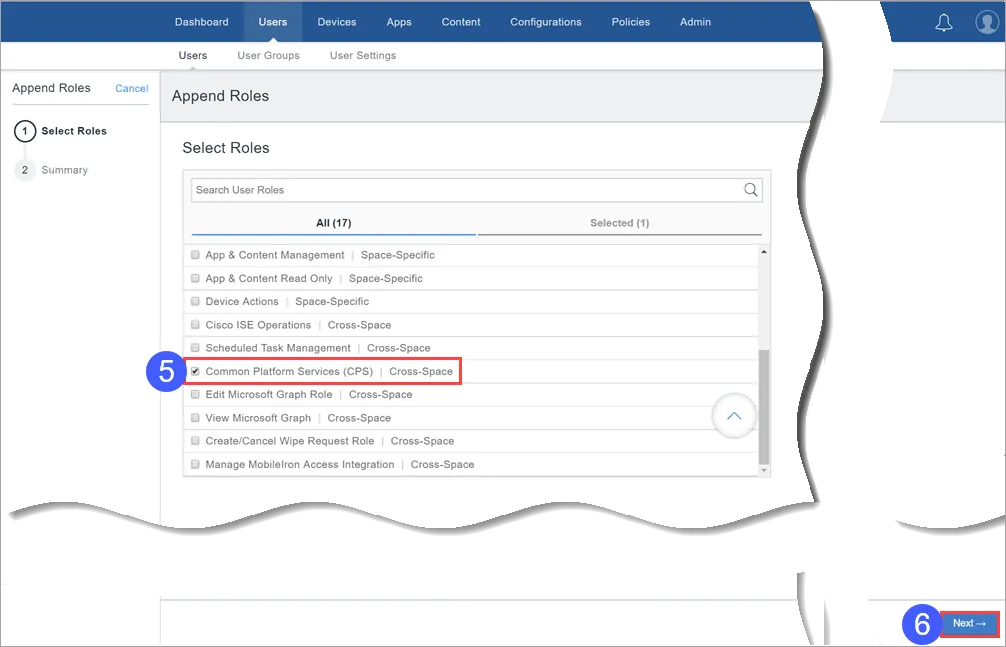
- Select the Common Platform Services (CPS) role.
- Click Next.
- Click Done.
Assigning the CPS role to a Ivanti EPMM user
Procedure
- Log in to Ivanti EPMM and then click Admin.
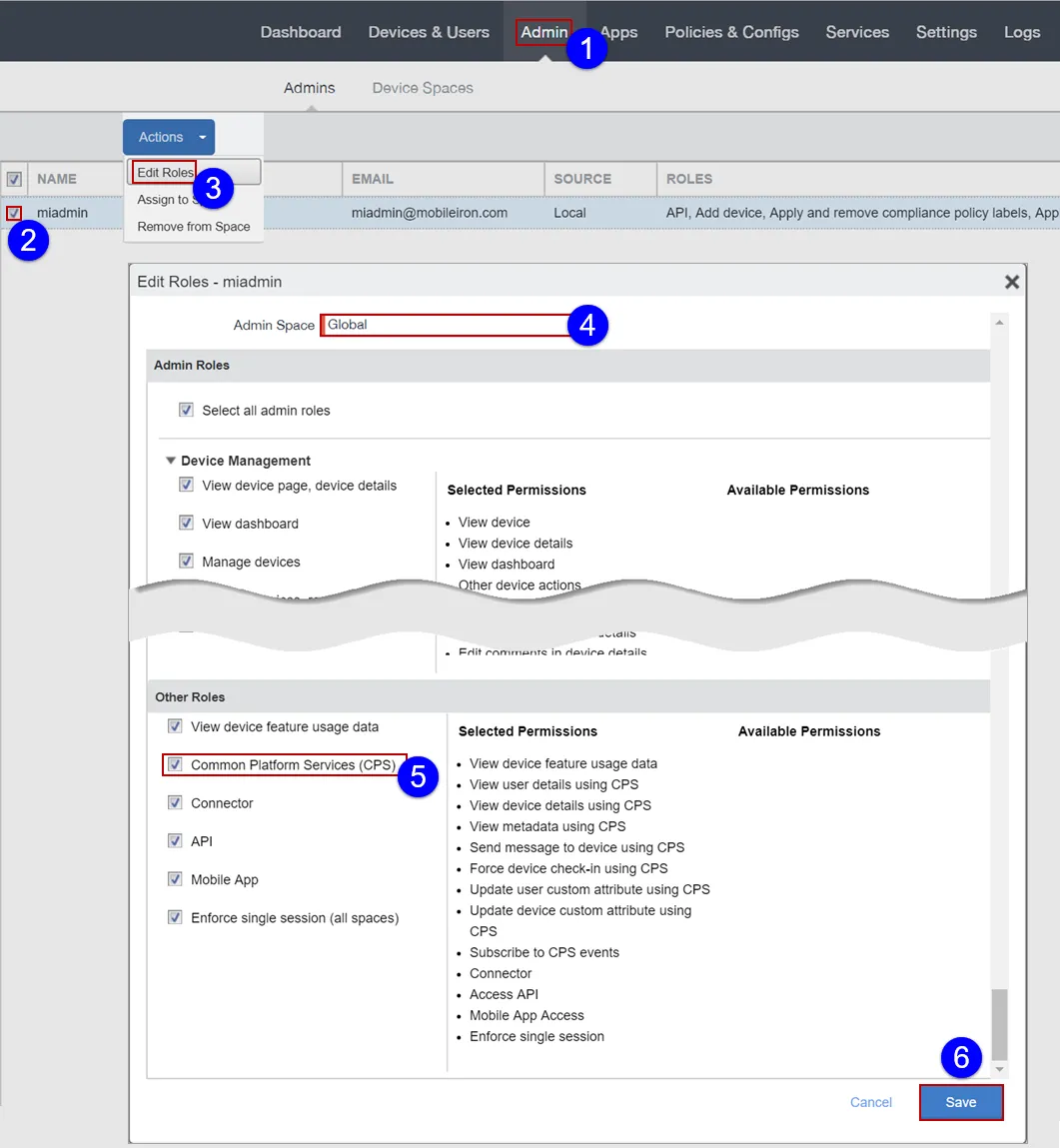
- Select a user.
- Select Edit Roles.
- Assign the admin user to the global space.
- The user will be unable to access Common Platform Services functionality if assigned to a device space other than global.
- Select the Common Platform Services (CPS) role.
- Click Save.
The user will be unable to access Common Platform Services functionality if assigned to a device space other than global.