
Activating Ivanti Tunnel on macOS devices
1 min
To active Tunnel from the Tunnel menu, users must first activate the service in System Preference > Network Preferences.
Procedure
- On the macOS device, go to System Preferences > Network Preferences.
- Select the Ivanti Tunnel VPN from the list of networks. Figure 1. Make Service Inactive
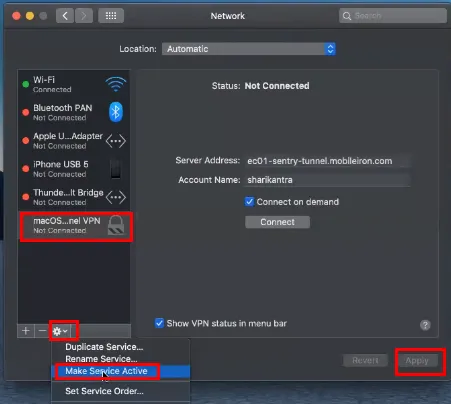
- Click the gear icon > Make Service Active.
- Click Apply.
- Click the Tunnel icon in the menu bar. Figure 2. Exit application
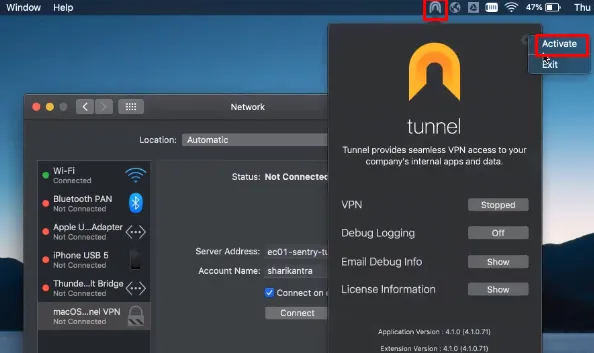
- On the top right corner, click the gear icon > Activate.