
Setting Workflows to Require Attachments
1 min
Summary: How to set Ivanti Neurons RBVM/ASPM/VULN KB to require attachments when submitting a specific workflow.
By default, attachments are not required to submit a workflow. Ivanti Neurons RBVM/ASPM/VULN KB provides organizations with the ability to require attachments when submitting a workflow for risk acceptances, false positives, and severity changes.
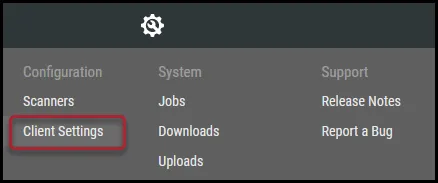
To set one of these workflows to require attachments, navigate to the Configuration > Client Settings page.
On the Client Settings page, scroll to the require documents section.
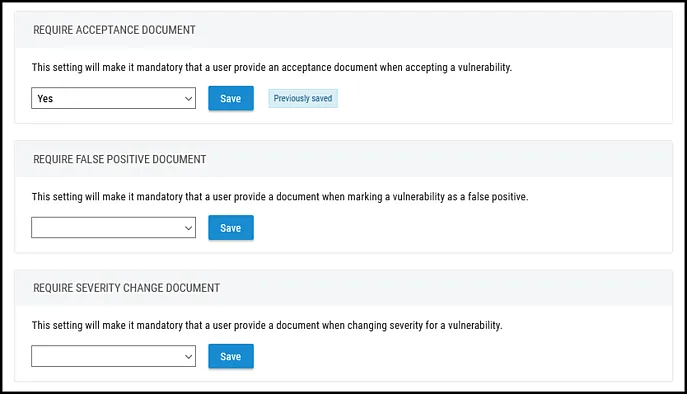
Select Yes in the drop-down menu and click Save.

The selected workflow now requires an attachment when submitting a request.