
Netsparker Data Export Guide
Summary: How to export data from Netsparker for ingestion by Ivanti Neurons RBVM/ASPM/VULN KB.
Netsparker Overview
The Netsparker web application security scanner helps identify vulnerabilities in your web applications. Ivanti Neurons RBVM/ASPM/VULN KB supports Netsparker scan results exported as an .XML file.
Netsparker Setup
Follow these steps to save Netsparker data to a file that can be uploaded to the Neurons RBVM/ASPM/VULN KB platform.
First, log in to the NetSparker client.
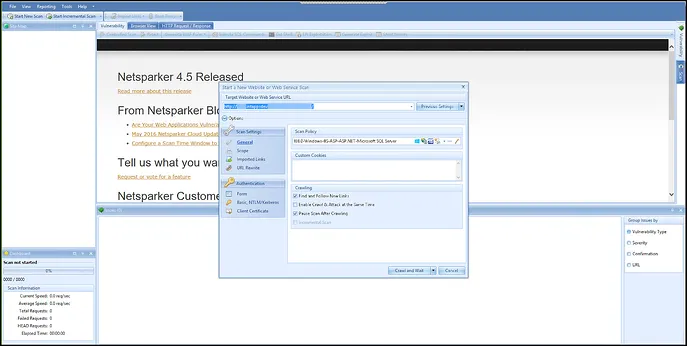
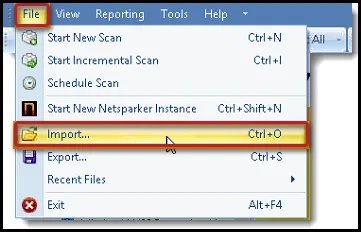
Close the Start New Scan dialog box and navigate to File > Import.
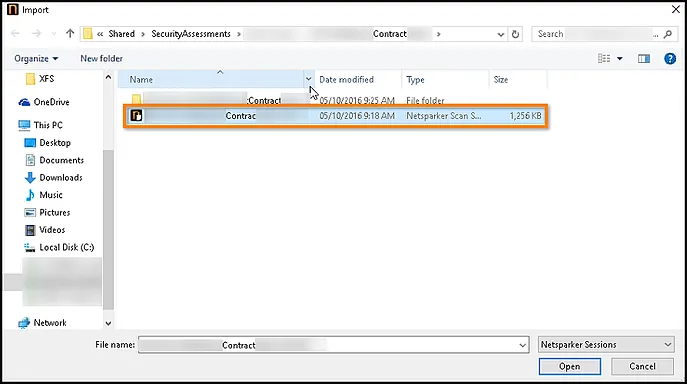
From the File Import dialog box, select the Netsparker scan to import.
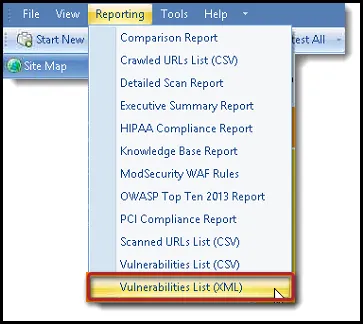
After loading the scan data into NetSparker, navigate to the Reporting menu.
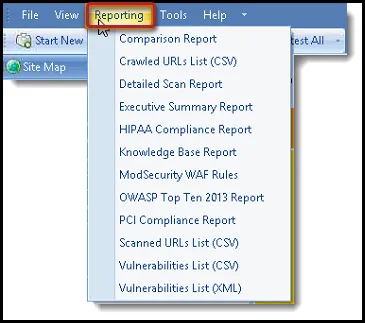
Select Vulnerabilities List (XML).
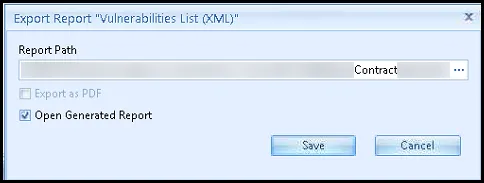
Provide a name for the export and click Save.
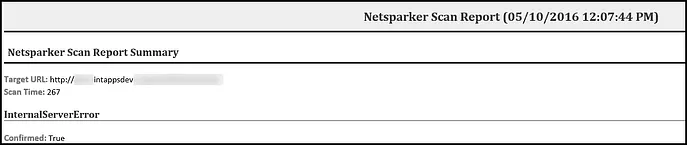
Once the file is saved, you can view the file in a browser or text editor.
You can now upload this file to the Neurons RBVM/ASPM/VULN KB platform.