
Creating an Application Vulnerability
1 min
Summary: How to create an application vulnerability in Ivanti Neurons RBVM/ASPM/VULN KB.
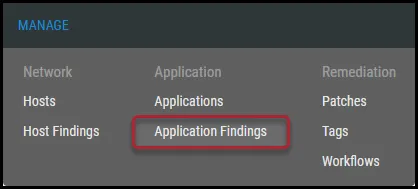
To create an application vulnerability, navigate to the Manage > Application Findings page.
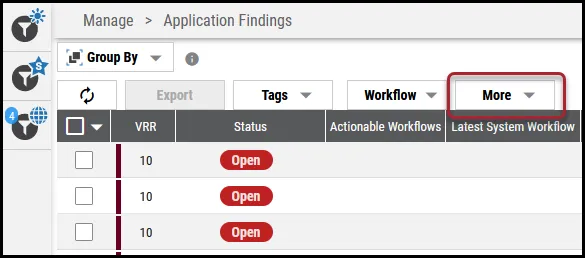
On the Application Findings page, click the More button.
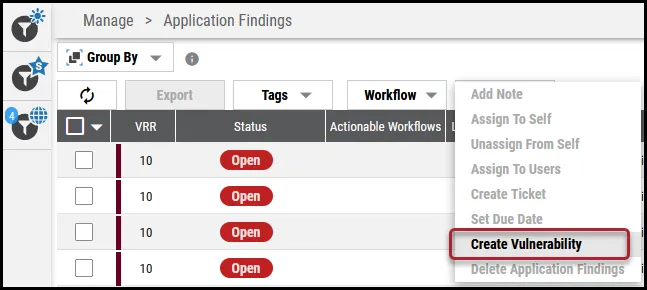
In the More dropdown, click Create Vulnerability.
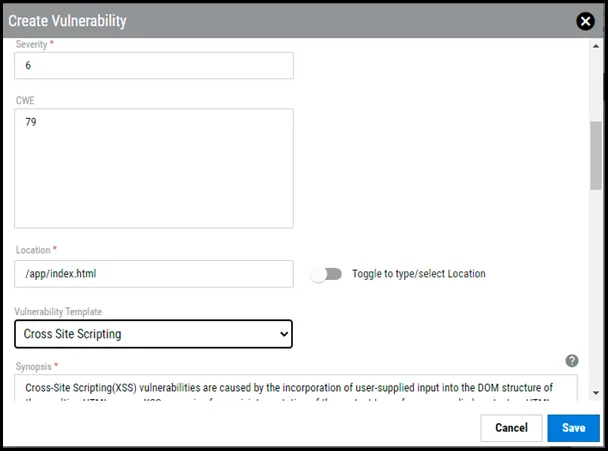
In the Create Vulnerability window, complete the following fields.
- Application: Application name. Can use this field to search for an application.
- Assessments: Assessment title. Can use this field to search for an assessment.
- Scanner: Select the scanner from the dropdown.
- Title: Vulnerability title.
- Source ID: Plugin ID.
- Severity: The vulnerability’s severity.
- CWE ID: The vulnerability’s CWE ID.
- Location: Location where the vulnerability was identified.
- Vulnerability Template: The vulnerability’s template to add description and solution.
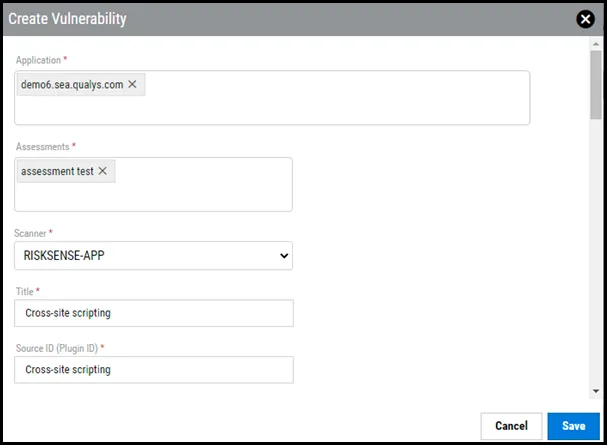
Once you complete the required fields, click Save. This action creates the application finding.