Troubleshooting
Syntax Errors
The Configuration Importer tool checks the syntax of configuration documents as they are processed. If there are syntax errors in any configuration document, the Configuration Importer detects them and reports an error in the container logs without changing the Traffic Manager's configuration.
The Traffic Manager also displays this error on the Diagnose page of the Admin UI.
To dismiss a reported import error and return the Traffic Manager to a normal running state, click Acknowledge and remove error state. An error is cleared automatically if a subsequent successful import occurs.
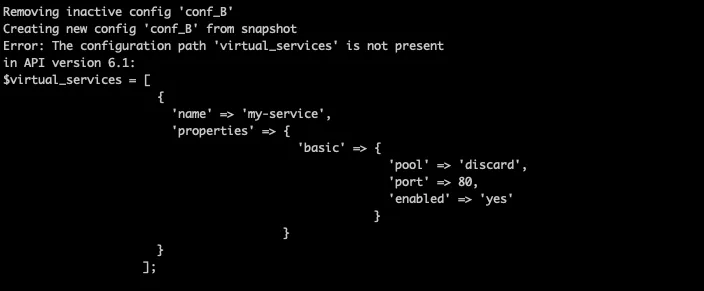
To view import error details when applying configuration to a Docker container, view the container logs.

For example, for a container named "vtm-config-example", run the command:
docker logs vtm-config-exampleIn this example, the configuration document incorrectly refers to "virtual_services" instead of "virtual_servers".